1
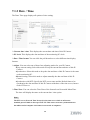
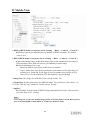
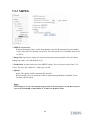
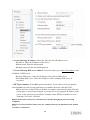
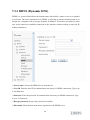
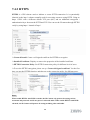
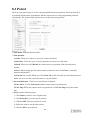
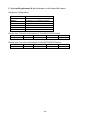
Authentication: Select the authentication required when you send an email. Off: Select if no authentication is necessary when an email is sent. On: When authentication is necessary an e-mail is sent, there are SMPT, POP before SMPT or both three options. SMTP: Select if SMTP authentication is necessary when an e-mail is sent. POP before SMTP: Select if POP before SMTP authentication is necessary when an e-mail is sent. POP server name: It is necessary when the POP before SMTP is selected in Authentication. Type the POP (receiving mail) server name up to 64 characters, or type the IP address of the POP server. This setting is necessary when the SMTP server which sends e-mails performs authentication using the POP user account. User name, Password: Type the user name and Password of the user who has the mail account. This setting is necessary when the SMTP server which sends e-mails performs authentication. Recipient e-mail address: Type the recipient e-Mail address up to 64 characters. You can specify up to three recipient E-mail addresses. Administrator e-mail address: Type the Administrator e-Mail address up to 64 characters. This address is used for reply mail and sending system messages from the SMTP server. Subject: Type the subject/title of the e-Mail up to 64 characters. With respect to mail which is sent according to the IP notification. Message: Type the text of the E-mail up to 384 characters. Default value provides network information including IP, Port, MAC, Model, Firmware Version and Web Version. 50