1
Using the Process Details Outline View
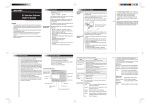
The following illustration shows a sample Outline view of a process instance.
Outline View Menu Bar
1
2
3
4
Suspend running process
Resume suspended process
Terminate running or suspended process
View Process Log. Display the execution details for the process instance. The logging level must be set to Full or
Execution, as described on the Configuration page of the
Engine topic.
Structural elements of a BPEL process
21
z
Process name is the local part of the process qualified name
z
Partner links represent the Web services that are invoked
z
Variables contain the message or other data received, manipulated, and sent
from the process
z
Correlation sets, if present, contain the message properties that track different
conversations carried on by the process
z
Fault handlers, if present, catch faults thrown by process activities
Using the Process Details Outline View
Version 4.1