1
Get started
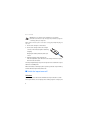
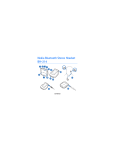
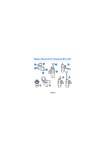
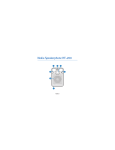
2. To pair the loopset if it has not been previously paired with a device,
switch on the loopset. The loopset enters pairing mode, and the
indicator light quickly flashes blue.
To pair the loopset if it has been previously paired with another device,
ensure that the loopset is switched off, and press and hold the
multifunction key (for over 5 seconds) until the indicator light quickly
flashes blue.
3. Within about 5 minutes, activate the Bluetooth feature on your phone
or music player, and set it to search for Bluetooth devices. For details,
see the user guide of your device.
If the pairing is not initiated within about 5 minutes, the loopset
switches off.
4. Select the loopset (Wireless Loopset LPS-5) from the list of found
devices on your phone or music player.
5. If necessary, enter the passcode 0000 to pair and connect the loopset
to your device. If your device does not have a keypad, it may use this
passcode by default.
In some devices, you may need to make the connection separately
after pairing.
If pairing is successful, the loopset appears in the menu of your device
where you can view the currently paired Bluetooth devices.
When the loopset is connected to your device and is ready for use, the
indicator light slowly flashes blue.
10