1
I.
REGISTRATION – first time users
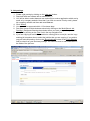
To use Symplicity, please register by doing the following:
1.
2.
3.
4.
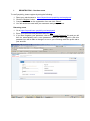
Direct your web browser to https://imperial-csm.symplicity.com/employers/
Click the ‘Register’ button
Complete the fields on the registration form and click ‘Submit’
You will receive an email with your username and your password.
Returning users
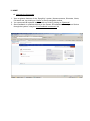
1. Go to https://imperial-csm.symplicity.com/employers/
2. Enter your username and password and click ‘go’
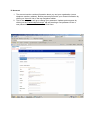
3. If you have forgotten your password, click on the ‘Forgot Password’ link and you will
then be automatically sent a new password. Once you have logged in with this
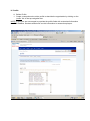
password you will be able to change it to one of your choosing under the profile tab in
your account.