1
ProScript
User Guide
Helpdesk Phone number: 01923 474 600
Rx Systems 2010
Table of Contents
STARTING PROSCRIPT ..........................................................................................................3
FINDING A PATIENT ...............................................................................................................4
ADDING A NEW PATIENT ......................................................................................................5
DISPENSING A NEW ITEM.....................................................................................................6
DOSAGES ....................................................................................................................................8
AFTER ADDING AN ITEM ....................................................................................................10
REPEAT PRESCRIPTIONS....................................................................................................11
OTHER DISPENSING FEATURES .......................................................................................12
PARTIAL DISPENSING ................................................................................................................12
ADDING A WHOLESALER ...................................................................................................13
ORDERING PRODUCTS ........................................................................................................15
MANUALLY ADDING AN ITEM ...................................................................................................16
TRANSMITTING AN ORDER ........................................................................................................17
PRINTING ORDERS .....................................................................................................................17
MANUAL ORDERING OPTIONS ...................................................................................................18
ORDERING WHILE DISPENSING ..................................................................................................19
CHECKING PREVIOUS ORDERS (GOODS IN SCREEN) ..................................................................20
CHECKING ORDER STATUS .......................................................................................................20
STOCK CONTROL AND USAGE..........................................................................................21
REPRINTS .................................................................................................................................23
LARGE PRINT LABELS ...............................................................................................................24
OWINGS FROM THE REPRINTS SCREEN ......................................................................................24
AMENDING A PRODUCT AFTER D ISPENSING ..............................................................................24
LABEL OPTIONS.....................................................................................................................25
NOT DISPENSING AN ITEM .................................................................................................26
OWINGS ....................................................................................................................................27
CHANGING PRESCRIPTION TYPE ....................................................................................28
PRESCRIBER DETAILS .........................................................................................................29
MERGING PATIENTS / DELETING PATIENTS ...............................................................30
MERGING PRESCRIBERS ....................................................................................................32
DELETING / AMENDING ITEMS FROM THE PMR ........................................................33
REPORTING .............................................................................................................................34
PERFORMING AN MUR ........................................................................................................38
MUR REPORTS. ........................................................................................................................42
SUBSTANCE DEPENDENCY MODULE (SDM) .................................................................44
ADDING / CHANGING DOSAGE CODES ...........................................................................48
SETTING RESTRICTIONS ....................................................................................................49
ADDING / AMENDING EXTEMP ITEMS ...........................................................................50
FREE FORMAT LABELS / BATCH LABELS .....................................................................52
OTHER FEATURES ................................................................................................................53
SHORTCUTS ...............................................................................................................................53
ALARM C LOCK..........................................................................................................................54
RECORDING FRIDGE TEMPERATURES ........................................................................................54
RECORDING PATIENT COUNSELLING .........................................................................................55
INTERACTION CHECK ................................................................................................................57
PRICE CHECK ............................................................................................................................57
BLOOD PRESSURE CHECK .........................................................................................................58
REPEAT MANAGEMENT......................................................................................................59
CONFIGURATION OPTIONS ...............................................................................................60
ORDERING METHODS ................................................................................................................60
PRIVATE PRESCRIPTION CHARGES ............................................................................................62
ADDING A PFIZER WHOLESALER ...............................................................................................62
LABELLING OPTIONS .................................................................................................................62
BAG LABELS .............................................................................................................................62
MONITOR DOSAGE SYSTEM (MDS)
INTRODUCTION........................................................................................................................63
PROCESSING FROMA PRESCRIPTION..................................................................................63
PATIENT ALREADY IN AN EXISTING HOME..........................................................................64
START DATE..............................................................................................................................64
STOCK ORDERING OPTIONS..................................................................................................65
ITEM SELECTION FROM PMR..................................................................................................67
ITEM SELECTION FROM PMR CTD.........................................................................................68
PARTIAL DISPENSING (SCRIPT QUANTITIES GREATER THAN 28 DAYS SUPPLY) ........70
COMPLETING THE SCRIPT......................................................................................................72
MONITORED DOSAGE SUMMARY SCREEN..........................................................................72
MONITORED DOSAGE SUMMARY SCREEN CTD.................................................................73
END TREATMENT.....................................................................................................................73
CHANGING THE MAR SETTINGS............................................................................................73
MONITORED DOSAGE SUMMARY SCREEN CTD. ................................................................74
PRINT INDIVIDUAL MAR CHARTS AND BACKING SHEETS................................................74
MONITORED DOSAGE SUMMARY SCREEN CTD. ................................................................76
CHANGING THE ITEM ORDER ON THE MAR CHART...........................................................76
EDIT MDS DETAILS...................................................................................................................77
ADDING A PATIENT TO AN EXISTING CARE HOME.............................................................81
MDS MANAGEMENT.................................................................................................................82
EDITING AN EXISTING HOME. ................................................................................................83
ADDING A NEW HOME..............................................................................................................88
DELETING A HOME...................................................................................................................88
PRINTING THE MAR CHARTS AND BACKING SHEETS.......................................................89
PRINTING THE MAR CHARTS AND BACKING SHEETS CTD...............................................90
ABORTING THE PRINT RUN....................................................................................................90
THE PRINT RUN LOG................................................................................................................90
2. PROCESSING FROM A MAR CHART (MDS PREPS)...........................................................91
PROCESSING FROMA MAR CHART CTD. .............................................................................91
RECONCILING MDS PREPS WITH SCRIPTS..........................................................................92
1. WHEN THE SCRIPT IS EXACTLY THE SAME AS ITEMS PREPARED..............................93
2. WHEN THE SCRIPT HAS DIFFERENT/NEW ITEMS TO THOSE
PREPARED.............................................................................................................................94
SEVEN DAY PRESCRIPTIONS.................................................................................................94
2
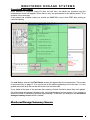
Starting ProScript
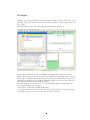
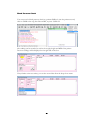
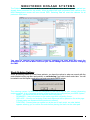
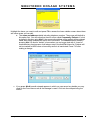
ProScript can be launched from the desktop by either pressing CTRL ALT + P, at the
same time, or by using the mouse to double left click on the ProScript icon
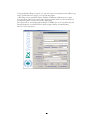
You should see ProScript loading. This is also the time when updates will be applied (if
they are available).
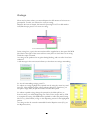
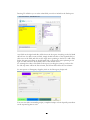
Once loaded, you will be on the ‘Patient select’ screen.
3
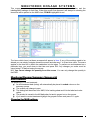
Finding a Patient
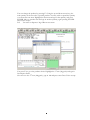
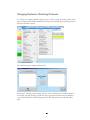
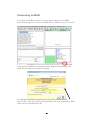
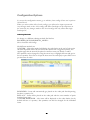
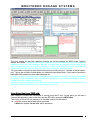
As the name suggests, you can search for a patient just by typing in the surname. The
search can be further enhanced by typing in the first name, date of birth, address,
postcode or patient number, using a space to separate the search criteria.
A selection can be made by pressing the relevant Function key (F-Key) that is listed
next to the first 8 patients. The up and down arrow keys can be used to scroll through
the list, and so can find patients further down the list. For a new patient, F1 can be
pressed to create a new patient record.
4
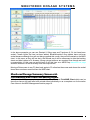
Adding a new patient
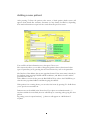
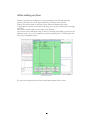
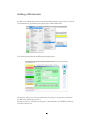
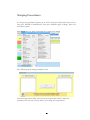
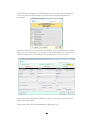
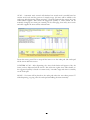
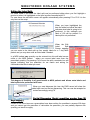
After pressing F1 from the patient select screen, a blank patient details screen will
appear. Some details like surname, forename etc may already be filled in, depending
how much information was put into the search from the previous screen.
Patient Details Screen
You can fill in all the information now, then press F10 to save.
This screen also allows you to add or change this patient’s doctor, dentist and other
types of prescriber, just by pressing the relevant Function key next to the prescriber.
The first line of the address has an auto-populate feature. If the street name is already in
the database, then pressing ENTER will fill in address1, and address 2 and 3 and the
postcode if it is able to.
If the address is not in the list, press the BACKSPACE key (above the ENTER key) to
clear the auto-populated address and finish typing the address.
If the patient is in a nursing home, you can select the home by pressing F9. Alt-R allows
you to put the room number in.
Patient notes can be added in the Notes box. If you place an exclamation mark ( ! )
anywhere within the notes field, the note will flash up as a warning when going into that
patient.
By putting a note in square brackets [ ], that note will appear on a MAR chart if
required
5
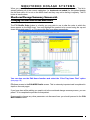
Dispensing a new item
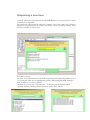
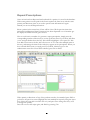
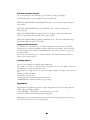
Once the patient has been selected, the ENTER (Return) key may be pressed to add a
new item to be dispensed.
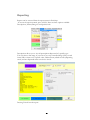
This brings up a drug selection window. By typing in part of the name, a list of items is
displayed. To narrow down the search even more, a space separating strength, form,
reference number etc can be used.
E.G Amox 250 cap
Selection of the required item can be made by pressing the Function key listed next to it
or by using the arrow keys to highlight the product and pressing ENTER. ProScript
then prompts you to enter a quantity.
Alternatively, you can use a forward slash ‘/’ to find any part of the item. This is
especially useful for finding catheters that have a code. E.G: /D1637
After you have selected an item, it will appear in a favourites list. This will appear at the
top of the selection list.
If the item hasn’t been used for 60 days, the item will be removed from the list. You
can manually remove the item as a favourite by highlighting the item and pressing
ALT+R.
You may now enter the quantity required either in units, or in packs.
Units (tabs/mls/grams etc) will automatically be detected by the system.
Pressing ‘P’ after the amount will specify the number of packs.
Alternatively, ProScript can work out the quantity for you, either in packs as written on
the script or if you put the directions in EG take 2 tablets 3 times a day for 14 days. To
do this type: 2 3 14 (with the spaces). This will give the correct number of tablets
required.
Pressing enter (or clicking OK) will move to the dosage screen. Pressing ESC cancels
this action.
7
Dosages
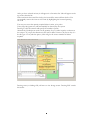
Dosages can be entered either by free-typing the dosage, using a short code, or by
searching using a key word. To use the keyword search, press ‘/’ followed by some text.
E.g. /water
This will bring up a list of all the dosages that contain the word ‘water’
Searching for dosages
Use the up and down arrow keys to highlight the required dose, and press enter to
select it. Dose codes can also be used (E.g. 1 for Take One, T for Three times a day). If
the dosage you require is not there, then you may free type it. This can be saved to the
existing list by pressing F2. You will be required to add your own dose code. This new
dose code can now be used to recall the dosage.
Multiple dosages can be used. E.G. To get the dosage ‘Take One Three Times a
day, when required’ you may type:
1 then Enter, T then Enter, PRN then Enter.
To accept the directions, Press Enter or F10. Use ESC to remove the last dosage,
or go back to the previous screen if none have been selected.
8
You can change the product by pressing F3. Using the up and down arrow keys, the
total quantity can be moved to a specific product. You may wish to spread the quantity
over more than one item. Highlight the first item and type in the quantity, and press
ENTER. Move to another item and type in another quantity, again pressing ENTER.
Press F10 to accept.
E.G You want to dispense 130g of Betnovate cream.
You press F3 to go to the product choice. Highlight the 1st item (30g pack) and type in
30 and press Enter.
Now move to the 2nd item (100g pack), type in 100 and press enter. Press F10 to accept.
9
After adding an Item
If there is another item to dispense on the prescription, Press F6 and repeat the
previous procedure, or use the repeat function (covered in a later section).
If there are no more items to add, press F8 to finish and Endorse the script.
A prescription is shown on the screen, allowing you to review it and ensure everything
is correct.
Press F10 to endorse and save the script to the database.
If you don’t want to finish the script, or there is a mistake, press ESC to go back to the
add item screen. To save the script but not print any labels, press F7. Pressing F6 will
take you to the Reprint screen.
.
The endorsement screen
To access the last patient, press F10 from the initial ‘patient select’ screen.
10
Repeat Prescriptions
Once an item has been dispensed and endorsed for a patient, it is saved in the database.
If that same patient at some point in the future requires the same item, with the same
quantity and directions, there is no need to put the same information in again.
Instead you can use the Repeat function.
Select a patient in the normal way. There will be a list of all the previous items that
patient has had dispensed. Some items may have been dispensed over 12 months ago.
To display the full list of items, press ALT-S.
Next to each item is a number. To generate a repeat prescription, simply press the
corresponding number of that item (or use the up/down arrow keys as these will allow
you to navigate further down the list). This will then highlight it. Now press F6. This
now adds a new item to the list, with a dot next to it. You can select multiple items in
this way, and arrange the items in the order they appear on the prescription. When you
have selected all the items you need, press F8 to finish. This then goes to the
endorsement screen for review. When satisfied, press F10 to finish.
If the quantity or directions of any of the products needs to be amended, press ESC to
go back to the previous screen. Highlight the item marked for repeat by using the arrow
keys (This is the item with a red dot next to it) and press F4 to change the dose, or F5
to change the quantity.
Press F8 to review the script again, and finish by pressing F10.
11
Other Dispensing Features
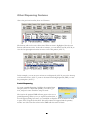
Above the previous item list, there are 5 buttons.
The buttons will not be active all the time. When an item is highlighted, the relevant
buttons will become active. In the above instance, you can edit the record (ALT-R) or
view the last prescription that the item was on for this patient (ALT-V)
In this example, you can now set an item as not dispensed (ALT-N), move the item up
so it becomes item 1 (ALT-U), remove the item from being dispensed (DEL) or view
the prescription (ALT-V).
Partial Dispensing
To create a partial dispensing, highlight the required item
and press ALT+F2. Enter the quantity you wish to give
now, and press enter. Finish the script as usual.
The item in the patients PMR will turn green to show as a
partial dispensing. When you try to repeat from that item, a
box will appear asking how many you would like to dispense now, so there is no need
to press ALT-F2 again for this item. This will continue to happen until the quantity
reaches zero. The item font colour in the PMR will also return to black.
12
Adding a Wholesaler
To add a new wholesaler, from the initial Enter Patient Screen, press ALT-U, then M
(for maintenance), then Wholesalers, then click on Edit Wholesaler
You will be presented with the Wholesaler details screen.
Pressing F1 will move to the next wholesaler, F2 will go to the previous wholesaler.
To add a new wholesaler, press F3.
The short code is a 3 character code given to that wholesaler. EG PHD for Phoenix,
UNI for Unichem etc.
13
The wholesaler name is what the wholesaler is called, and this will be displayed on the
order pad.
Account number is your account number with that wholesaler
Screen order is what tab the wholesaler will be on the order pad. EG 1 is the first tab, 2
is the second tab etc.
Modem number is the wholesalers phone number that will accept the orders via a
modem. If you need to dial a number to gain an outside line, 9 for example, you can
put that before the phone number.
The script file is dependant on the wholesaler, and should be found within the
templates directory within ProScript.
EG for Phoenix the script file would be written as: templates\phoenixorder.pss
The same goes for the OOS file: templates\phoenixoos.pss, and again is dependant on
the specific wholesaler.
Depot ID is only rarely used, so this should remain blank (unless specifically told to use
it)
There are also some options that you can use for each individual wholesaler:
Disable Transfers: Enabling this option will disable the ability to move items from this
wholesaler to another one. This will not effect any other wholesalers that do not have
this boxed ticked.
Reason Required: This option will enable you to move items from the wholesaler to
another one, but will prompt the user to enter a reason as to why the item is to be
moved.
14
Ordering Products
From the patient select screen, press F7 to go to the order page.
This will bring up a list of all items that are currently on order.
Expensive items are highlighted in red.
All of your suppliers will have their own ‘tab’. You can view each of these in turn by
pressing F2.
Each supplier tab will have 9 pages. Each page can be customised.
EG. Daily ordering can go to page 1, First of the month can go to page 2 etc.
Pressing F3 will allow you to scroll through these
15
Manually Adding an Item
To add a new item, press F1, and start typing the name of the item. You can use
strengths, sizes or any other description to find the item you require. To select an item,
press the F-key that is next to that item, or using the arrow keys to highlight the item
and pressing Enter.
You can change the quantity by simply typing the number you require.
A new ordering method allows you to add multiple items to the order pad at the same
time – dependant on how your ProScript has been set up.
When you are looking at the wholesalers product file, start typing the name of item you
want to order. Press the down arrow and type in the quantity. You can press the down
arrow again to another line and place another quantity. Press F10 to accept all the lines
to the order pad.
To remove an item, highlight that item by using the arrow keys, or left clicking with the
mouse, and press the DEL key to remove the item.
To bring back the last deleted item, press ALT+Z
To move an item to a new wholesaler, press F4 with the item highlighted and select the
relevant wholesaler.
Pressing F5 will move an item to another page.
If you wish to lock an item, so it does not get sent with the rest of the order, press F6.
Type in the message you want to appear in the status column. To unlock the item, press
F2 once you have pressed F6.
This option can be turned off and on within the configs.
16
Transmitting an Order
When you are happy with the order, press F10 to transmit it to your wholesaler.
Any Out of Stock messages will be displayed in the status column next to the item.
If the Lock/Unlock button is showing, you will have to press F6, then F3 to clear
all the Out of Stock messages to be able to send the items again.
If the Lock/Unlock button is not there, then the next time you send the order, all
items will be re-transmitted, regardless of the status message.
Printing Orders
Instead of transmitting the order, you may wish to print the order. To do so, press
F8. This will bring up the windows print box. Select which printer you wish to
print the order on, and click ok.
An on-screen prompt will ask if the order printed correctly. Clicking NO will print
another copy of the order. Clicking YES will bring up another prompt asking if
you wish to clear the order. Selecting YES will place the items into the Goods In
screen. Pressing NO will leave the order on the order pad.
17
Manual Ordering Options
In All configs (Utilities, configs, All) there is a config option: Manual_Order_Mode=
This can be set to one of the following:
Normal order mode: Each wholesaler page looks at their respective wholesaler file.
When adding an item from the order pad, only items which the wholesaler stocks can
be selected from the product list. You will not be able to find brands using the generic
name if the wholesaler does not stock the generic.
Restricted order mode: This will look at the ProScript drug tariff, and once you have
selected a product, will display only the items which are on your restricted list. The item
will also be placed onto the order pad of the wholesaler you have specified in your
cascade file. You will be able to search for products using the generic name, and then
select which specific item you wish to order. You will not be able to order any items
outside of your cascade file, or any OTC products using this method.
Full order mode:
Very similar to the Restricted method used above, but you
have the option to press ESC (Escape) and view the wholesalers product file (as per
Normal order mode). Using this method allows you to search via generic names,
restrict what items are ordered, but still able to order OTC products by looking at the
full wholesaler file.
Another option to note is ‘SUPPRESS CASCADE’. Although this will not work for all
ordering methods, this will over-ride the supplier restriction set in your cascade file.
This will place the item onto the order pad of the wholesaler you are currently viewing.
18
Ordering while dispensing
While dispensing, you can check what items are being ordered by pressing ALT-B. This
is known as the reorder basket. The basket is a box of all items that will be ordered
once the script has been finished. Quantities may be edited by highlighting the required
item, by using the up and down arrows, and then typing in the number you wish to
order.
If you want to change what page the product is placed on, press ALT-U or ALT-D to
go up and down the different order pages.
The supplier can also be changed from here. Press F2 (if the option has been enabled)
and choose the new supplier. This change could also be made permanent if this option
has been enabled.
When happy with the list, press F10 to add the contents of the basket to the order.
ProScript can be set so that the reorder basket will appear automatically when the script
has been finished.
ALT-O can be pressed any time the order button is displayed in the bottom right hand
side of the screen. This will take you to the order pad.
At any point during dispensing, you can highlight an item and press F7. This will add
the item to the order basket.
19
Checking Previous Orders (Goods in Screen)
All successfully transmitted orders can viewed from the Goods In page. This can be
accessed from the order pad, press F7. Alternatively, click on Goods In, then Process
Goods In from the top menu on the patient select screen.
The orders are sorted chronologically, with the latest order at the top. The wholesaler to
which the order was sent is also displayed. On the right are the items on that particular
order, listed alphabetically.
To view the different orders, scroll up and down using the up and down arrow keys.
If the order needs to be resent, you can press F9 (Re-Transmit Order). This will place
the items back onto the order page of the relevant supplier. If you want to resend only
one item, press F2 (to edit the order), scroll down the item list till you find the item and
then press F8 (Re-Transmit Line)
Pressing F1 will accept the order into the database and update the stock figures. To
accept a single line, Edit the order (F2), highlight the item and press F7 (Accept SingleLine)
To view orders that have already been processed into the stock control, Press ALT+P
(Show Previous Orders).
The orders can also be checked in automatically after a set number of days.
In All configs, set the option AUTO_GOODSIN_DAYS=x, where x is the number of
days.
Checking Order Status
You can view any extra messages send from the wholesaler by going to the utilities
menu, view comms, and show last file
20
Stock Control and usage
To access the stock control functions, press ALT-C. This brings up a menu with two
options. Press F1 for Stock Usage.
Type in the name of the item you wish to view. The search is the same as when you are
dispensing an item from the PMR.
This brings up the stock usage figures for the day and month for the last 6 months in
the white box at the bottom of the window.
From here, you can adjust the current stock level, the minimum quantity you wish
to keep, the maximum quantity you wish to keep.
If you wish to order that item in bulk, you can set an outer pack size so the that item
won’t be ordered until that limit has been reached.
IE: if you set the outer pack size to 6, the item will not be ordered until 6 have been
used.
21
There are 4 options to set with the outer size when you go to send the order:
Ask: When sending the order, ProScript will prompt you if you wish to order that
product
Round Up: ProScript will automatically round the ordered quantity up to the outer pack
limit you have set.
Round Down: ProScript will automatically round down the ordered quantity to the
outer pack size.
Leave Residue: This will order the outer pack size limit, and any additional packs will be
left on the order pad
EG: If the outer limit is 5, and there are 7 are on the order pad, 5 will be ordered and 2
will be left on the order pad.
The default wholesaler the product will be ordered from is also displayed.
You can also stop the item from being ordered by pressing ALT-I. (Inhibit order).
22
Reprints
From the initial ‘Enter Patient’ screen, Press F6. This will bring up the reprint screen.
The Reprint Screen
From here, you can print a label or re-endorse a script. On the left side is a list of
patients that have had scripts dispensed to them, the most recent script that has been
dispensed being first, in descending order. To change the date range, press F11. Type in
the earliest date in the first box, and the latest date into the second box.. Press F10 or
ENTER to generate the list of reprints. Alternatively, instead of using a date range,
press ALT-Y to view all of yesterday’s dispensings, or ALT-L for last months.
You can search for a specific drug or patient within the list by pressing ALT-S. This
brings up a search box, where you can type in part of the drug name. Pressing Enter
will find the item. Repeatedly pressing Enter will find the next item after that.
To reprint a label, select the required patient by using the up/down arrow keys to
highlight that patient. You can press the right arrow key to view what was dispensed.
Press F6 to print the label. If you want to change the label options so it prints over
many labels, or reduce the amount of labels to 1, press F9.
23
Large Print Labels
Large Print labels can be printed from the reprints screen. Highlight the item you
want and press F4.
Owings from the Reprints Screen
An Owing can be created from here as well. Highlight the relevant item, and press F2.
Type in the quantity that has been given now, and press ENTER. The owing will now
be created and will be highlighted in yellow.
Owings can be redeemed from here also. Just select the owing (in yellow) and press F2
(Redeem Owing)
Amending a Product after Dispensing
To amend any aspect of the reprint, press Alt R. From here, you can change the
quantity, dosage, the product, what was actually dispensed, or delete the record. Any
other notes can be types in the ‘additional notes’ box.
In the top right hand corner, you are able to give a reason why you are editing the
record.
When all the changes have been made, press F10 to save them. Or press ESC to cancel
the changes.
24
Label Options
Should you wish to change the number of labels being printed, highlight the required
item from the left screen, then press F9.
This option menu will allow you to produce a single label (F1), or split the quantity over
a number of labels by pressing F2. Every time you press F2, the quantity will be split
over another label.
E.G. If there are 60 tabs, pressing F2 will produce 2 labels of 30. Pressing F2 again will
produce 3 labels of 20.
You may also free type the quantity for each label.
You can also press F3 to specify how many labels you require. This will
automatically split the total quantity over that many labels.
Pressing F4 will add the last quantity to quantity above it.
EG: A total of 4 labels will be printed. 3 labels of 21 and a label of 5.
Pressing F4 will remove the label for 5 and add it to the last label of 21, so a total
of 3 labels will be produced: two labels of 21 and one label of 26.
F5 will produce an extra label of the same quantity
25
Not Dispensing an Item
There is also the option of not dispensing the item. After the item has been added to
the prescription, highlight the item and press ALT-N (not dispensed)
This will put ND within the description of the item.
A label will not be produced, as well as changing the quantity on the endorsement to
‘Not Dispensed’
Owings
There may be times where you cannot dispense the full amount of an item on a
prescription. For this you will need to create an owing.
Dispense the item as normal, but instead of pressing F6 or F8 to add another
item/finish script, press F2 to create an owing.
In the owings box, type in the amount that will be supplied now, then press ENTER.
The label on the right of the screen will now turn yellow to show that it is an owing.
Finish the script as normal.
An owing can be produced at any point during labeling, and even after it has been
endorsed.
A red message in the start screen informs you that there are owings outstanding.
To view all outstanding owings, press F2.
To redeem an owing, highlight the required item by using the arrow keys and
press F2. This will bring up the yellow redeem owing box. From here, you
can print a single label, or split the number of labels if required.
To redeem a partial owing, change the quantity in the label split box, to
however many you will be dispensing now. Press F10 to accept and say YES
to complete the owing. The PMR will be updated to reflect the partial owing.
The F1 key (‘This Patient’) will go to the dispensing screen for the highlighted
patient.
An owing can also be created or amended from the Reprint screen (F6) (see
the Reprint section)
27
Changing Prescription Type
When labeling you may need to dispense a prescription other than the default option of
the FP10. To change to another prescription type, press F2. This will bring up a list of
all available prescription types. To select one, use the up and down arrow keys, then
press ENTER. Notice that the bar above the label on the right (where the prescribers
name is) has changed colour, as well as the endorsement info box beneath the label.
28
Prescriber details
Amending an existing prescriber.
When you are dispensing for a patient, press F7 to bring up the current prescriber
details screen. Here you can change the name, address and various other pieces of
information.
Adding a new prescriber
If you wish to add a new prescriber for a patient, or change the type of prescriber, go
into a patient and press F1. From here, press the F-key that is next to the type of
prescriber you wish to add. Search for the prescriber in the same way as finding a
patient, by using the surname, first name, address or postcode.
If the required presciber is not in your database, press F1 to add a new one. Fill in all
the necessary details and press F10 to save, or alternatively, press F2 to look up the
doctors database. Type in the doctors name, or other details, and when you find the
correct doctor, press F10 to accept. This will populate all the fields possible. Press F10
to save in the doctors quick list, and save to the patient.
29
Merging Patients / Deleting Patients
To merge two patients details together, press ALT-U from the initial patient select
screen, and press ENTER at Maintenance, then press ENTER again at Merge Patients.
Select the ‘Patients’ option.
This will bring up the merge patient screen
Pressing F1 will bring up the patient selection screen, allowing you to find the patient
that will be merged. Pressing F2 will also bring up the patient select screen, and allow
you to find the patient which will merged into. This is the patient record that will be
kept.
30
In this example, Mr Smith will be merged into Mr RX Test, so only Mr RX Test is left
on the system.
Pressing F10 will merge the two patients.
WARNING: YOU WILL NOT BE ABLE TO UNDO THE MERGE ONCE IT
HAS TAKEN PLACE.
To delete a patient, press F9. This will delete patient 1 (Mr Smith) from the system.
WARNING: YOU WILL NOT BE ABLE TO BRING BACK THE PATIENT
ONCE IT HAS BEEN DELETED
31
Merging Prescribers
To merge two prescribers together, press ALT-U from the initial patient select screen,
and press ENTER at Maintenance, then press ENTER again at Merge. Select the
Prescribers option.
This will bring up the merge prescriber screen.
Like the merge patient utility, select the incorrect prescriber with F1. Select the
prescriber who you wish to keep. Press F10 to merge the to prescribers.
32
Deleting / Amending Items from the PMR
To delete an item from a patients PMR, select the patient, highlight the required item
and press ALT-R.
You can now press F5 to delete the Item. A prompt will appear asking you to confirm
the deletion.
Another prompt will appear asking if you wish to delete just that item, or all the other
items that may have been on the same prescription. Press Yes to delete the whole
script, or No to delete just the one item.
Press F10 to Save the changes.
Items can also be amended from the same screen. The quantity, dosage and the
product can be changed.
Press F1 for the quantity, F2 to change the dosage instructions, F3 to change the
Prescribed product or F4 to change the dispensed product.
33
Reporting
Reports can be accessed from the reports menu in ProScript.
To access the reports manual, press ALT-R. There are three options available:
Prescriptions, Patient/Drug use and Quick Totals.
Prescriptions allows you to view all prescriptions dispensed of a specific type.
You can select a date range, if you want to see only controlled drugs (CDs) owned
items, ZDs or items over a specific value. Deleted items, edited records (dispensing
errors) and not dispensed items can also be viewed.
Pressing F10 will run the report.
34
Pressing F3 will allow you to select what fields you wish to include in the final report.
Any fields on the right hand side will be shown in the report. Anything on the left hand
side will not. To add or remove fields, simply double left-click on the required field, or
click once on the field, and click on the single arrow pointing to the left. To add a field,
follow the same procedure on the left hand side, or click on the arrow pointing to the
right. To add or remove all the fields, click on the double arrows.
To rearrange the order of the fields in the report, just drag the name up or down the
list. The top name will be the first column, the bottom field will be the last column.
To run reports on Emergency Supplies, click on the Emergency Scripts tab
You can view either outstanding scripts, completed scripts or both. Specific prescribers
can be reported against as well.
35
Owings can also be reported against. Again, you can view completed owings,
outstanding owings, or both outstanding and completed owings.
You can view the top x most owed items (the default is 20 and can be changed), or
view the owings for 1 particular drug.
36
Using the Patient/Drug use report, you can run a report on a patient name, address, age
range, specific doctor or surgery, or a specific drug name.
A date range can be specified, and the number of different medications on a script.
You can set an order to the report, either for the patients names, by doctors name, by
the dispensing date or by the cost of the script/drug.
The report can be viewed through ProScript, or HTML (for use in a web brower, like
Internet Explorer) or in PDF format (which requires Adobe Acrobat Reader)
Press F1 to run the report.
37
Performing an MUR
To perform an MUR for a patient, select the patient and go to their PMR.
In the bottom right of the screen is an MUR button. Click this, or press ALT+M
A list of previous MURs for that patient will be displayed. Press F1 for a new
MUR. Fill in the Reviewers details as required
If an MUR has already been performed on the system, you can click the ‘ … ‘
button. This is a list of all the previous pharmacists who have performed an MUR
and so can be selected from the list.
38
If the MUR is not being done at the pharmacy, you can type in the location here.
Next, you will be presented with a list of the items that the patient has been
prescribed.
Just select what items you wish to do the MUR on. Click on each item to turn the
tick to a cross. Alternatively, you can click on the ‘Select All’ button (ALT+S) or
‘De-Select All’ button (ALT+D). Press F10 to proceed to the next screen.
Parts of the form will already be filled out. The rest can be free-typed or use the
check boxes as required.
When ready, click on the ‘Patient Details 2’ Tab at the top.
39
Page 2 will have the list of the items you have selected previously. Again, there are
sections to free-type, use drop down boxes or use tick boxes.
Click on ‘Patient Details 3’ to go to the final page.
Once the final page has been completed, you can press F3 to print out the MUR
form.
40
A preview will be displayed showing both pages. Clicking the Print button will
bring up the Windows printer box. Select the printer you wish to use and click
OK.
NOTE: This box will appear twice due to their being 2 pages to print. Just click on
OK to print each page, whilst making sure the correct printer is selected.
41
MUR Reports.
You can review all the MURs done in ProScript by accessing the summary screen.
To do this, click on Reports, MUR Reporting then MUR Summary.
You will be presented with a list of all the MURs for all patients.
42
The date range can be changed by manually typing the date, or clicking on the
‘date’ buttons
You can filter by GP by pressing the F6 button.
You can print an MUR by pressing the F3 Button. From here you have the option
of printing the MUR summary, or a GP notification report.
Press F10 to print, or ESC to cancel.
If you wish to view an MUR, press F1 on the summary screen. This will show all
the MURs recorded for that patient. Highlight the required MUR and press F3 to
view.
This screen will show you a preview of the MUR. You can press F2 to edit any
details on the MUR, or press F4 to delete the MUR entirely.
43
Substance Dependency Module (SDM)
To use the Substance Dependency Module, press Ctrl-M, or click on the button
You will be presented with the following screen.
44
To add a patient to the SDM, press F1. You can find and select the patient in the usual
way.
You must then select a prescriber.
Once the prescriber has been selected, you can then select the item that will be
dispensed. Put in the total quantity, followed by the dosage instructions.
You can now see how much will be dispensed per day. The default number of
instalments is 14, but this can be adjusted to the required number. As the number of
instalments gets adjusted, the quantity per day gets adjusted automatically. The total
quantity can be adjusted as well. Again, this will change the daily dispensing accordingly.
45
There is also the option of no Sunday dispensing. If this option is ticked, then the
Saturday and Sunday dispensing totals will be merged into Saturday’s dispensing.
The daily dispensing quantities can be manually adjusted.
Also on this screen, you can put in the serial number of the script.
Press F10 to accept the script.
You can print the labels now if you wish, or you can print them later.
The patient should now appear in the list, along with the item and quantity remaining.
When you dispense for a day, highlight the person and press F3. The prepared column
should now have todays date in it. You can dispense for as many days as required
When the patient collects the item, Press F4. The Collected date field should now be
populated. You will only be allowed to collect for that days medication (except for
Saturdays and Sundays).
Pressing F5 allows you to electronically enter the CD register. You will need to enter
your pharmacist number and your name.
You can view all past and future dispensings by pressing ALT-A, or checking the All
Dates box.
From here you can see what has been dispensed and collected.
46
As you can see, the current date is the 12th Dec.
The dispensing for today has been prepared and given out.
The dispensing for tomorrow (13th) has also been prepared, but since it is not due to be
collected till tomorrow, it cannot be marked as collected (the F4 button is greyed out).
If at any time you need to cancel the script, press F8, and confirm that you do want to
cancel the script. This will remove the script from the SDM.
When the current script is coming to the end of the balance, you can press F9 to add a
new script for that patient. This will allow you to add a new script for the same patient
without the need to re-enter the patient details or the prescriber.
47
Adding / Changing dosage codes
To create or change a dosage code, enter the code as normal – be sure to press enter to
put the selection into the white box.
At this point, press F2. A Yellow box will appear in the bottom right corner. This is
where you can type in your own dosage code. Press Enter to accept the code. If the
code is already in use, a prompt will appear saying so.
48
Setting Restrictions
To set restrictions while dispensing, highlight the item you to set restrictions against and
press ALT-E
This will display a table of all the products available for that item.
Any item in blue is what is in your cascade file. It is against these items that restrictions
should be placed.
When an item within the cascade is highlighted, press F2 to edit the restrictions.
In the England Preference, place an ‘A’, ‘G’, ’B’
Placing a G or B will show the item when the generic or
brand is required.
Placing an A will show the item regardless.
(If you are in Scotland, use the Scotland field, and
Wales, use the Wales field).
You can also set a default supplier for an item, so when
the item is dispensed and ordered, it will go to that wholesaler. To do this, change the
Wholesaler to the new supplier code (EG PHD, UNI, MAW etc)
From this screen, you can also add items to the cascade file, by pressing F3, or remove
items already in the cascade by pressing F4.
Pressing F6 will let you view only the restricted items in that family. Press F6 again to
view the entire list. Pressing F5 will show all discontinued products within that family.
To search for a particular line, press F7
49
Adding / Amending extemp items
You can add an extemp item to the system while dispensing. Go into a patient, press
ENTER to add a new item and type in the name of the extemp.
Press F1 to add the new item to the database.
This will display the new item entry screen
Type in the name of the item, along with the pack size, units (mls, g etc) along with a
pip code if there is one. For an extemp, press F2. This will open up the
extemporaneous screen.
Pressing F2 will bring up the drug
dispensing search screen, allowing you to
find the 1st item for the extemp.
When you have found the item, you can
put in the percentage required. Pressing
ENTER will accept the item.
50
Add any other items in the same way, and press F10 to accept all the items.
Press F10 to accept the new item into the database and then dispense as normal.
To Edit any items you have put into the database, from the Patient Selection screen, go
to Utilities, Maintenance, Edit own Drugs.
This will bring up a list of all the drugs you have
created. Simply go to the relevant field and amend
accordingly.
51
Free Format Labels / Batch Labels
To produce a free format label or batch label, press CTRL-L from the patient select
screen. Alternatively, press ALT-U and select ‘Free Format Labels’ from the menu.
To create a new batch label, press F1.
This changes the blank label to the batch label creation
screen.
You can select a drug name by pressing ALT-L (List) and
select the item in the normal drug selection way.
You can also put a quantity in, and the units (mls, g etc)
as well as a batch number.
You can free type in a manufacturer, or by pressing ALT-T to bring up a list of
manufacturers. Search and select in the usual way. You can also put in an expiry date.
Pressing F5 will save the label layout, so it can be recalled for future use.
To print the labels, press F10. You can then say how many labels you need to print.
Pressing F2 will create a free format label. Type the name of the label, then press
ENTER and type in the text you require on the label. Press F5 to save for future use,
and F10 to print.
You can create a patients address label by pressing F3. You can search for the patient
by pressing ALT-P. Again, you can save by pressing F5 and print the label by pressing
F10.
F4 will produce a prescriber label in the sae way as the patients address, but ALT-P will
bring up the prescribers list instead.
Pressing Alt-F1 will display all the previously saved batch labels. Use the up and down
arrow keys to highlight the required label. You can then press F8 to change any details
on the label, or Alt-D to delete the saved label.
Alt-F2 will recall all free format labels, Alt-F3 will view all saved patient address labels
and Alt-F4 will recall any saved presciber address labels.
You can search by pressing F9.
52
Other Features
Shortcuts
Within the various screens of ProScript, there are some fields where one letter in the
description is underlined. This letter can be used with the ALT key as a shortcut to go
directly to that field.
i.e. Within the patient details screen, the cursors default start position is on the title field.
If you wanted to go directly to the surname field, you can press ALT-S (as S is
underlined) to move directly there.
53
Alarm Clock
To access the alarm clock feature, press CTRL-A, or go through
the menu, by pressing ALT-U, Maintenance and then Alarm
Clock.
Press F1 to add a new reminder. Type in the required time, in 24
hour format (HH:MM) so 06:30 for 6:30 am, and 18:30 for 6:30
pm. Press enter to move to the message filed. Type in the required
message and press F10 to confirm the message.
At the specified time, the reminder will
appear.
To delete a reminder, highlight the reminder
you want to delete and press F2. Confirm
that you want to delete the message by
pressing YES.
Recording Fridge Temperatures
At the start of the day, a box may appear asking for the
current fridge temperature
Just take a reading from the fridge, and type in the
minimum and maximum temperatures and press enter.
You may enter a note if you wish. Press F10 to save the
temperature.
If you wish to print a report of the fridge temperatures,
Press F1. Enter a date range then press F1.
If you pressed escape so the temperature didn’t record, the fridge temperature box will
appear again the next time you go into ProScript.
54
Recording Patient Counselling
To record counseling for a patient, while on the patient dispensing screen, press ALTU. You can also click on the counseling button in the bottom right corner.
This will bring up the counselling history. From here you can view all the previous
counselling history
55
To add to this, press F1. The top half of the screen allows you to record the problem
the patient was having.
Pressing TAB (to the left of ‘Q’ on the keyboard) will move you to the ‘Action Taken’
box. This is where you record what you did with the patient.
Press F10 to save.
The next time you go into a patient with counselling history, the counselling button will
be red.
56
Interaction Check
To perform an interaction check between two items without
going into a patient record, go to utilities and click on Drug
Interactions
Select the first drug in the same way as dispensing. Select the
second drug in the same way.
The interaction will appear. If you want to print the
interaction, press F2, otherwise press F10.
The next screen to appear
will be a summary of the
interaction. F1 allows you to
select another drug to check the interaction between
the previously selected drugs.
Pressing ESC will go back to the ProScript front
screen.
Price Check
To check the price of an item for either a private prescription or an OTC sale, Press
CTRL+R. Select the item in the same way as dispensing. The price will be displayed
along with a breakdown of the cost. The quantity can be changed to give a more
accurate price.
57
Blood Pressure Check
You can record a blood pressure check in a patients PMR. Go into the patients record,
click on ‘PMR’ at the top, then ‘Record BP’, or press ‘CTRL+B’
The reading can be recorded, as well as the weight, height and MBI of the patient.
Previous readings will be displayed on the right side of the box.
If any further action was taken, you can also record that from the drop down menu.
58
Repeat Management
To place a patient on the repeat management system, go into the patient details screen
(F1 from the patients PMR screen), and click on the Repeat Management System box,
or press ALT+Y.
Once a patient has been placed on the repeat management system, you can dispense as
normal.
At the end of the script, the repeat management screen will appear.
You can set a reminder for the
date of the next script, how long
the script is for, the batch
number of the script and how
many scripts are expected.
59
Configuration Options
To access the configuration menu, go to utilities, then configs. There are 2 options:
All and Local.
When you select either All or Local configs, you will need to input a password.
Any changes made to the ALL configs will affect ProScript on all computers on
the network. Any changes made to the Local configs will only effect that single
ProScript PC.
Ordering Methods
To change to a different ordering method, find the line:
REORDER_REPLENISHMENT_MODE=
This is located in All Configs.
The different methods are:
CONFIRM – This order method will display the order basket at the end of each script.
All items dispensed will be shown on the order basket with a suggested quantity, the
supplier page that the item will be placed on and how many are already on order.
The quantities can be changed by using the arrow keys to highlight the item and type in
the new quantity. Press F10 to accept the items onto the order pad, or press ESC to not
put the items on order.
REMINDER – Items will automatically get placed on the order pad after dispensing,
but have a quantity of 0.
REPLACE – Items will be placed on the order pad with the exact number of packs
that have been used.
CONFIRM REMINDER – The items will be displayed on the order basket, but by
default will have a 0 quantity. The quantities can then be changed for the individual
items.
60
AUTO – Automatic stock control will calculate how much stock is needed based on
current stock levels and the previous 3 months usage. No items will be added to the
order page after dispensing. When pressing F7 from the Patient Select screen, the Auto
Order basket appears. This shows the suggested quantity to order (which can be
manually changed), how many are currently on the order page, how many are in stock
and what supplier the items will be ordered from.
From this screen, press F10 to accept all the items on to the order pad. The order pad
will be shown after this screen.
CONFIRM AUTO– After dispensing, the Auto Order basket will appear. Only the
items you have dispensed will be shown. This is like the regular Auto order basket, so
the suggested quantity is based on current stock, 3 months usage and what is currently
on the order pad.
NONE – No items will be placed on the order pad unless the user either presses F7
while dispensing, or going onto the order pad and adding the items manually.
61
Private Prescription Charges
To set the pricing for Private Scripts, go to Utilities, Configs, All configs.
The following lines can be modified for your requirements:
PRIVATE_PRESCRIPTION_MARKUP=50.00% - sets the percentage mark up on
the products
PRIVATE_PRESCRIPTION_CONTAINER=1.50 – sets the container and
dispensing fee
PRIVATE_PRESCRIPTION_MAX_PROFIT=250.00 – defines the maximum
amount of profit that can me made from a private script
PRIVATE_PRESCRIPTION_MIN_CHARGE=5.50 – this is the minimum charge
that will be applied to the Private Script.
Adding a Pfizer wholesaler
To add Pfizer as a wholesaler, go to Utilities, Maintenance, Wholesalers, Add Pfizer
Wholesaler. You will be prompted to add the Pfizer account number. This should be a
13 digit number, in the format of: 999R0000xxxxX. Press F10 or Enter to accept the
account number.
Press F10 on the next screen to confirm the details. The Pfizer account should now
appear on the order pad (F7).
Labelling Options
There are two methods of labelling when dispensing.
The labels can either be printed when dispensing, or have the labels print after
confirming the item (by pressing F6 or F8).
To change the config options, in the local configs (Utilities, Configs, Local) find the
line:
PRINT_LABEL_MODE
The different options are:
=BATCH to have all the labels print at the end, or
=IMMEDIATE to print the labels as you go along.
Bag Labels
Bag labels can be printed every time a script is dispensed. In the local configs, find the
option: BAG_LABEL_MODE
=EACHSCRIPT - Will produce a bag label after every script
=NONE - Will never automatically print a bag label.
Bag labels can also be printed manually from a patients dispensing screen by pressing
F5, or from the reprints screen by pressing F6.
62
MONIT ORED DOSAGE SYST EMS
Introduction.
ProScript is able to support all the major Monitored Dosage Systems including Manrex, Venalink ,
Nomad and Seven Day Community scripts. When Care Home records from your previous PMR
system are transferred over to ProScript, the settings which you originally designated to each
particular Care Home should be retained.
This information pack is designed to show you the various functions of the programme and to
offer simple guidance to aid navigation around the multiple screens.
There are two ways you can process the Care Home medication: either from the actual
prescription or preparation can begin before scripts are received from the MAR charts.
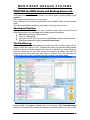
There are three buttons on the main screen that relate to MDS patients:
F11- MDS Management: - Allows you to access to the management area of the MDS
system.
F9- MDS Prep: - To be used when preparing medication for a Care Home using the MAR
chart as reference prior to receiving the prescriptions OR when a script that should have
been received is missing.
MDS Scripts Due: - Lists any items for which scripts are due for Care Home patients i.e.
those that have been processed using the F9 button. When the scripts are received the
items are reconciled here.
The rectangular box at the bottom of the screen shows the number of outstanding scripts due for
the Care Home in addition to the other statistics for owings and the number of scripts/items done
that day.
PROCESSING FROM A PRESCRIPTION.
RX Systems © 2005
63
MONIT ORED DOSAGE SYST EMS
Patient already in an existing home.
Start Date.
Select the patient in the usual way. You will notice that all patients who are in a Care Home will
appear in the patient directory in CAPITAL letters.
If the start date set up for the Care Home is a date before today’s date, a prompt will appear
asking if you wish to reset it.
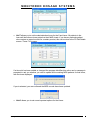
If you have an acute prescription for a Care Home patient mid month and you do not want the
date changed press No.
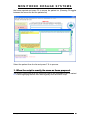
When you press Yes the following screen message appears:
-
Enter the Start Date – Default date will be today’s date, which can be changed to a later
date.
Reset Supplied quantity to zero – All items for this MDS patient will default the quantity to
ZERO.
Reset MAR chart option to N – All items for this MDS patient will not print on the MAR
chart
Reset Backing sheets option to N – All items for this MDS patient will not print on the
Backing sheet.
Press F10 to save.
When you press Yes the following screen message appears:
-
RX Systems © 2005
64
MONIT ORED DOSAGE SYST EMS
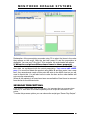
The Patient Processed indicator is a feature on the MDS system that notifies you the patient has
already been processed for this month. When a patient has been processed their names on the
MDS Management screen will have turned RED. Selecting Yes will reset the indicator for all
patients in that home.
You need to confirm your decision because changing the start date will reset the
quantities to zero on the MAR chart and you cannot change them back without changing
the PMR.
Stock Ordering Options.
When processing items for Care Home patients, you have the option to order as normal with the
order basket coming up after each patient, or not ordering if you wish to bulk order later. You will
be asked to set this option each time you begin processing MDS scripts.
The ordering system for MDS can be configured in the same way as your normal dispensing
ordering system. A list of possible ordering systems that can be configures on your MDS system:
- NONE – No items are placed on the order while dispensing.
- REMINDER – Items are placed on the order page with a quantity of zero.
- REPLACE – One for one ordering. Each item dispensed will be placed on the order page
(if three packs are dispensed three packs are ordered).
- CONFIRM – Same system as replace but at the end of each script, an order basket
appears allowing you to confirm the order before placing the items on the order pad.
RX Systems © 2005
65
MONIT ORED DOSAGE SYST EMS
-
-
AUTO – The AUTO ordering system looks at the stock levels before placing the item on
the order page. The system will identify the current level of stock and determine whether
the item has reached minimum level.
CONFIRM AUTO – Same system as replace but at the end of the each script, and order
basket appears.
With the MDS system you have an option to choose whether you like to order items after being
dispensed, or add to order when a MAR chart is printed.
There is a facility whilst in the labelling screen to enter a tick in the No-reorder box using Alt + N.
This feature is particularly useful when you want to order stock from CDS for a Manrex or
Venalink Care Home. A tick in the box means that this product will not appear in the order basket
at any time during the dispensing process. So you could say Yes to ordering stock for each
patient and CDS lines will not come up in the order basket.
RX Systems © 2005
66
MONIT ORED DOSAGE SYST EMS
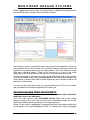
The PMR screen for an MDS patient is different from that of a non MDS patient. If medication has
been dispensed whilst in a Care Home the dispensing is marked MD in the patient record as
opposed to an arrow for items dispensed when the patient is not residing in a Care Home.
Here F7 is Edit MDS instead of Doctor Details as in a non MDS patient. Whilst it is possible to do
editing from this screen, we recommend you delay this action until a little later in the process.
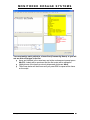
The bottom right hand quarter of the screen highlighted in red, shows current information
regarding the patient. It notifies you of the following;
Patient has medication in an MDS.
The name of the Care Home.
The start date of the Care Home.
The type of MDS used by the Care Home.
Item Selection from PMR.
When a product is highlighted in the PMR the screen is very different for a MDS patient as
illustrated below.
RX Systems © 2005
67
MONIT ORED DOSAGE SYST EMS
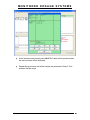
The blue screen for that item appears showing the current settings for MAR charts, backing
sheets and labels. The times and dosage information can be edited from the blue screen by
selecting the first box, then tabbing to the next. You also have an option to print the item on the
MAR, the backing sheet and label by placing a Y next to the respective option. ProScript will
automatically populate the time boxes from the times entered in the home details.
You may want to request an extra label at this point by clicking into the “ Number of Extra Labels “
box. Type in the number of extra labels you need and then press Enter. If you need to produce a
label split AND produce an extra label see page 52.
If there is an item on the script that is not going to be dispensed, select it and then press Alt +N
to endorse it “Not Dispensed” in the normal way. It will appear on the monitored dosage summary
screen with a zero quantity (see page 8)
An item may also be tagged not to be placed on the order each time the item is dispensed on the
MDS system by placing a tick on the “No Reorder” check box.
Item Selection from PMR ctd.
Item selection is made and committed to record using the F6 key. At this point you will see a
coloured dot appearing next to that item and the F7 button changes to MDS label.
The colour of this dot is an indication of the label status of the product
i.e. a red dot means that a label will be produced
a black dot depicts that no label will be produced.
RX Systems © 2005
68
MONIT ORED DOSAGE SYST EMS
This corresponds to the Y or N showing on the Print Labels option on the blue screen. If you
need to alter the label status of an item, simply press the F7 key when the cursor is over the item
and the dot will change to the appropriate colour.
This label edit is the only edit which needs to be done here as the monitored dosage summary
screen mentioned earlier comes up after the labels have been produced.
If you make a mistake and say No to labels when you should say Yes you can always go to F6
and reprint a label from there for this run and then correct the setting in MDS Management (F11)
later.
RX Systems © 2005
69
MONIT ORED DOSAGE SYST EMS
Editing the Label Split.
For items listed in the PMR the label split can be performed either when you first highlight a
product or when it is highlighted on the item log after committal with F6.
For new items the edit label screen will appear automatically after pressing F6 or F8 if it is the
only item on the script.
When you have highlighted the
item the white box below the label
indicates what label is going to be
produced. In this example one
label of 100 will be printed if a
label split is not performed.
When the Edit
Label
Split
Screen appears
you can enter in the label split eg four weekly labels for a 7 day MAR
patient and you may also enter an extra label if needed.
In a MDS patient any quantity can be entered into this edit label screen
unlike a non MDS patient
where you cannot label more than the
prescribed quantity. On pressing F10 to save the split a reminder box will
appear indicating that the quantities do not match and asking for
confirmation that this is what you want.
This degree of flexibility is of great benefit to MDS patients and allows extra labels and
label splits to be performed with ease.
When you next dispense this item the PMR record will show the
label split used on the last dispensing. This can now be accepted or
revised accordingly using F9.
Partial Dispensing (Script quantities greater than 28
days supply)
If some or all of the items on a prescription have been written for quantities in excess of 28 days
and you cannot get the prescriber to rationalize the quantities, you can partially dispense the
quantity you intend to supply.
RX Systems © 2005
70
MONIT ORED DOSAGE SYST EMS
This action is similar to creating an owing, except that no owings labels are produced and you will
have the option to clear the balance outstanding should you receive another script before you
have used this balance up.
The quantity you choose to dispense is the quantity that will be written on the MAR chart. The
procedure outlined below applies to selections from history or when adding a new product.
After selecting the item, press Alt + F2
Enter the quantity to dispense now and press F10.
When you then
press F6 the edit label screen will appear automatically
allowing the label split to be edited. Once again extra
labels can be requested at this point and the cautionary
text box will appear as before.
Next time you
access the PMR record the item with a balance
outstanding will be written in green. When you press F6
or F8 to dispense the item you will see the balance
outstanding and you can choose the quantity to
dispense again. It is important to note that although
the label split from the last dispensing will be shown
in the grey strip below the label it will not be
retained.
Committal with F6 will produce the Edit Label Split
Screen as before.
N.B. You cannot clear the balance outstanding at present. Until that part of the program is
complete, if you want to dispense from a new script you either have to create a new record or
preferably repeat from a previous dispensing that didn’t have a partial dispensing. (Use the right
arrow to expand the PMR.)
RX Systems © 2005
71
MONIT ORED DOSAGE SYST EMS
Completing the Script.
Once selection is complete, press F8 after the last item, the labels are produced and the
endorsement screen will appear. When there is only one prescription for the patient press F10 to
endorse in the usual way.
If the patient has multiple scripts you should use Alt+F10 to stay in that PMR after printing to
continue labeling.
If a new item is entered, the Edit Details screen will appear after the endorsement .This screen
is discussed fully on page 12. It is used to set all the options pertaining to the new item. You are
guided to the time slots first as this will be the most common edit.
If you stated at the start of the process that ordering of stock should be done after each patient,
the order basket will appear followed by the monitored dosage summary screen. If you elected to
order at the end of the labeling process then pressing F10 will take you straight to the monitored
dosage summary screen shown overleaf.
Monitored Dosage Summary Screen.
RX Systems © 2005
72
MONIT ORED DOSAGE SYST EMS
This screen is extremely important for reviewing the patient’s total medication and the
labelling/MAR settings of each item. When this screen first appears it will always be showing the
items that will be printed on the MAR chart, F2 MAR highlighted in red.
The items which have just been processed all appear in blue. If any of the settings need to be
altered you can simply navigate around the screen and alter any Y to N and vice versa. The same
applies to the time slot in which the medication is to be taken. To perform an end treatment on a
particular item, you scroll down to that item and press F11. Any changes you make must be
saved using F10 before leaving the screen.
N.B. You cannot change the quantity from this screen. You can only change the quantity in
the PMR.
Monitored Dosage Summary Screen ctd
End Treatment.
On pressing F11 to end treatment:
An end treatment date (today) will automatically be placed in ended column on the
summary screen.
The quantity will change to zero.
The settings will be set as N for MAR, N for backing sheet and N to the label and order
option.
The product is moved to the All Medication list and is greyed out on the screen.
If you need to re-start treatment highlight the greyed out item and press F11 again.
Changing the MAR settings.
RX Systems © 2005
73
MONIT ORED DOSAGE SYST EMS
In the above example you can see Ramipril 1.25mg caps and Tacrolmus 0.1% oint have been
ended. Flucath Hydro Gel has just been added. Bendrofluazide 2.5mg tablets have not been
ended because although they are not being supplied this month, they are still wanted on the MAR
chart. In this case, as they will not be in the Nomad tray it will be necessary to alter the backing
sheet and label option to N. Aranesp 15mcg syringe however are required even though we have
no prescription. In this case we would have to do this item as a MDS Prep described on page
and then redeem it in the usual way once the script arrives.
Moving off this screen to say F3 then back again to F2 refreshes the screen and shows the ended
items have now been removed from the MAR chart.
Monitored Dosage Summary Screen ctd.
Print Individual MAR Charts and Backing Sheets.
Whilst on this MAR screen option, you will notice that F8 reads Print MAR Chart which can be
done from here or left until later to be printed either individually or as a complete run for the entire
Care Home in the MDS Management section page 16.
RX Systems © 2005
74
MONIT ORED DOSAGE SYST EMS
To see the items that are to be printed on the backing sheet you will need to press F3 Backing
Sheet. Please notice that the description of F8 now changes to Print Backing Sheet. Once
again the printing of this can be done here for each individual patient but you will not be able to
change the number of weekly sheets to print. You will have to accept the default setting in the
MDS Management section (F11). You can leave the printing until later as above.
RX Systems © 2005
75
MONIT ORED DOSAGE SYST EMS
When you press F6 all current medication the list of items is now more extensive. This list is
actually showing all of the current medication (i.e. treatment not ended) for this patient despite
the fact that some of it is not on the MAR sheet and they may not be having it regularly. The F8
button is inactive here.
Monitored Dosage Summary Screen ctd.
Changing the item order on the MAR Chart.
The F12 Shuffle Order button is a facility you may wish to use to alter the order in which the
items appear on the MAR chart. You must highlight the product to be moved using the up and
down arrows and press F1 or F2 to move this item up or down respectively.
You can also use the Edit Home function and select the “Print Tray Items First” option
(see page 18)
F5 allows access to the Edit MDS Details screen. This is extremely important and is explained in
depth on the next pages.
If you have done all the editing you need to do in the monitored dosage summary screen, you can
press F10 to complete the process for that patient.
If you need to change any other parameter not discussed here you should proceed to the Edit
MDS Details screen.
RX Systems © 2005
76
MONIT ORED DOSAGE SYST EMS
Edit MDS Details.
When you press F5 from the summary screen, the Edit MDS Details screen appears. When you
enter this screen the cursor defaults to the product description on the bottom left. The products
showing here are the same as those in F6 on the previous screen (All Current Medication).
The functions of each button are as follows:
F1-Select Product takes you back to the list of All Current Medication should you be anywhere
else on the screen.
F2-Edit Quantities allows you to alter the number of unit doses in each time slot e.g. the Care
Home may want a morning dose to be changed to lunchtime so this can be done here. You can
see that the box to be edited is highlighted in yellow. Navigation down the column is performed
using the TAB key.
RX Systems © 2005
77
MONIT ORED DOSAGE SYST EMS
Alt+F2-Edit Times allows editing of the actual administration times. Amending at this stage only
changes the times for the chosen product in this particular patient. The times in the monitored
dosage summary will not show the change, but the MAR chart will be correct.
You can type up to five characters of your choosing. In the screen below you can see that after
pressing Alt + F2 the box at the top of the times becomes yellow. Navigating down the column is
done in the usual way using the TAB key.
Altering the Care Home times for everyone can be done in the Edit Homes section (page 69)
RX Systems © 2005
78
MONIT ORED DOSAGE SYST EMS
F3-Edit Supplied Quantity can be used to change the quantity on the MAR Chart if necessary.
F4 – Edit Dose allows you to edit the dose information for that particular drug.
Alt+A Add Item allows you to add a new item to the patients record.
If your system is set up to restrict the MDS function then the above 3 options will change.
The F3 option will change to set supplied quantity to. F4 – Edit Dose and Alt+A Add Item
will be greyed out.
F5- Add/Remove from MAR Chart allows you to toggle between whether the item is to be on
the MAR chart or not. If the current setting is N pressing F5 once changes it to a Y. Pressing it a
second time will obviously change the status back to N.
F6-Add/Remove from Backing Sheet allows you to toggle between whether the item is to be on
the backing sheet or not. If the current status is Y then pressing F6 changes it to N. Pressing it a
second time will obviously change the status back to Y again.
F7-Print/Don’t Print Labels allows you the option of printing a label for the item or not. Selection
of the option required is the same as with the previous buttons in that you simply toggle between
the Y or N option at each press of F7. This option will only take effect next time the item is
dispensed.
RX Systems © 2005
79
MONIT ORED DOSAGE SYST EMS
F8-Print MAR Chart and Alt+ F8- Print Type allows printing of the MAR chart at this point for
this individual patient if so required. Pressing Alt + F8 invites you to toggle between printing the
MAR chart backing sheet or labels.
The ALT+I Edit Identification button is for use with those Care Homes using a NOMAD system.
This button will allow you to record the form, colour, shape and individual marking of a
particular tablet or capsule, using the TAB key to navigate the boxes.
The No Reorder button is accessible (Alt + N) from this screen and this has been talked about
earlier in the manual on pages 46 and 47.
You can request extra labels if needed by pressing ALT+X and inputting the number of
extra labels required. This setting will be retained for subsequent dispensings. As
mentioned earlier, if a label split is required in addition to an extra label you must use F9 label
options to successfully achieve this requirement .
F11-End Treatment button has already been mentioned on the monitored dosage summary
screen. Once it has been ended here, the item is taken off immediately without having to refresh
the screen. You can re-start treatment by finding the item by pressing Alt + S, selecting the
greyed out item and pressing F11 (now called Restart Treatment)
If you press Alt+S-Show All Medication the screen reveals not only current medication as it was
previously but also all the items that have had their treatment ended. These will appear in grey on
the screen with the quantity reset to zero and all options set to N.
RX Systems © 2005
80
MONIT ORED DOSAGE SYST EMS
If you want to return to the current medication that was showing prior to using Alt+S, you would
need to refresh the screen by escaping and then pressing F5 again.
The F12-Shuffle Order button has already been explained on page 11.
Alt+D-Change Start Date enables you to change the current start date of the home before
processing the monthly scripts. This procedure could also be done when you first enter a Care
Home patient as described on page 3.
ALT+H-Edit the Home allows you to alter or review any of the preset details for a particular Care
Home. This facility is discussed in depth on page 19.
Once you have finished in this screen, pressing F10 will save the details and take you back to the
monitored dosage summary screen. When everything is correct press escape to return to the
Enter Patient screen.
Adding a Patient to an Existing Care Home.
Enter the patient surname in the usual manner and if the patient is already on record press F1 to
take you to the Patient Details screen. Here you will see an F9 button-Nursing Home. If you
press F9 then a smaller screen appears which lists all of the Care Homes you currently service.
Use the up and down arrows until the required home is highlighted or press the initial letter of the
required Care Home.
RX Systems © 2005
81
MONIT ORED DOSAGE SYST EMS
Press F10 on the desired home and a box will appear confirming that this patient is now using a
MDS system and asking if their community address is to be updated to that of the Care Home.
When the “Community Patients” box is ticked in the Care Home options, the patient’s own
address will automatically be retained. This option is for all domiciliary MDS patients who should
be assigned to a Community Home of your own design.
Pressing Alt+A in the Patient Details screen will tick the MDS In-Active box. This can be used if
a patient comes out of a Care Home for a short period and you expect them to return to that
home at a later date when you would remove the tick.
MDS MANAGEMENT.
Press F11 on the Enter patient screen to access MDS Management. In this section of the
program Care Home details are added or edited and MAR Charts and Backing Sheets are batch
printed.
RX Systems © 2005
82
MONIT ORED DOSAGE SYST EMS
When searching for a patient in a home, if you can’t see the name in the first screen you can use
the Page Up and Page Down keys to search through the list. Patients can be listed alphabetically
by surname or by room number if you have entered one for them in F1 patient details screen. If
you are entering room numbers it is important to note that numbers 1 to 9 have to be entered as
01 to 09 in order for the sort to work correctly.
Most of the function buttons have been described in detail already in the monitored dosage
summary screen section.
Alt + G will generate a bag label.
F1- Select\Edit Home (following)
Please note that you are able to view MAR medication, Items on Backing Sheets and ALL
Medication here. This last option lists all current medication and items previously ended.
Editing an Existing Home.
Pressing the F1 button will allow you to select the home to edit from the list as shown below.
RX Systems © 2005
83
MONIT ORED DOSAGE SYST EMS
Highlight the home you want to edit and press F2 to access the home details screen where there
are seven areas you can edit.
1. The name and address details including telephone number. The screen will default to
this option first. You will notice that there is a box called Community Patients. If a tick
is placed in this box using Alt+C, the community address of the patient will be retained
rather than being updated with that of the Care Home. The Inactive button ticked by
pressing Alt+ I is used to “delete” a home when you no longer deal with it. It can be
reactivated any time because it will always stay in the Add/Edit Home list. Patients will
not be marked as MDS when a home they were in is inactivated. Press F10 after
making a change.
2. If you press Alt+N a small notepad appears in which you can record any details you may
need for the Care Home such as the manager’s name. Click into the notepad using the
mouse.
RX Systems © 2005
84
MONIT ORED DOSAGE SYST EMS
3. Alt+T allows you to set the administration times for the Care Home. All patients in the
home will have these times printed on their MAR charts. If you have a particular patient
who requires an extra time slot for a certain product, this can be done in the F5 Edit Details
screen. Press F10 to save.
If a time slot has been added or changed the program identifies this action and a message is
prompted to ask you whether you wish to update all the existing MDS patients for that home,
with the times displayed.
If yes is selected, you are confirmed the MDS records have been updated.
4. Alt+O allows you to set some important options for the Home:
RX Systems © 2005
85
MONIT ORED DOSAGE SYST EMS
Add your own message next to the separate container message and not supplied
message boxes e.g. you could write “none supplied this month” so that on every item
on the MAR chart which has a zero quantity next to it, that message will be printed.
Select the MDS system being used. Selecting “Nomad” means that for all new items
dispensed the Print on backing sheet option will default to Y, whilst selecting Venalink will
set that default to N.
Set the number of days in the medication cycle
Print/Don’t print warnings on MARs and/or backing sheets
If you like to add all items to the backing sheet, you will need to place a tick in that box.
If you like to put cassette items only on backing sheet, you will need to place a tick in that
box.
If reminder cards are set to yes, an extra label will be printed.
If you require a single reminder card, you will need to place a tick in that box.
If your Care Home uses 7 day MAR sheets, you will need to place a tick in that box.
You can set the order of the MAR sheets so that items that are in the cassette are
printed first by ticking that box.
To access any of these boxes you need to use the mouse. Press F10 to save.
RX Systems © 2005
86
MONIT ORED DOSAGE SYST EMS
5. If you press Alt+P the printing screen appears as below.
This allows you to select or set the reports you will require for the Care Home. Alt C provides a
drop down menu for selecting the chart type required and Alt B and Alt P work in the same way
for selection of backing sheets and picking lists respectively.
If these settings are blank and you do not know which reports you need to select, please contact
RX Systems Helpdesk on 019235 51835
6. If you press Alt+L the label setting screen appears as below.
If you like to print labels for MDS patients in the selected home, the Print Cassette Items
and Print Non Cassette boxes need to be ticked.
If you require a bag label, you will need to place a tick in that box.
If cassette labels are required, you will need to place a tick in that box.
You can select which weeks you would like labels for by placing a tick in the appropriate
boxes.
7. If you press Alt+R the reset option screen appears as below.
RX Systems © 2005
87
MONIT ORED DOSAGE SYST EMS
There are three settings here:
- Reset Supplied quantity to zero
- Reset MAR chart option to N
- Reset Backing sheets option to N
Placing a tick in any of these settings will take affect when the start date is set for the home.
These will be default settings but can be unchecked when editing the start date, as shown below.
When you have finished editing any of the details on these seven tabs you will be asked to
confirm the changes you have made.
Adding a New Home.
This is a very similar process to that of editing the home. Press F1 to take you to the Edit Homes
screen, then press F2 Add/Edit Home and instead of choosing F2 at this point you select F3-Add
New Home. This takes the cursor to the name box and changes it to yellow allowing the details to
be entered as before. You can then move to the Notes, Times, Options, Printing, Labels and
Reset Options tabs where you can set the parameters as required.
When all the necessary details have been added, save them by pressing F10.
Deleting a Home.
In the Edit Homes screen, press Alt + A to go to the Name tab, then tick the Inactive box. The
Home will not appear in the Select Homes list, but will still be accessible from the Edit Homes list,
and it can be re-instated from here by removing the tick on the Inactive box.
RX Systems © 2005
88
MONIT ORED DOSAGE SYST EMS
PRINTING the MAR Charts and Backing Sheets.
Printing of all paperwork can be done either as a batch or for individual patients.
Press F2 to select MAR charts.
NB. If you are using a 7-day MAR chart you must first select the number of
weekly sheets you wish to print by pressing Alt + 1, 2, 3 and/or 4. This ticks the
relevant box/es on the screen. You can select different weeks for each patient if
you print one by one.
Press F8 to print. A small box will then appear as shown below asking if you want
to print just the one patient or all of them.
For just one patient press Yes and the printing will begin. On completion, you will
be asked if the print was correct. Pressing Yes will inform you that the print run is
complete but if for some reason the print is not right you press No and it will print
again. This question will keep appearing until you are happy with the result.
When printing for the entire home, the print will begin for the first patient in that
Care Home unless you highlight a patient further down the list in which case the
print run will start from there. It is important to note that the print run is complete
when it comes to the end of the patient list. This means that if you have started
half way down the list, the patients in the top half will not be printed. Once the first
patient has been printed correctly, the following box appears on screen.
Pressing the Yes option at this point will commit the entire run to print.
Alternatively pressing No will print the next patient on the list before pausing or
Cancel will abort the rest of the printing.
You can continue labelling as soon as the printer has received all the print
information.
RX Systems © 2005
89
MONIT ORED DOSAGE SYST EMS
PRINTING the MAR Charts and Backing Sheets ctd.
Press F3 to select Backing Sheets.
First select the number of weekly sheets you wish to print by pressing Alt + 1, 2, 3
and/or 4.
This ticks the relevant box/es on the screen
Press F8 to print and follow the procedure as for MAR Charts on the previous
page.
You can select different weeks for each patient if you print one by one.
Aborting the Print Run.
If you press Yes to the whole run and a problem occurs with the printer set up
during printing then you can stop the printing process by pressing:
Alt+U from the Enter Patient screen.
Press J – Print jobs.
Using the mouse, left click over the word Printer and then left click on the
drop down statement saying Cancel all documents.
The Print Run Log.
When a patient’s MAR sheet has been printed you will see that moving off the
patient leaves the name in RED. Patients who have not had their MAR sheets
printed on this run will still appear on the screen in black. If you have elected to
print the whole run for the Care Home the names will remain red until the
following month when the new start date is entered. This has the effect of
reverting the colour back to black so the entire process can begin again.
Pressing Alt + P toggles between Print and Preview. (Not Recommended)
When in Preview Mode, pressing F8 creates a document preview for you to look
RX Systems © 2005
90
MONIT ORED DOSAGE SYST EMS
at if you wish before printing, but you must then print from here otherwise the
system will think you have printed when you haven’t!
2. PROCESSING FROM A MAR CHART (MDS Preps)
Using a MAR sheet to begin the dispensing process for a Care Home whilst not
ideal is sometimes necessary. First of all you must choose the F9-MDS Prep
button on the main screen which identifies the script type by adding MDS Prep at
the top in red. This procedure has now set the script type for the whole Care
Home and the system will stay in this mode until you escape back to the main
menu. MDS Preps are only available for MDS patients. MDS Prep can also be
accessed from the PMR by pressing the F2 script type button, but is only listed for
MDS patients.
Note that when in this mode a patient search will now only show names in
CAPITAL letters as everyone in the search will be a MDS patient.
When selecting the MDS patient, you will be prompted with the following
message. If you want to set data now, press yes, otherwise press no and
continue as normal.
PROCESSING FROM A MAR CHART ctd.
RX Systems © 2005
91
MONIT ORED DOSAGE SYST EMS
When a patient has been chosen, the initial screen is different: the background is
blue and MDS Prep is written above the label as shown.
Item selection occurs in exactly the same way as previously described. Once you
have pressed F8 for the last item, the monitored dosage summary screen will
appear for any editing followed by the order basket if you have elected to order
after each individual patient. There will of course be no copy of the script
appearing on the screen because there will be no endorsement at this point.
All items processed in this way are stored in the MDS Prep area of the program
and can be viewed at any time by pressing Alt+D in the Enter Patient screen. The
total number of items in this area for which scripts are due is shown in the box at
the bottom of the screen.
You can use this script type when you are processing from FP10s for any items
that you should have received scripts for but haven’t yet.
RECONCILING MDS PREPS WITH SCRIPTS.
It is vital that all MDS Preps are reconciled with received scripts before the
medication leaves the pharmacy.
From the main screen, press Alt+D-MDS Scripts Due. The screen below
appears listing all the Care Homes which have outstanding scripts on the left
hand side and the patients concerned on the right hand side.
When a Care Home is highlighted it appears yellow and the patients within that
home appear on the right highlighted in blue. To redeem the script you highlight
RX Systems © 2005
92
MONIT ORED DOSAGE SYST EMS
the home required and press F2 to access the patient list. (Pressing F2 toggles
between the homes list and the patients list)
Select the patient from the list and press F10 to process.
1. When the script is exactly the same as items prepared.
The screen now shows all of the items that need to be reconciled. Each is marked
PP in blue signifying that this item was originally done as a MDS Prep.
RX Systems © 2005
93
MONIT ORED DOSAGE SYST EMS
Redemption of the prescription proceeds using F6 to select the items in the order
they appear on the script. After the last item press F8 and the prescription is
displayed. You can use F10 or Alt+F10 to endorse. No order basket will appear.
2. When the script has different/new items to those prepared.
There will inevitably be occasions when for one reason or another the MDS Prep
item does not correspond with the actual prescription. You cannot edit a MDS
prep. You must first delete the product using Alt + D and then enter it as a new
item. Any amendments made at this point will write to the MAR chart so you will
need to reprint this. You will also have to order the item as the order basket will
not come up automatically.
When all the patients in a home have been reconciled the Care Home is removed
from the list on the left hand side.
SEVEN DAY PRESCRIPTIONS.
If you receive 7 day scripts from your surgery, it is important that you process them
correctly i.e. each item is recorded separately and all scripts are endorsed in the
printer.
To make this process quicker you can choose the script type “Seven Day Scripts”.
RX Systems © 2005
94
MONIT ORED DOSAGE SYST EMS
You must assign each patient to a home first (Community Home) or you will
not see this script type in the list.
Items are selected in the usual way and at the endorsement prompt press
Alt+F10. Labels will be produced and the first script will be endorsed.
Highlight one of the items previously dispensed and press Alt+V.
The screen below will be shown and you press F10 to repeat all the items
on the script.
RX Systems © 2005
95
MONIT ORED DOSAGE SYST EMS
At the endorsement prompt press Alt+F10. Labels will be produced and
the second script will be endorsed.
Repeat this procedure until all the scripts are processed. Press F10 to
endorse the last script.
RX Systems © 2005
96