1
Mykonos Security User Guide
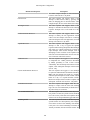
3.5. File Processor ............................................................................................ 32
3.6. Hidden Input Processor ................................................................................ 34
3.7. Hidden Link Processor ................................................................................ 37
3.8. Query String Processor ................................................................................ 38
3.9. Robots Processor ........................................................................................ 39
4. Activity Processors ................................................................................................ 42
4.1. Custom Authentication Processor ................................................................... 42
4.2. Cookie Protection Processor ......................................................................... 46
4.3. Error Processor ........................................................................................... 47
4.4. Header Processor ........................................................................................ 50
4.5. Method Processor ....................................................................................... 55
4.6. User Agent Processor .................................................................................. 57
5. Tracking Processors ............................................................................................... 59
5.1. Etag Beacon Processor ................................................................................. 59
5.2. Client Beacon Processor .............................................................................. 61
6. Response Processors .............................................................................................. 64
6.1. Block Processor .......................................................................................... 64
6.2. Request Captcha Processor ........................................................................... 64
6.3. CSRF Processor ......................................................................................... 81
6.4. Header Injection Processor ........................................................................... 85
6.5. Force Logout Processor ............................................................................... 85
6.6. Strip Inputs Processor .................................................................................. 86
6.7. Slow Connection Processor .......................................................................... 87
6.8. Warning Processor ...................................................................................... 87
7. Reporting ..................................................................................................................... 90
1. Generate Report .................................................................................................... 90
1.1. Report Schedules ........................................................................................ 90
1.2. Scheduling a Report .................................................................................... 90
1.3. Report History ........................................................................................... 90
8. Using the Security Monitor ............................................................................................. 91
1. Navigation Menu .................................................................................................. 91
2. Dashboard ............................................................................................................ 91
3. Incidents, Sessions, and Profiles Charts ..................................................................... 91
4. Incidents Menu Filter Options ................................................................................. 91
5. Complexity Definitions .......................................................................................... 92
6. Incidents List Widget ............................................................................................. 92
6.1. Incidents List Details ................................................................................... 92
7. Incident Widget .................................................................................................... 93
7.1. Incidents Widget Details .............................................................................. 93
8. Sessions Widget .................................................................................................... 94
9. Profile List Widget ................................................................................................ 94
9.1. Profiles List Details .................................................................................... 94
10. Profile Widget .................................................................................................... 94
10.1. Editing a Profile ....................................................................................... 95
10.2. Configuring Responses ............................................................................... 95
11. Location Widget .................................................................................................. 96
12. Environment Details ............................................................................................. 96
9. Auto-Response Configuration .......................................................................................... 98
1. Using the Editor .................................................................................................. 101
10. Command Line Interface ............................................................................................. 102
1. Supported arguments ............................................................................................ 102
1.1. Data Sources ............................................................................................ 102
1.2. Formatting ............................................................................................... 103
1.3. Example Report ........................................................................................ 103
iv