1
LMS USER GUIDE
HISTORICAL LEARNING
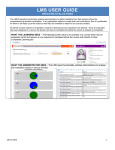
INFORMATION – This functionality enables Learners to record previous training through the LMS.
HISTORICAL LEARNING – ADMINISTRATORS VIEW
1) Navigate to Users using the relevant procedure for your level of access as shown below
Section Admin Procedure
Section Admin Dashboard>Users
Organisation Admin
Procedure
Organisation Admin Basic
Procedure
2) Select user
required and
click View
User button
Organisation Admin Dashboard>Users
Organisation Admin Basic Dashboard>Users
1
3) Select View
In this example the Learner has completed a CISCO course at an FE College
This is the Administrator view of a learner’s historical learning record
Certificate or document can
be uploaded here
2
HISTORICAL LEARNING – LEARNER VIEW
1) Select the
Requested
Learning tab
from the
learner
dashboard
2) Then Select
Record
Historical
Learning
3) Select
Submit when
form has
been
completed.
The learner fills in the relevant information
Enter the relevant details
You can also upload a copy
of a certificate or document
3
4) Select
Completed
Learning tab
from learner
dashboard
Prior learning has been recoded here.
5) Select
Action
button
This is the learner’s view of an historical learning record.
Certificate can be viewed here
4