1
PRX_USERGUIDE_approved_031907.qxd
3/22/07
9:16 AM
Page 28
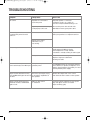
TROUBLESHOOTING
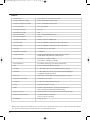
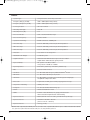
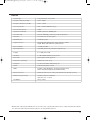
Symptom
Likely Cause
No sound.
Speaker not connected to
active AC power.
Verify that speaker is connected
and that the circuit is on. Switch on
power and verify that illuminated logo is on.
Speaker power Cable is faulty
or improperly Connected.
• Re-seat the power cable at both ends.
• Substitute a known-good power cable.
Blown fuse.
• Replace the fuse with the specified value.
• Take your speaker to a competent servicer.
No sound, speaker is connected
to working AC power but won’t
come on.
What To Do
Signal source (mixer,
instrument, etc.) is
not sending.
No sound, speaker comes on.
No sound with microphone
connected directly to the MIC input.
Faulty cables and connections
• Check VU meters on the source mixer
• Verify that the CD/MP3 is playing.
• Use headphones to verify that the
instrument is actually sending an audio signal
Faulty cables and connections
• Disconnect and re-seat signal cables.
• Replace suspected cable with a
known-good cable
Microphone requires
phantom power
The PRX500 speakers do not supply phantom
power, Switch to a dynamic microphone, use a
battery in the microphone (if possible), use and
external phantom power supply.
Signal Sounds distorted and very
Excessive input signal, trying
loud, OVERLOAD light is lit most of to exceed the capabilities of
the speakers
the time.
• Reduce the output level of the source.
• Turn down the level controls on the speaker.
Signal sounds distorted even at
moderate volumes, OVERLOAD
light is not lit.
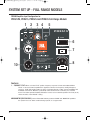
Review the Owner’s Manual for your system
setup and adjust controls as needed.
• Input sensitivity (gain)
28
Mixer or other source
is overdriven