1
Exchange Plug-in 7.3 User Guide
By customizing these Jobs independently, you can reduce the size and time of your backup, while continuing to
back up the items that you want.
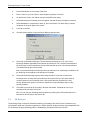
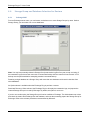
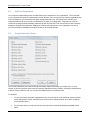
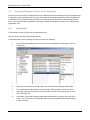
Select the Backup single instance of shared entries option to force a second pass through the data to find
duplicates. This backup is slower, but smaller, because it does not back up all occurrences (i.e., duplicates
included) of attachments and messages. Clear this option to avoid the pre-scanning process. The backup will be
faster, but the size may be larger. This is because you are backing up each occurrence of a shared entry
without a second scan (pass).
If you choose not to back up Email Messages, you will not be able to back up attachments or messages from
any folder, except for specific Outlook items (which are handled by other options).
In order to select Outbox Folder, Sent Items, or Deleted Items, you also need to choose something from the
upper section of the screen (e.g. Email Messages, Notes), depending on exactly what you need to back up.
6.4
Setting Schedule Priorities
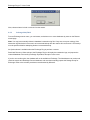
It is important that you prioritize the scheduling of your backup Jobs. For example, if you have created two
separate MAPI Jobs for backing up mailboxes (e.g., Job1 for executives and Job2 for everybody else), you
should set your executive backup Job to a higher priority level than Job2. This will ensure that you back up your
most important data first. If you have set your backup time window for a limited number of hours (based on your
need to keep your bandwidth clear at certain times) and Job2 does not have enough time to complete, your
Job2 backup will be deferred at the end of this time window. Your backup will continue when the backup window
opens again (unless you have manually disabled deferring).
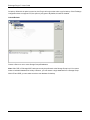
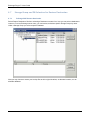
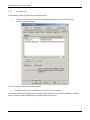
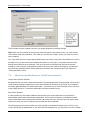
You can move your scheduled entries up or down to set their priority using Schedule Entries > Schedule List in
the CentralControl application. For more information on Backup Time Windows and Schedule Priorities, see the
CentralControl Operations Guide, Creating Jobs and Scheduling Jobs.
40