1
Troubleshooting
At a Glance
18
Wherever possible, before returning a phone for repair or replacement or calling a Telecom engineer to check
your line, replace your phone with a know working phone and see if the problem remains.
When you have any doubt about the correct functioning of your phone and it is connected in an installation
with other devices (phones, answering machines, faxes etc.), disconnect all other devices and check the
phone on its own. If possible, it can also be helpful to check the phone in an alternative location.
17
16
1
15
2
3
4
5
6
7
8
14
13
12
11
10
9
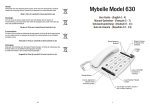
1. Index Card.................................. Use to record details of the phone numbers stored
in memory
2. Mem (Memory) button .....
Use when dialling numbers stored in memory.
3. Store Button .............................. Press to store numbers in memory
4.
........................................... Press and hold for 3 seconds to change the ring
melody.
5. Redial / Pause............................ Press to Redial the last number called.
Use to insert a pause in dialled numbers or
memories.
Phone is dead
Check that the telephone line and handset curly cords are correctly connected and the plugs are pushed firmly
into their sockets.
The 4 wire UK line cord supplied with the phone should be plugged into the UK line socket at the rear of the
phone. If the line cord is replaced with a 2 wire line cord that uses the 2 centre connectors, Earth Recall will
not be available.
Recall does not work
If the phone is connected directly to a telephone line, ensure the Recall Selector switch (at the rear of the
phone) is set to the 'F' (Timed Break) position.
If the phone is connected to an extension of an office telephone system (PABX), ensure that the setting of
Recall selector switch (at the rear of the phone) matches the type of Recall used by the telephone system.
Note if 'F' is selected ensure the Flash time is set to 100mS.
Message Wait LED lit all the time.
If the 'Message Wait' LED is lit all the time, the setting of the selector switch should be checked.
When connected to a direct telephone line (not via an office telephone system) or to an office telephone
system that does not support message waiting signals, the switch should be set to the HV position
Speaker (Monitor) not working
Make sure that a headset is not fitted to the headset socket on the left side of the phone.
Helpline
If you are unable to resolve a problem having first read the 'Troubleshooting' section of this guide, please
contact the helpline (during office hours) on 01438 749009
6. Hold .......................................... Press to hold or mute a call.
7. In Use / Hold Light ..................... Will light when the phone is in-use and flash when a
call is on hold.
8.
..................................... Press to activate the Monitor (handsfree dialling).
With a headset connected, will activate headset
operation instead of Monitor.
Will flash when the phone has message waiting
9. Message Wait / Ring Light ........ information ( PABX message wait) and during
ringing.
i
7