1
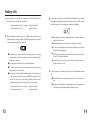
Connect the Sensors
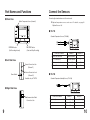
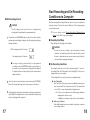
■ Front View
Connecting the standard sensors to the main units.
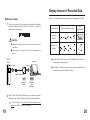
Built-in Temperature Sensor (Channel 1)
▼
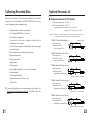
Part Names and Functions
Optional temperature sensors can be used. For details, see page 22
"Optional Sensors List".
■ TR-71S
Standard Temperature Sensors (TR-0106)
INTERVAL button
(Set Recording Interval)
REC/STOP button
(Start and Stop Recording)
Channel 1
Channel 2
Both are unconnected
Internal Sensor
―
Ch. 1 is connected
External Sensor
―
Ch. 2 is connected
Internal Sensor
External Sensor
Ch. 1 and 2 are connected
External Sensor
External Sensor
Connection condition
■ Left Side View
Sensor Connection Jack
(Channel 1)
Power Switch
Sensor Connection Jack
(Channel 2)
Available only for TR-71S
■ TR-72S
Standard Temperature/Humidity Sensor (TR-3110)
■ Right Side View
Communication Cable
Connection Jack
9
Connection condition
Channel 1
Channel 2
External (Temp.)
External (Humidity)
No external sensor connected
Internal (Temp.)
―
Temperature sensor connected
External (Temp.)
―
Temp/Humidity sensor connected
10