1
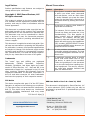
Legal Notices
Product specifications and features are subject to
change without prior notification.
Manual Conventions
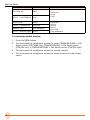
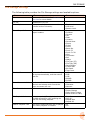
Symbol
>
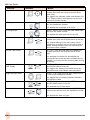
This symbol is used to show the order
in which you select menu commands
and sub-options, such as: Main Menu
> Audio indicates you press the Menu
button for the Main Menu, then scroll to
and select Audio by pushing the Control
Knob.
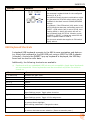
+
A plus sign is used to show button or
keystroke combinations.
Copyright © 2015 Sound Devices, LLC.
All rights reserved.
This product is subject to the terms and conditions
of a software license agreement provided with the
product, and may be used in accordance with the
license agreement.
This document is protected under copyright law. An
authorized licensee of this product may reproduce
this publication for the licensee’s own personal use.
This document may not be reproduced or distributed, in whole or in part, for commercial purposes,
such as selling copies or providing educational services or support.
This document is supplied as a technical guide. Special care has been taken in preparing the information
for publication; however, since product specifications
are subject to change, this document might contain
omissions and technical or typographical inaccuracies. Sound Devices, LLC does not accept responsibility for any losses due to the user of this guide.
Trademarks
The “wave” logo and USBPre are registered
trademarks;
FileSafe,
PowerSafe,
SuperSlot,
MixAssist, QuickBoot, and Wave Agent are trademarks of Sound Devices, LLC. Mac and OS X are
trademarks of Apple Inc., registered in the U.S. and
other countries. Windows and Microsoft Excel are
registered trademarks of Microsoft Corporation in
the U.S. and other countries. All other trademarks
herein are the property of their respective owners.
FCC Notice
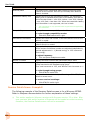
Description
For instance, Ctrl+V means to hold the
Control key down and press the V key
simultaneously. This also applies to
other controls, such as switches and
encoders. For instance, MIC+HP turn
means to slide and hold the MIC/TONE
switch left while turning the Headphone
(HP) encoder. METERS+SELECT means
to hold the METERS button down as you
press the SELECT encoder.
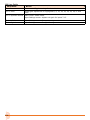
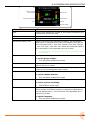
i
A note provides recommendations and
important related information. The text
for notes also appears italicized in a different color.
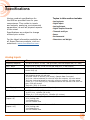
⚠
A cautionary warning about a specific
action that could cause harm to you,
the device, or cause you to lose data.
Follow the guidelines in this document
or on the unit itself when handling electrical equipment. The text for cautionary notes also appears italicized and
bold in a different color.
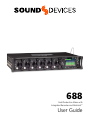
688 User Guide • Rev 2-A • June 24, 2015
This device complies with part 15 of the FCC Rules.
Operation is subject to the following two conditions:
(1) This device may not cause harmful interference,
and (2) This device must accept any interference
received, including interference that may cause
undesired operation.
FCC Part 15.19(a)(3)
www.sounddevices.com
[email protected]
This document is distributed by Sound Devices, LLC
in online electronic (PDF) format only, but may be
purchased in printed form. E-published &/or printed
in the USA.
Sound Devices, LLC
E7556 Road 23 and 33
Reedsburg, Wisconsin 53959 USA
Direct:+1 (608) 524-0625
Toll Free: (800) 505-0625
Fax: +1 (608) 524-0655