1
Capacity Control
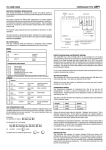
The controller starts and stops the inverter as required taking account
of any other compressors controlled by the same suction pressure. The
inverter automatically acts as a trim compressor and all the normal
compressor capacity control functions are operational. The capacity of
the compressor at minimum and maximum speed is programmed on
items 335 and 336.
Minimum Speed
When there are no other compressors running the inverter will stay on
at minimum speed until the minimum pressure set on item 341 is
achieved.
An input is available to monitor low liquid level in the receiver. The input
should be shorted out when there is no alarm condition. An alarm is
given after an adjustable delay (item 175) the contact is opened.
Low Oil Level (LP220 only)
An input is available to monitor low oil level in the system. The input
should be shortened only when there is no alarm condition. The alarm
is given 10 seconds after the input occurs.
Alarm Display
Various alarms are indicated on the pressure displays. Typical messages
displayed are:
P.FlC
Control Response
The controller uses proportional and integrated control algorithms to
control the inverter. These require speed gain (item 339) and time
constant (item 340) to adjust the response of the control of inverter.
Speed Output Limits
The speed output can be limited at both maximum and minimum
speed. The settings for the limits are item 342 for maximum and item
343 for minimum speed.
MAINTENANCE FACILITY
Forcing a Compressor to Run
A particular compressor may be forced to run by the maintenance unit
(MU) (items 217, 227 up to 307) for compressors 1 to 10 respectively.
Any compressor may be forced off by the maintenance unit (items 218,
228 up to 308) for compressors 1 to 10 respectively.
Resulting loading and unloading of the steps of the forced
compressor(s) follows all the normal rules specified above except that
the controller ignores the suction pressure on the forced
compressor(s).
Forced functions remain in operation for 30 minutes after the MU is
unplugged, after which time the controller will reset to normal control.
ALARMS
Compressor Faults
The individual compressors are continuously monitored. The state of
these inputs for compressor 1 is shown on item 213 of the
maintenance unit. Compressor 2 is on item 223 up to compressor 10
which is shown on item 503.
The state is indicated by the following messages:
rdy
O
=
=
ready to run (no faults)
not ready (fault)
If any compressor is not ready to run then this is indicated as a
compressor fault (item 97).
Pressure Alarms
The compressor suction pressure is constantly monitored and
compared with the high alarm level (item 42).
If the current suction pressure goes outside the set range for a short
time period then an alarm is given.
The time delay is achieved by integrating the difference between the
alarm level and the actual pressure over a period of 30 seconds. This
means that the larger the difference the faster the alarm occurs.
Pressure Transducer Alarm
The pressure transducer is constantly checked and if, after a 15 minute
time delay, the output goes outside the acceptable range an alarm is
given (item 91).
If there is a suction pressure transducer fault, the number of
compression steps is set to the maximum available. Control then
reverts to the compressor LP safety switches. All normal sequencing
restart delays, etc will be maintained in this mode of operation.
Low Liquid Level (LP220 only)
Hi.Sp
Hi.dP
Lo.Li
Cpr
Plant fault (auto input not present) - (highest
priority)
High suction pressure
High discharge pressure
Low level liquid
Compressor fault - (lowest priority)
The alarm conditions are flashed alternately with the pressure. In the
event of there being more than one alarm the highest priority alarm is
displayed
DAYLIGHT SAVING NETWORK
When connected to a JTL network this controller can operate by
displaying daylight saving time for its time and defrost schedule.
Daylight saving operation is selected by setting item 18. The connected
network controller then adjusts the times automatically during the
daylight saving period.