1
Two Options for Adding Alternative Market Assumptions to the Tool
Two options are available for adding alternative sets of market assumptions and asset classes into the software.
-
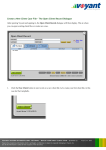
Load or create market assumptions in the software manually. Advisers can load their own market
assumptions into the tool. Initially these assumptions will be available only on the locally installed instance of
Voyant. However, once a plan is created using customised market assumptions, these assumptions will become
associated with the plan, following the client file wherever it goes, and they will continue to be used whenever the
plan is accessed from another computer or if shared with clients or colleagues. Read more...
-
Have market assumptions included in a white labelled / rebranded version of the software.
Firms that subscribe to Voyant’s optional white labelling service (i.e. rebranding) may provide Voyant their
own proprietary or preferred sets of market assumptions, asset classes and model portfolios, which can be
made a permanent addition to their white labelled versions of the software. White labelling has the advantage
of easily and uniformly distributing assumptions and portfolios, as well as any updates made to them, to the
firm’s entire user base including advisers and their clients. Read more...
Define Asset Classes and Returns in a Market Assumptions File
A market assumptions file is required to define asset classes together with central, high and low total annual
returns, and for all asset classes other than Cash, a dividend yield and/or interest yield. The income assumptions
are not needed for Cash because 100% of the return is assumed to be income. The central returns for each asset
class/sector should be those that you wish to be used in projections in Voyant where investments are defined by
an underlying asset allocation. The high, central, low annual returns entered should be those that you wish to be
used whenever a high, central, low summary is shown and that will be used to define the range for the
Performance Slider. It is this file that the adviser will either import manually into the tool or send to Voyant to be
included in a white labelled/rebranded version of the software.
This file must be in a comma-separated value (.csv) format, a common “save as” format option in Microsoft Excel
and other programs.
Asset classes are defined as column headings in the market assumptions file. Each class must be formatted in all
caps with an underscore used to represent spaces, e.g. SUB-INVESTMENT_GRADE_BONDS. Voyant will parse
these column names smartly, for example:
The column heading and asset class UK_LARGE_CAP_STOCKS will be parsed and displayed in Voyant as
“UK Large Cap Stocks”. Similarly, the column heading SUB-INVESTMENT_GRADE_BONDS will be
parsed and displayed in Voyant as “Sub-investment Grade Bonds”
One asset class, CASH, is required.
There is no limit on the number of asset classes; however, 15 is the recommended maximum. Introducing
more than 15 classes may affect their display in the software’s user interface.
The market assumptions file should be similar in format to the example shown on the following page.
TECHNICAL USER GUIDE correct @ 10/2010
Voyant, Inc. proprietary information which is privileged, confidential, or subject to copyright belonging to Voyant, Inc.
Use of this information is solely for the recipient of this document.
Voyant, Inc. 2010
21