1
2.4
Creating and viewing electronic PRNs/PERNs
You can access this function for a particular accreditation by:
•
•
clicking on ePRNs in the Quick Links menu
using the link to ePRNs in the centre of the Welcome Page for the accreditation
Use the functions on the first screen to manage the ePRNs for the accreditation. The
accreditation number appears in brackets in the page title.
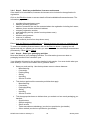
There are three steps to issuing an ePRN.
1. Use the Raise a new ePRN button to capture the details of an ePRN.
2. Use the Authorise ePRNs button to request authorisation.
3. Acceptance of the ePRN by the Compliance Scheme/Producer.
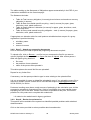
If the Compliance Scheme/Producer rejects the ePRN, use the Cancel ePRN button to
cancel it. On cancellation, the waste can be re-issued. An ePRN can also be cancelled at
any time before it is accepted by the Scheme/Producer.
NB Waste received must be recorded on the system before ePRNs can be issued. You can
only issue ePRNs for an accreditation with a positive waste balance and only to the value of
that balance.
This screen offers two lists and three functions as outlined below.
2.4.1 ePRNs awaiting authorisation/cancellation
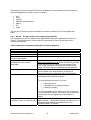
The list shows for each ePRN:
•
•
•
•
•
date created
number
name of organisation issued to
status (awaiting authorisation or awaiting cancellation)
amount (in tonnes)
Click on View to see the details for the ePRN and, if necessary, amend these.
Click on Print to generate a PDF giving details of the ePRN.
If appropriate, the message ‘There are no ePRNs awaiting authorisation/cancellation for this
accreditation’ will appear.
2.4.2 Recent ePRN(s) issued
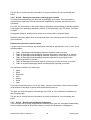
The summary shows for each ePRN:
•
•
•
•
•
date issued
number
name of organisation issued to
status (accepted, awaiting cancellation)
amount (in tonnes)
Click on Print to download a PDF of the ePRN which you can then save to your computer
and/or print out.
NPWD User Guide for industry V1
10
January 2007