1
( 2 ) Preprogram functions
The unit can be linked together as master/slave in daisy chain in linkage as many
units as required and run by built in preprogrammed chase sequences automatically
or by sound activation.
When linking the Barrel and the Scanner in stand alone mode, the Barrel must be
used as the master head.
Not need to set the dipswitches in master/slave mode.
* 2-light show
Dipswitch 10 “off” means the unit works normally and “on” means inversion.
In order
to creating a great light show, you can set dip switch 10 “on” on any unit that is linking
to the master unit to get contrast movement to each other, even if you have two units
only.
Dipswitch 10 on the first unit is no use in the DMX linking, as it is the master
unit that operates the light show.
3C
( 3 ) By easy controller
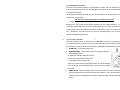
The easy remote control is used only in master/slave mode. By connecting to the
1/4” microphone jack of the first unit, you will find that the remote control on the first
unit will control all the other units for Stand by, Strobe/Next and Fast/Slow function.
1. STAND BY : To blackout all the unit.
2. STROBE/NEXT : Under FAST mode, the light will strobe in
three different ways:
a.) Strobe in different gobos and colors.
b.) Synchronous strobe in white color.
c.) Two-light strobe in white color.
If the unit in slow mode, press NEXT button to choose desired
color and gobo. It will change twelve colors and then change
one gobo.
3. FAST/SLOW : When the LED is off, it is in FAST mode. The unit’s movementPan/Tilt & Gobo/Color is sound activated. If the LED on, it is in SLOW mode,
Pan/Tilt is sound activated but Gobo/Color wheel are static, controlled by Next
button.