1
Note
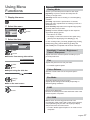
To change aspect
Picture quality may become lower depending on the
slideshow settings.
Picture setting may not work depending on the
slideshow settings.
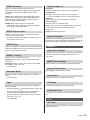
Video Setup
Video Setup Menu
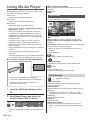
Music mode
Repeat
Example: Thumbnail - [Folder view]
Media Player
Music
Folder view
Playback repeat within the selected file (depending on
the content).
My Music_1 My Music_2 My Music_3
Play
Select
Play Folder
EXIT
RETURN
USB 2.0
Info
Option Menu
Drive Select
Contents Select
1 Select the folder / file
2 Start playback
(red)
To display / hide the operation guide
Music Setup
[Music Setup]
Repeat
[Folder]: Playback repeat within the selected folder
[One]: Playback repeat of the selected one file
Movie mode
Example: Thumbnail - [Title view]
Media Player
Movie
Title view
Trip1
Trip2
Trip3
Trip4
Trip5
Room
Nature1
Nature2
Nature3
Nature4
Nature5
Nature6
2011_4
2011_7
2011_9
Play
Select
Play Folder
EXIT
RETURN
Info
Option Menu
Drive Select
USB 2.0
Contents Select
: Error display
: The file does not support thumbnail view.
1 Select the title / scene
2 Start playback
(red)
To display / hide the operation guide and information
banner
English
25