1
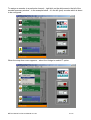
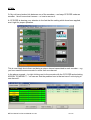
To assign an encoder to a particular channel – right click on the white area to the left of the
encoder summary window – in the example below – it’s the left (port) encoder which is about
to be configured.
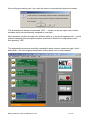
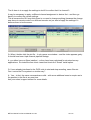
When the drop down menu appears – select the ‘Assign to mediaVT’ option
NETmc Marine Pro Server Manual rev1.03
8 of 23