1
Phontage Desk-top
ECS
Installer & User Guide
5.1.2.1 System Connection
The Phontage can be registered to a System in Local or Remote Mode. In the Remote Mode,
Systems will allocate a VoIP channel to support the call. The VoIP channel will implement
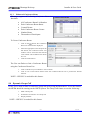
Network Address & Port Translation (NAPT)
compatibility and packet forwarding to internal
appliances.
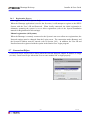
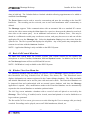
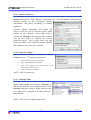
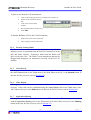
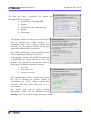
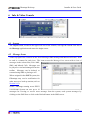
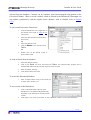
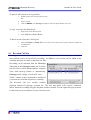
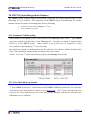
Selecting System Connection will display the
System Connection screen with the present mode
checked (Local or Remote). When either mode is
selected, the Phontage will terminate and re-connect
with the host System to establish the selected
connection mode. Also in this screen, the host
System IP address and a Network Adapter Ethernet
MAC address can be entered or selected.
5.1.2.2 Password Change
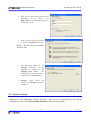
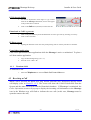
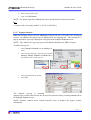
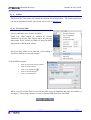
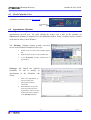
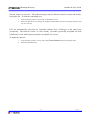
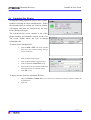
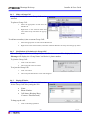
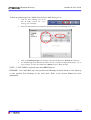
Selecting Password Change will display the Change
Password screen. To change the password:
1.
Type in the correct Current Password.
2.
Type in the desired New Password.
3.
Type in the desired new password again in the
Confirm New Password box.
4.
Click on OK to save changes.
NOTE—iPECS system only.
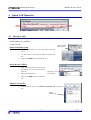
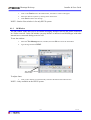
5.1.2.3 IP Bridge Mode
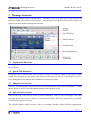
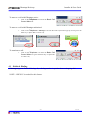
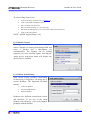
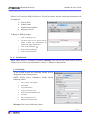
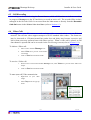
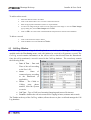
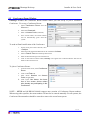
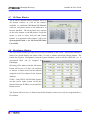
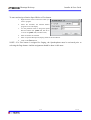
IP Bridge Mode can be enabled under the File –
Setting menu (shown) for when the Phontage is
linked with IP Phone. After dialing a number with
Phontage and then lifting IP Phone Receiver, the
voice path will be changed to IP Phone Receiver
automatically.
NOTE—iPECS P5 is needed for this feature.
5-2
iss. 3.0