1
dTs
6.2.9
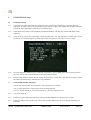
Use the rotary control to set the IRIS to the fully open position, ideally by viewing the iris ring on the lens of the
camera. If this is not possible due to the location of the camera then set the maximum iris value to the OPEN
position according to the On Screen Display message (see notes below.)
6.2.10
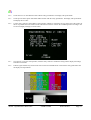
Once the iris is set to the open position, click the rotary control to confirm the setting and the display will change
from BUSY to DONE.
6.2.11
Exit the ENG MENU and check that the iris can be controlled by the joystick across the complete range.
NOTES.
Some Sony camera models allow iris adjustment across a range between approximately 038 minimum and 110
maximum only.
The above procedure can also be used to set the whole physical range of the joystick to control a limited range of Iris
values. For example, with the joystick fully backward, the minimum iris position can be set to F8 and with the
joystick fully forward the maximum set to F2.8. A large movement of the joystick controls then results in a small
camera iris movement for fine control.
6.3
LED Illumination Test
Note that a camera/camcorder does not need to be connected.
Switch the OCU OFF.
Press and hold ENGr button, press the ON/OFF button. Release buttons.
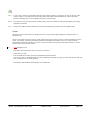
The test will start by illuminating tally and then illuminate the buttons in groups and end with the blue leds. The
OCU will then revert to normal operation.
Note that the SHUTTER and GAIN buttons do not illuminate.
2050A Operational Control Unit
USER GUIDE
2050-10-01A
Page 13