1
11: Default input
#
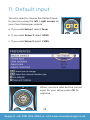
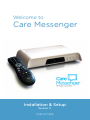
You also need to choose the Default Input
to your box using the left / right arrows on
your Care Messenger remote.
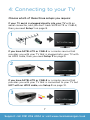
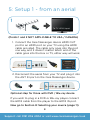
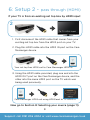
a. If you used Setup 1 select Tuner b. If you used Setup 2 select HDMI
c. If you used Setup 3 select CVBS
#
When you have selected the correct
input for your setup, press OK to
continue.
14
Support: call 0191 206 4004 or visit www.caremessenger.co.uk