1
EnviroMon User's Guide
3.3.6
67
Calibrating humidity converters
If you are not using humidity converters, you can skip this section.
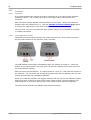
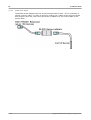
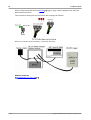
The EnviroMon humidity measuring system is made up of two parts: the EL026
converter 45 and the EL030 sensor 60 . These can be connected together using a cable
up to 25 metres long.
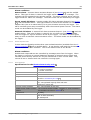
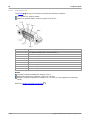
The EL030 sensor has some calibration information written on its label. Before you
use an EL026 and EL030 together, you should use the Change Address command to
write this calibration information into the EL026.
To do this, connect up the equipment, click the Utilities menu and select Change
Address (see Setting Converter Addresses 66 ).
Then proceed as follows:
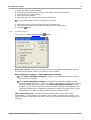
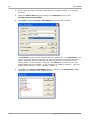
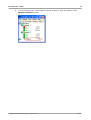
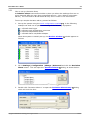
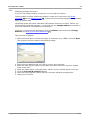
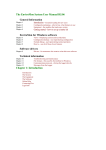
1. Select the serial port to which the logger is connected (e.g. COM2) and click Next.
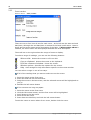
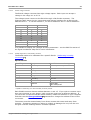
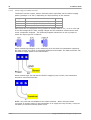
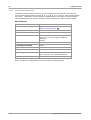
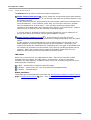
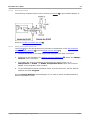
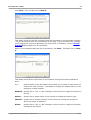
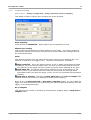
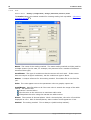
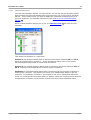
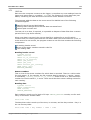
The program will then display the following dialog:
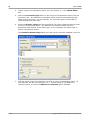
2. Select the new address that you wish to use for this converter
3. Enter the lower figure written on the label (normally about 0%) into the "EL026
Lower Limit" box
4. Enter the higher figure (normally about 100%) into the "EL026 Upper Limit" box
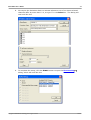
5. Click the Program & Continue button
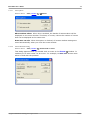
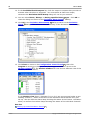
6. Wait until the computer reports that the converter has been programmed
7. Unplug the converter
Copyright © 2004-2010 Pico Technology Ltd. All rights reserved.
emw.en