1
Mounting Instructions
Panel Meter Mounting
1.
The 461950 dimensions are:
Meter: 3.61 x 1.66 x 3.54 " (92 x 42 x 90 mm)
Bezel: 3.78 x 1.89 x 2.36 " (96 x 48 x 60 mm)
2.
Prepare a panel cutout with the following dimensions: 3.62 x 1.77" (92 x 45 mm).
3.
The Tachometer will fit a standard 1/8 DIN cutout. Mounting hardware is provided
which attaches to the sides of the meter. The screws attached to the mounting
bracket should be tightened to the back of the panel (avoid over-tightening which can
bow the meter housing).
Proximity Switch Model 461955 Mounting
Use the mounting holes to secure the proximity switch to the desired surface. The sensor
is the side of the switch that detects a moving metal object such as a gear tooth or a fan
blade. The sensor side of the switch has an X on it and is located on the opposite side of
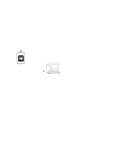
the switch from the wiring cable. Refer to the top view diagram below. The Proximity switch
must be mounted so that the object being detected passes within 0.16" (4mm) of the
sensor side of the switch. The pulse LED will light when the sensor detects a metal object.
Pulse LED
Mount holes
Cabling
+
Sensor
+
Photoelectric Sensor Model 461957 Mounting
Use the mounting holes to secure the photoelectric sensor to the desired surface. The
photo beam is generated and detected in the groove (as depicted by the dotted line in the
diagram below). The object under test must pass in the groove so that the light beam can
be interrupted.
Sensor
Power / Detection
LEDs
Sensitivity
Adjust
+
Mount Holes
+
Cable
3
Model 461950 Version 2.0 March 2005