1
Type 8619
Maintenance and troubleshooting
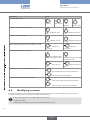
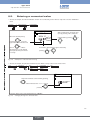
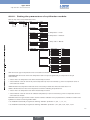
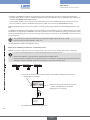
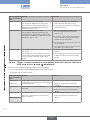
Message displayed Meaning
in the "Information"
menu
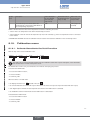
"Mx:W:Conductivity" The fluid conductivity is out of range.
What to do
→→Go to the "Diagnostics" menu to read the fluid
conductivity value (chap. 9.11.3)
This message is displayed if monitoring of
the fluid conductivity is activated on the "Mx"
module, depending on the WARNING LOW
and WARNING HIGH thresholds defined (see
chap. 9.11.3).
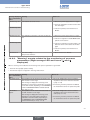
"Mx:W:Temperature" The fluid temperature is out of range.
→→if necessary, clean the cell then recalibrate the
measurement sensor
→→Go to the "Diagnostics" menu to read
the value of the temperature measured
(chap. 9.11.4).
This message is displayed if monitoring of
the fluid temperature is activated on the "Mx"
module, depending on the WARNING LOW
and WARNING HIGH thresholds defined (see
chap. 9.11.4).
→→If necessary, check whether the temperature
sensor is working correctly by measuring a
fluid with a known temperature.
→→If the temperature sensor is faulty, return it to
the manufacturer.
→→if the temperature sensor is not the cause of
the problem, check the process.
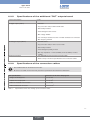
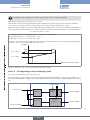
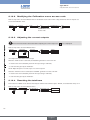
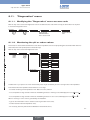
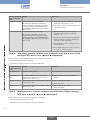
10.3.4. "Warning" events related to a problem with the device (Left
orange LED and icons
and
displayed)
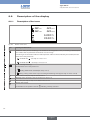
When a "warning" event related to a problem with the device is generated:
• The 4-20 mA output(s) operate normally
• The transistor outputs configured in "warning" mode switch.
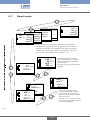
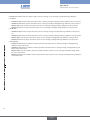
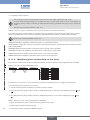
Message displayed Meaning
in the "Information"
menu
"M0:W:Time lost"
The date and time are lost.
"M0:W:ON/OFF
time"
"M0:W:Pulse x lim."
"M0:W:Pulse x 1:1"
What to do
→→Set the date and time again (see chap. 9.9.1)
The duration defined in the parameter "MaxONtime" in the ON/OFF function has been
exceeded (see chap. 9.9.11)
In "Pulse" mode, the volume entered for a pulse is
incorrect (see p. 72).
In "Pulse" mode, the volume entered for a pulse is
incorrect (see p. 72).
→→Deactivate then reactivate the ON/OFF
function
→→Enter an appropriate volume
→→check the K factor.
→→Enter an appropriate volume
→→check the K factor.
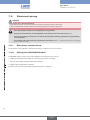
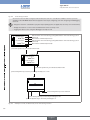
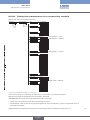
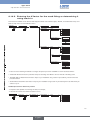
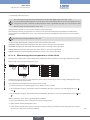
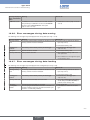
10.3.5. "Maintenance" events related to calibration (Right orange
and
displayed)
LED and icons ,
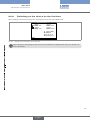
When a "maintenance" event related to calibration is generated:
• The 4-20 mA output(s) operate normally
• The transistor outputs configured in "warning" mode switch.
112
english