1
MB261_771E-PFQX2753ZA-OI-en.book Page 21 Monday, June 25, 2007 2:47 PM
2. Preparation
Important notice
If you use Windows XP or Windows Vista, a message
may appear after connecting the unit with the USB
cable. This is normal and the software will not cause
any difficulties with your operating system. You can
continue the installation with no problem. The kind of
message is displayed:
L For Windows XP users
“The software you are installing for this hardware
has not passed Windows Logo testing to verify its
compatibility with Windows XP.”
L For Windows Vista users
“Would you like to install this device software?”
To uninstall the software
For Windows 2000, Windows XP and Windows Vista
users, you must be logged in as an administrator in order
to uninstall Multi-Function Station.
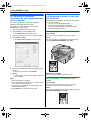
1. [Start] i [All Programs] or [Programs] i
[Panasonic] i the unit’s name i [Uninstall or
Modify]
2. [Uninstall] i [Next]. Then follow the on-screen
instructions.
Note:
L If you want to uninstall each component, select
[Modify] and click [Next] in step 2. Then follow the
on-screen instructions.
To view or install the operating instructions in the
CD-ROM
1. Start Windows and insert the supplied CD-ROM into
your CD-ROM drive.
2. Click [Operating Instructions], then follow the onscreen instructions to view or install the operating
instructions in PDF format.
L Adobe® Reader® is required to view them.
Note:
L If the screen prompts to insert the CD-ROM for the
operating system when installing Multi-Function
Station, insert it into your CD-ROM drive.
L If you install the operating instructions, you can view
it anytime from [o] on the Multi-Function Station
launcher.
To use another unit with the computer
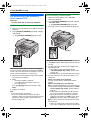
You need to add the printer driver for each unit, as
follows.
[Start] i [All Programs] or [Programs] i
[Panasonic] i the unit’s name i [Add Printer
Driver]. Then follow the on-screen instructions.
Note:
L You cannot connect more than one unit to the same
computer at the same time.
To modify the software
You can select the components to install anytime after
the installation.
For Windows 2000, Windows XP and Windows Vista
users, you must be logged in as an administrator in order
to modify Multi-Function Station.
1. Start Windows and insert the supplied CD-ROM into
your CD-ROM drive.
2. [Start] i [All Programs] or [Programs] i
[Panasonic] i the unit’s name i [Uninstall or
Modify] i [Modify] i [Next]. Then follow the
on-screen instructions.
21