1
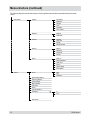
Setup menu (continued)
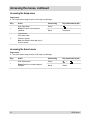
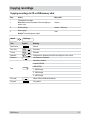
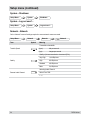
Event – Video Loss
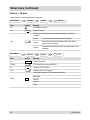
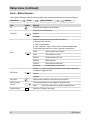
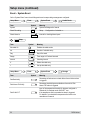
On the “Video Loss” menu checking for covert cameras and the responses to events are configured.
Setup Menu...
Term
Event
Symbol
Video Loss
Settings
Meaning
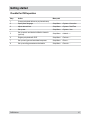
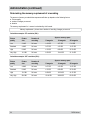
Sensitivity of check as to whether camera is covert:
Check Obscuration
Setup Menu...
Term
Event
Symbol
Never
not checked
15
very sensitive
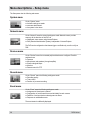
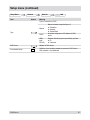
Video Loss
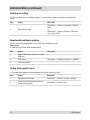
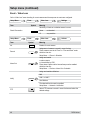
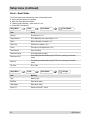
Actions
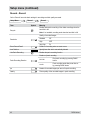
Meaning
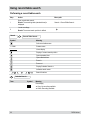
No.
Number of covert camera
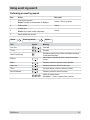
Record
Assignment of cameras to record in event of alarm
These cameras must be in “Event” or “Time and Event” mode
within the time slot:
Setup Menu... > Record > Schedule
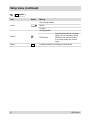
Alarm-Out
Assign and enable
● alarm outputs
● internal beep by DVR
These alarm outputs and the internal beep must be enabled
within the time slot:
Setup Menu... > Devices > Alarm-Out > Schedule
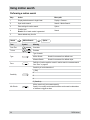
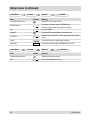
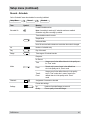
Assign and enable notifications
Mail
Notify
LAN 1 to LAN 5
Alert Window
The selected function must be enabled:
Setup Menu... > Network > Notification
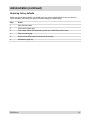
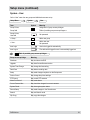
PTZ
48
Select PTZ cameras to record in event of alarm and select the
desired settings
DLR3-04/xxx