1
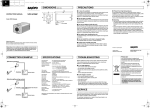
e_l5q_xe_7.fm Page 2 Friday, June 18, 2004 10:22 AM CONNECTIONS AND SETTINGS Q J Supported coaxial cables You can use any of the following coaxial cables: RG-59U (3C-2V) Length: 250 m max. RG-6U (5C-2V) Length: 500 m max. RG-11U (7C-2V) Length: 600 m max. Black – + 2 When using an RG-59U (3C-2V) cable, do not use it on piping or air wiring. Select the cable according to the distance between the devices you wish to connect. If you use a cable other than the types above, the image or sync signal will be attenuated and will not be transmitted correctly. Check for polarity when using a DC 12 V power supply (Polarity does not matter when using an AC 24 V power supply). Q LENS ADJUSTMENTS 2 CAMERA SETTINGS 5 5 ON Q 1 2 3 4 5 6 7 8 Screw (B) Screw (B) 1 2 This switch is not used. 80° 80° Board on the same side as the lens ON FOCUS Board on the opposite side of the lens (Tilt) J CHECKING THE CAMERA IMAGE When monitoring lighting or other extremely bright objects (which exceed the maximum required illumination), smearing may occur in the vertical or horizontal direction (either above and below the high-brightness object or as a perpendicular band). In such a case, adjust the angle of illumination and other factors while observing the monitor. If fluorescent lighting is used where the camera is installed, the object will flicker as a result. This type of phenomenon can be avoided by replacing the fluorescent lighting with incandescent lamps. LENS ADJUSTMENTS Once the camera has been installed, adjust the lens section. Be careful not to touch the lens section when changing the angle of the camera. 1 Adjust the pan position (360°) and the tilt position (±80°). 2 Loosen the zoom lever screw, turn the zoom lever to the right/ left to determine the zoom position while viewing the camera images on the monitor, and then re-tighten the screw. CAMERA SETTINGS J The camera comes pre-adjusted and ready to install at time of factory shipment, but you may want to make settings to adapt to the operating conditions or installation environment. If you have trouble adjusting the camera, consult your dealer or an Authorized Sanyo Service Center. (Off) Flicker compensation 1 3 Loosen the focus lever screw, turn the focus lever to the right/ (Off) This function is off. When the electronic shutter speed setting is set to “ON”, a combination of the following three switches can be used to set up to eight speed levels. (Unit: seconds) Shutter speed Increased sensitivity allows shots to be taken in dark (High:26 dB) environments. • This setting causes noise generation and a grainy image. 1/50 Set this when there is excessive noise in the high setting (Low:20 dB) mode. 1/120 Color compensation (White balance) 4 AUTO WHITE BALANCE 6 7 7 8 8 MANUAL WHITE BALANCE WHITE BALANCE LOCK INDOOR SETTING (LIGHT 1) 6 6 6 7 7 7 8 8 8 Automatically adjusts the white balance when the object is near. Fine-tunes the white balance manually. Adjust the color using 7 buttons (Left:Red, Right:Blue). If an AC 24 V power supply user sets MANUAL WHITE BALANCE, sync adjustment cannot be performed. To perform sync adjustment, do it with 7 buttons before setting MANUAL WHITE BALANCE. Adjusts the white balance when the brightness is constant. After setting the switch at left, keep pressing the white balance lock button until the desired tint is achieved and release it to set. Set for indoors, when the room is lit by fluorescent or incandescent lights (3200° K). INDOOR SETTING (LIGHT 2) 6 7 8 Set for indoors, when the room is lit by fluorescent lights (4200° K). Switches 1/1000 1 2 3 1 2 3 1 2 3 1 2 3 1 2 3 1 2 3 1 2 3 1 2 3 1/2000 1/4000 1/500 Automatically adjusts the white balance. 6 Shutter speed 1/250 Adjusts the balance of colors. When AUTO TRACKING WHITE BALANCE (default setting) does not work properly, select other settings. AUTO TRACKING WHITE BALANCE Switches 1/10000 NOTE: Using the high speed electronic shutter indoors with low lighting will give darker pictures. In such a case, add some lights to make sure the lighting is sufficient. 6 Gamma compensation 5 Q For adjusting the gamma compensation, use this setting to adjust the signal correction/contrast so that the image looks natural. 6 2 (High) Gamma is set to 0.6. Makes the gamma compensation stronger than the default (low) setting. (Low) Gamma is set to 0.45. 6 Q 2 Sync adjustment 7 (Only when using an AC 24 V power supply) Synchronizes the camera with power frequency when two or more cameras are connected via a switcher unit. When the image on the monitor rolls vertically, adjust the phase. (A) If using this unit as the second or subsequent camera; Adjust the roll by pressing each button. left to detemine the focus position while viewing the camera images on the monitor, and then re-tighten the screw. 1 (On) Corrects screen flickering that occurs when positioned under fluorescent lights that use a 60 Hz power supply frequency. INDOOR SETTING (LIGHT 3) 6 7 8 6 7 8 Set for indoors, when the room is lit by fluorescent lights (4700° K). NOTE on image direction: If the monitor image is misaligned, follow the steps below to adjust. c Loosen the screws (B) with the supplied hexagon wrench (small). d Turn the indented dial to adjust the image direction. e Tighten the screws (B) after adjustments are finished. 1 This function is off. (=Factory default setting) Q Changes the switch settings for SW 1 – SW 3 to change the electronic shutter speed. At this time the actual Flickerless and Backlight Compensation are ignored, and the iris function is fixed. 5 NOTE: You can use the monitor checking cable (sold separately) to display an image on a monitor when setting up the camera to check the surveillance angle and range, lens focus, etc. Connect the connector of the monitor checking cable to the monitor checking connector (A) on the circuit board and connect the jack of the monitor checking cable to the monitor. J 1 (On) Gain control 3 360° (Pan) Monitor checking connector (A) When an image is backlit. For adjusting the sensitivity of the camera. Use this setting for shooting in dark environments. J (On) Red ZOOM Electronic shutter speed setting 5 Q 5 CONNECTIONS DC 12 V / AC 24 V connection J Backlight compensation 2 1 (Off) This function is off. NOTE: Even if flickerless is set, the iris function will be fixed. OUTDOOR SETTING Set for outdoor light (6500° K). (B) If using this unit as the first camera; Adjust the roll using the phase adjuster on the second and subsequent cameras. NOTE: When using an AC 24 V power supply to connect the camera to a monitor, internal sync. is set. (The phase adjuster does not function.) When using a DC 12 V power supply, the sync setting is set to internal sync. If MANUAL WHITE BALANCE is set, sync adjustment cannot be performed. Change to a different white balance setting, and adjust the sync. And then set MANUAL WHITE BALANCE again.