1
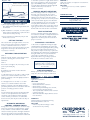
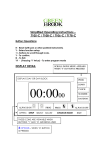
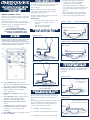
Diagram 7 - After
Light switch timer at 5 wire end
Yellow & Green earths must
remain connected to metal box
to automatic operation i.e. light switch works to
the preset programme), slide override switch
(E) so that AUTO position is showing. Red
neon (G) will be illuminated and the light will
switch on when the pre-set level of
darkness is reached.
PROBLEM 3
Light only operates correctly from one switch in a
two way circuit
SOLUTION
- The wiring is incorrect, consult a qualified
electrician.
MANUAL ON/OFF OPERATION
OPERATING INSTRUCTIONS
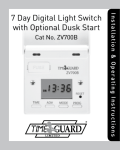
SETTING YOUR LIGHT SWITCH
a) Ensure light fitting(s) being controlled
have bulb(s) fitted, otherwise light switch will
not function.
b) After installation is complete, reconnect power
at the mains (remembering to replace the fuse
if removed for safety reasons).
c) Press reset button H with ball point pen and
hold for two seconds.
When all settings have been completed close
the front cover until it clicks into position
concealing the operating controls. The room
light(s) can be turned on and off by simply
pressing the top of the front cover. The position
of the override switch (E) does not affect this
operation.With the front cover closed, the red
neon (G) will be illuminated or in manual
mode when it will be off.To access the controls
again, grip the front cover with forefinger and
thumb either side and ease the cover forward.
PREPARING FOR OPERATION
STEP 1.
Slide the override switch E so that the automatic
position is showing, the red neon G will
illuminate.
STEP 2.
Ensure the room light is off, if necessary use the
push on/off switch (D).
STEP 3.
As darkness approaches monitor when the
light(s) come on.
a. If the light comes on too early i.e. still too light
outside, use a small screwdriver to turn the
darkness sensitivity control B slightly towards D
(anti-clockwise).
b. If the light comes on too late i.e. too dark
outside, use a small screwdriver to turn the
darkness sensitivity control B slightly towards L
(clockwise).Close the front cover until it clicks into
position concealing operation controls.
STEP 4.
For the next few days monitor the when the light
comes on. Fine adjustments to the darkness
sensitivity control B will ensure that the light
comes on when you want it to. To achieve the
desired on time, this may also take a few days of
adjustments.
AUTOMATIC OR MANUAL
CONTROL - OVERRIDE SWITCH
FALSE ACTIVATION
Someone standing against the light switch for
more than 30 seconds or a heavy thunderstorm
may result in early activation. When normal
light level is resumed, press the reset button
(H) for 2 seconds.
PLEASE KEEP THESE
INSTRUCTIONS SAFE FOR FUTURE
REFERENCE
CHANGING A LIGHTBULB
In the event of a lightbulb ‘blowing’ the light
switch will fail to work.Always disconnect the
power before replacing the light bulb by pulling
the fuse carrier (A) forward until the fuse is
fully visible. It may be necessary to replace the
fuse following the replacement of a lightbulb if
the light switch does not operate when the
carrier (A) is pushed back into position.
Replace the old fuse by pushing it upwards
from the slot in the base of the carrier.
Note: After replacing a lightbulb,
replacing a fuse or a mains power
failure, press the reset button (H)
for 2 seconds.
FUSE REPLACEMENT
Always replace the fuse with a BS646 rated
3amp fuse. A normal 3amp fuse will not fit.
TROUBLE SHOOTING
PROBLEM 1
Light will not switch on
SOLUTION
- Press reset button H.
- Check that bulb has not blown.
- Check wiring is correct.
- Check fuse, by withdrawing fuse carrier A,
incorrect wiring can blow the fuse.
- The required level of darkness has not Been
reached previously.
- Wait until dusk then adjust darkness sensor
C as described.
PROBLEM 2
Sufficient light is prevented from being
detected by darkness sensor C
SOLUTION
- Remove any soft furnishings or other
obstructions from proximity.
WEST ROAD . HARLOW
ESSEX . CM20 2BG . UK
[email protected]
WWW.GREENBROOK.CO.UK
Issue no: 701569
During those occasions when you are home early
and you do not want your light switch to operate
as set, slide the override switch E so that MAN
shows for manual operation. The light switch will
only operate via the push on/off switch (D), the
red neon (G) will not be illuminated.To revert back
Rated Voltage: 230V, AC 50Hz
Load:
Max 400W–Min 40W + most
Low Energy (CFL) 11W & above
Tungsten bulbs only
Integral 3 amp fuse
ALWAYS REPLACE WITH A SPECIAL
3AMP BS646 FUSE. (THIS IS NOT AN
ORDINARY 3AMP FUSE)
SETTING TIME ON
This sets the time your light remains on for. The
time on period can be set from a minimum of
1 hour to a maximum of 8 hours in 1 hour
increments. This is set by turning dial F (see first
diagram for reference) to the desired time i.e.
1,2,3,4,5,6,7 or 8 hours.
TECHNICAL DATA