Transcript
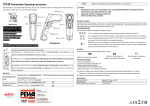
Digi-Sense IR Thermometer Operating Instructions
Model: 39644-00
The thermometer is a non-contact infrared thermometer. There are many mathematical modes for the Infrared function. Please
remember to keep away from children and don’t use it for safety related applications.
1.
2.
3.
4.
CAUTION
WHEN DEVICE IS IN USE, DO NOT LOOK DIRECTLY INTO THE LASER BEAM–PERMANENT EYE DAMAGE MAY RESULT.
USE EXTREME CAUTION WHEN OPERATING THE LASER.
NEVER POINT THE DEVICE TOWARDS ANYONE’S EYES.
KEEP OUT OF REACH OF ALL CHILDREN.
STORAGE & CLEANING
The sensor lens is the most delicate part of the thermometer. The lens should be kept clean at all times, care should be taken when cleaning the
lens using only a soft cloth or cotton swab with water or medical alcohol. Allowing the lens to fully dry before using the thermometer. Do not
o
submerge any part of the thermometer. The thermometer should be stored at room temperature between –20 to +65 C.
LCD ERROR MESSAGES
(Default Screen)
The thermometer incorporates visual diagnostic messages as follows:
‘Hi’ or ’Lo’ is displayed when the temperature being measured is outside of the settings
of HAL and LAL.
Simply aim the thermometer at the measure
7 ) and press Meas. key (○
9 )
target with Lens (○
to display the surface temperature.
The Distance:Spot is 11:1. Please make sure the
target area is within the field of view.
FUNCTION
1 ) for setting the
Press Emissivity key (○
emissivity.
1 ), then press Up key (○
4 ) or Down key (○
2 ) to set the emissivity, then press
Press Emissivity key (○
5
Mode key (○) to confirm it. The emissivity can be changed from 0.10 (10E) to 1 (100E).
5 ) for scrolling more display function as follows.
Press Mode key (○
For all other error messages it is necessary to reset the thermometer. To reset it, turn
the instrument off, remove the battery and wait for a minimum of one minute, reinsert
the battery and turn on. If the error message remains please contact the Service
Department for further assistance.
BATTERIES
The thermometer incorporates visual low battery indication as follows:
‘Battery OK’: measurements
are possible
‘Battery Low’: battery needs to be
replaced, measurements are still possible
‘Battery Exhausted’: measurements
are not possible
When the ‘Low Battery’ icon indicates the battery is low, the battery should be replaced immediately with AAA, 1.5V batteries. Please note: It
is important to turn the instrument off before replacing the battery otherwise the thermometer may malfunction.
Dispose of used battery promptly and keep away from children.
Here will show the emissivity data. (The default emissivity is 0.95.)
5 ) for the Maximum (MAX), Minimum (MIN), Different between MAX and MIN
Press Mode key (○
(DIF) and Average (AVG) modes. During the measurement, the special modes reading will be
displayed beside the mode icon.
SPECIFICATION
4 ) or Down key (○
2 ) key to change the High Alarm (HAL) or Lo Alarm (LAL), then
Press Up key (○
9 ) to confirm it. For example: When the reading 27 oC < LAL 27.1 oC, the Low icon will
press Meas. key (○
flash and you will hear a beep sound.
10 ) and put the probe in/on the target, the
Connect the thermocouple with Thermocouple socket (○
thermometer will display the temperature automatically without pressing any button. To see the minimum
4 ) or Down key (○
2 ).
or maximum data during the probe measurement, please hold down the Up key (○
Operating Range
Accuracy,
Item
Non-contact Infrared Scan function
-76 to +932 oF (-60 to +500 oC)
32~122°F (0~50°C)
Measurement Range
Thermocouple Probe Scan function
(K type not included.)
-83.2 to +1999°F (-64 to +1400°C)
+/-1.8 oF (+/-1.0°C)
Resolution (-9.9~199.9°C)
+/-1% of reading or +/-1.8oF (+/-1.0°C)
+/-2% of reading or 3.6 oF (2°C) (whichever is (whichever is greater)
greater)
0.1°F/0.1°C
Response Time (90%)
1sec
(Tobj=15-35°C,Tamb=25°C)
Full Range Accuracy
(Tamb=23 +/- 3°C)
After measure high temp, the probe may remain HOT for a while.
** The thermometer will automatically shut off if left idle for more than 60sec, unless in PRB mode. (In PRB mode, it will
shut off if left idle for more than 12 minutes.)
Distance:Spot
11:1
Battery Life
Typical 180 hours continuous use (Alkaline, without Laser and Back Light.)
Dimensions
6.89 x 1.5 x 2.8”(175.2 x 39.0 x 71.9 mm)
ADD VALUE
Weight
179 grams including batteries (AAA*2pcs)
In MAX, MIN, DIF,
AVG mode:
In all modes: First
hold on the Meas.
9 )
key (○
4 ) for LOCK mode ON/OFF. The lock mode is particularly useful for
Press Up key (○
continuous monitoring of temperatures for up to 60 minutes.
2 ) for oC or oF transferred.
Press Down key (○
4 ) for backlight function ON/OFF.
and press Up key (○
2 ) for laser function ON/OFF.
and press Down key (○
Note: Under the electromagnetic field of 3V/m from 200 to 600 MHz, the maximum error is 18 oF (10 oC).
EMC/RFI
Readings may be affected if the unit is operated within radio frequency electromagnetic field strength of approximately 3 volts per meter, but the
performance of the instrument will not be permanently affected.
Imported by Cole-Parmer Instrument
Company
Made in Taiwan
625 East Bunker Court, Vernon Hills, Illinois 60061-1844, U.S.A.
Phone: 847-549-7600 Fax: 847-247-2929
E-mail: [email protected] Web Site: Http://www.coleparmer.com
Toll Free: 800-323-4340