1
4 Operation
KATflow 150
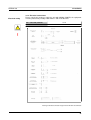
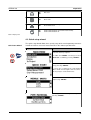
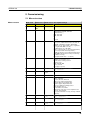
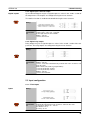
Enter outside pipe diameter using alphanumerical keys and confirm by pressing <ENTER>.
Use key <UP> as character backspace clear
to correct for data entry errors.
If 0 is entered, an additional screen appears
that allows entering the pipe circumference.
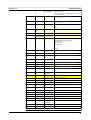
Enter pipe wall thickness using alphanumerical
keys and confirm by pressing <ENTER>.
Use key <UP> as character backspace clear
to correct for data entry errors.
Select fluid using cursor keys.
Confirm by pressing <ENTER>.
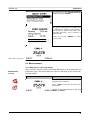
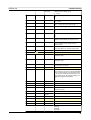
Enter process temperature using alphanumerical keys and confirm by pressing <ENTER>.
Use key <UP> as character backspace clear
to correct for data entry errors.
Select pipe lining material using cursor keys.
Confirm by pressing <ENTER>.
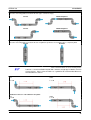
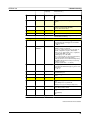
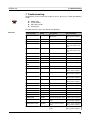
Select transducer configuration (number of
passes) using cursor keys.
Auto
1
2
3
4
5
6
..etc.
Automatically
1 pass, diagonal mode
2 passes, reflection mode
3 passes, diagonal mode
4 passes, reflection mode
5 passes, diagonal mode
6 passes, reflection mode
Confirm by pressing <ENTER>.
23