Transcript
Universal CPU Cooler
Installation Instructions
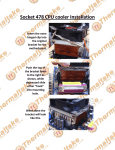
5. Install the cooler by pressing the mounting clip
until it’s hooked in.
YX-2588
Intel™ Socket:
1. Install four clear plastic inserts into the hole of the
mounting bracket according to the CPU socket type.
AMD Socket:
A) Apply the thermal compound on the
surface of the CPU metal plate.
2. Install the mounting bracket on the motherboard
and push the four plastic hooks through the
mounting hole.
3. Insert the four plastic push pins into the hole of the
plastic insert.
4. Apply the thermal compound on the surface of
CPU metal plate.
B) Place the cooler on top of the CPU.
C) Install the cooler by pressing the
mounting clip until it’s hooked in.