1
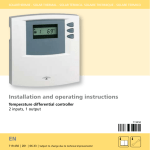
EN 8 Operation CAUTION The incorrect operating mode may cause the system to shut down or impair proper functioning! Make sure that the operating switch is set to automatic operation. 8.1 Reading temperature values NOTE The temperature in the above storage tank is only displayed if the temperature sensor T3 (not included in delivery) is also connected. Use the buttons and to select temperature sensor (T1, T2, T3). The selected temperature sensor and the current temperature reading appear in the display. 8.2 Setting the controller 24 T1 ! 8.2.1 Menu operation To open the Settings menu, press the SET button for approx. 2 seconds. The current storage tank maximum temperature is displayed. Symbol for the T2 temperature sensor and max flash. To switch to the next setting, press the or button. 709.752 | 07.50 48 T1 T3 max T2 max °C °F T1 D °C