1
Wireless 11g Broadband Router
Version 1.0
Label
WLAN
LED
OFF
Green – steady
Green - blinking
WAN
OFF
Green – steady
Green - blinking
POWER
OFF
Blue
OFF
Green – steady
Green - blinking
Local Network 1 ~ 4
Description
No wireless connection
Wireless connection ready
transmitting or receiving over wireless
network
No WAN connection
Device connected to port
Device transmitting or receiving on
port
No power
Power ON
No LAN connection
Device connected to port
Device transmitting or receiving on
port
2.3 Rear Panel
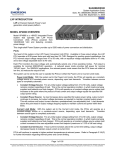
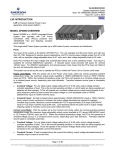
The following is an image of the ports on the rear panel. The table below lists the
labels and their description.
RESET
Label
RESET
RF ON/OFF
LAN ports 1 ~ 4
WAN port
12V A DC
RF ON/OFF
LAN ports 1 ~ 4
WAN port
12V A DC
Description
Press & hold this button for 1 or 2 seconds to reset the
device to its current settings.
** Press & hold this button for more than 5 seconds to rest
the device to its default factory settings.
Push this button IN to turn OFF RF functionality.
Push this button OUT to turn ON RF functionality.
Connect the network devices to these ports using RJ-45
cables.
Connect the xDSL modem or Cable modem to this port
for Internet connection.
Plug-in the power adapter into the DC-inlet.
8