1
V2 TEL
Installation Manual
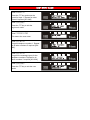
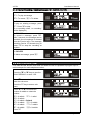
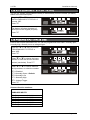
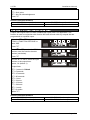
5.24 ENABLE ABORT INPUT#6 [580]
This function enables the abort option which can be used on Input 6 of the V2 TEL. If this
input is activated, all dialling sequences will be aborted.
Press the [ or ] keys to scroll to
‘ENABLE ABORT INPUT # 6’ or
enter ‘580’.
Press t
Press B or T to choose between
Yes or No or select the number:
0 = No
1 = Yes = Default
Press t
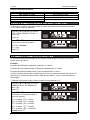
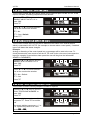
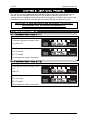
5.25 ENABLE STATUS INPUT #5 [581]
This function enables input 5 to be able to determine the status of an external device
which is connected to the V2 TEL (for example an intruder alarm control panel). If enabled
input 5 will detect the status changes.
Example:
Arming or disarming of the control panel but no messages will be sent to the user. To
check the status the user needs to call the V2 TEL and via the voice menu interrogate the
input (for example if used with an alarm panel the user will be given the information
ARMED or DISARMED).
Press the [ or ] keys to scroll to
‘ENABLE STATUS INPUT # 5’ or
enter ‘580’.
Press t
Press B or T to choose between
Yes or No or select the number:
0 = No = Default
1 = Yes
Press t
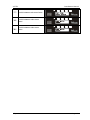
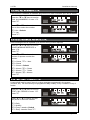
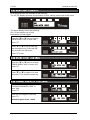
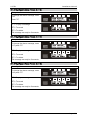
5.26 CALL TELEPHONE NUMBER [600]
This function is used to call any telephone number if required.
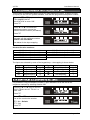
Press the [ or ] keys to scroll to
‘CALL TELEPHONE NUMBER’ or
enter ‘600’.
Press t
Enter the telephone number to dial
and press t. Press x to end the
call.
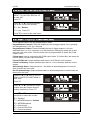
(for certain dialling sequences, a ‘*’ or
a ‘#’ symbol may need to be used
(enter J or K )
Pyronix Ltd
Page: 21