1
Connection Instructions
Bluetooth® as a Main Source
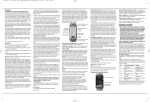
The BTA-2 is connected to the CAT-5 cable line between the hub
and the A-BUS Keypad using RJ-45 connectors (TIA568A). It also can
be wired in series with other local input modules along the CAT-5
cable. The local input module closest to the room’s A-BUS amplified
module, will be the master.
The BTA-2 can be used as an input device in small installations, such
as hotel rooms, where transmission range is not a problem. The BTA-2
is connected from its output socket to any A-BUS hub with an input
or Expansion Input. It can also be inserted in a main source CAT-5
cable between input module and hub, overriding the main source
when paired.
Operating Range
Mute In
Page
In
Page
Trim
5
6
7
8
Common IR
IR
In
1
IR
Out
R
In
2
Out
IR
In
R
Src Trim
Src Trim
3
Out
IR
4
In
R
Src Trim
Out
IR
R
In
5
Out
IR
R
Src Trim
Src Trim
In
6
Out
R
Src Trim
12VDC
L
In Control Link Out
1
2
3
Outputs to Keypads
4
L
Trigger Out
100mA
L
L
L
L
Source Audio Connections
A-C68 (or any A-BUS hub)
CAT-5
Bluetooth devices are intended to provide wireless communication
between enabled devices within a room. The BTA-2 has been
designed to provide reliable operating range in difficult situations.
In good situations, its range can be up to 15 meters (50’); however,
this distance can be reduced significantly by a number of local
factors such as transmission interference from other communication
devices, electrical wiring and room construction materials, such as
brick walls and concrete floors, etc. When the BTA-2 is operating near
maximum range, the signal may intermittently drop in and out, as
signal strength varies.
Bluetooth Source Volume Level Compatibility
The audio output level from Bluetooth enabled devices can vary
from brand to brand. The BTA-2 has been adjusted to be equal to
the output of most Bluetooth devices; in some cases the level may be
higher. Most devices have their own adjustable volume level and it is
recommended that this is used to adjust the output level to match
the main audio source’s volume level.
CAT-5
Room Identification
BTA-2
A-K6L Amplified Keypad. (Also works with A-K4 Keypad)
CAT-5 Cable 150’ Max Length (Total)
Each BTA-2 is identified by an individual code number beginning
with the prefix AB (ABxxx). The identification code can be replaced
with individual room name identification (eg. Bedroom, Study, Patio,
etc,) prior to installation. Visit www.russound.com to download
renaming software onto a computer and connect the BTA-2 with the
mini USB cable supplied and follow the on-screen prompts.
Security Pairing Code
Specifications
/
/
/
/
Bluetooth Input: A-BUS (RJ-45 Socket TIA568A) Ver.4+ EDR,
A2DP, AVRCP, AptX, SBC
Output: A-BUS (RJ-45 Socket TIA568A)
Operating Range: >49’ (15m) - subject to local conditions
Connection: Not paired : Connected to main source
Paired : Bluetooth streaming
Indicator: When paired : Blue LED
Re-Naming: via PC (mini-USB)
Mounting: Single gang (US)
Size: 107 H x 43 W x 25 D (overall 30 D) mm
When pairing for the first time, a security code is required. The
default code is 1234. The four digit number can be changed or
switched off in the room naming software. Individual room naming
and discrete security pairing code, must be changed with the
renaming software prior to installation.
Troubleshooting Check List:
Establish an appropriate listening level with the main source before
pairing.
• If no sound is heard, do not adjust output level, as damage may
occur to your speakers.
• Check the music source is active before pairing.
• The blue LED indicates when devices are paired.
• Check source device is connected to WiFi.
• Change music source or app.
• Make sure device is in play mode.