1
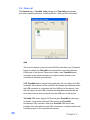
Remove
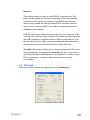
This function button is used for serial RS232 controllers only. This
button will be grayed and disabled automatically when the selected
controller in the controller list window is not RS232 type. Press to
remove and uninstall the selected serial RS232 controller from the
device. Then, this serial RS232 icon object in controller list window
disappears automatically.
USB TouchKit device supports plug and play, the icon object for USB
controller will be shown in the controller list window automatically when
the USB controller is connected with the USB port of the device. And,
the icon object for the USB controller will disappear automatically as
soon as the device was removed from the system USB port.
TouchKit utility does not allow you to remove/uninstall the PS2 device
driver dynamically. To uninstall the TouchKit PS2 driver, you need to
go to Windows Device Manager to do un-installation. In addition, after
PS2 un-installation, it needs to reboot the device to complete
un-installation.
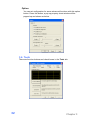
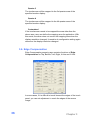
3.3. Settings
There are function buttons and check boxes in the Settings tab.
Chapter 3
29