1
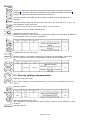
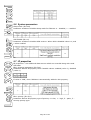
GeoFence x1 (ID=31)
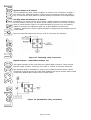
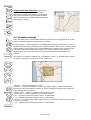
Parameter has two meanings dependent on zone shape. If shape is rectangular,
then ID=31 is left down corner X coordinate in WGS. If shape is circle, then
ID=31 is center of that circle X coordinate in WGS.
Sample value: 25.30528
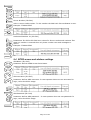
GeoFence y1 (ID=32)
Parameter has two meanings dependent on zone shape. If shape is rectangular,
then ID=32 is left down corner Y coordinate in WGS. If shape is circle, then
ID=32 is center of that circle Y coordinate in WGS.
39
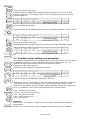
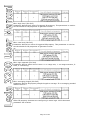
GeoFence x2 (ID=33)
Parameter has two meanings dependent on zone shape. If shape is rectangular,
then ID=33 is right upper corner X coordinate in WGS. If shape is circle, then
ID=33 is radius of circle with center of ID=31 and ID=32.
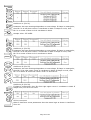
GeoFence y2 (ID=34)
If shape is rectangular, then ID=34 is right upper corner Y coordinate in WGS. If
shape circle, ID=34 is not used.
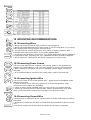
All the rest zones
Other 5 GeoFence zones parameters have the same logic as shown in GeoFence
Zone #1.
Page 39 of 44