1
When power is first applied to the Simple units, you will be prompted
to set the clock (see next section).
When power is first applied to all other versions, a single-digit countdown timer appears.
If you do nothing during the countdown period, the unit will continue with normal operation at the end of
the count-down period. Normal operation resumes if you do nothing during the count-down period,
otherwise, the legend changes to the clock setting screen.
You can return to the first setting screen by pressing IN during normal operation when the screen is not
being refreshed. (Press again if there is no response the first time.)
Set the time.
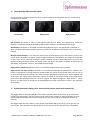
The first setting screen displays the legend shown with the current clock time in the 24-hour format
HH:MM. The right-hand digit of the hours part of the time is the selected digit, you can increase (press
UP) or decrease (press DN) the value shown in the HH field in the range 00 to 23.
For example, if the current time is twenty past four in the afternoon
(16:20) you would set this to 16 as shown. You can switch between
the HH and MM fields by pressing L or R. The left-hand digit of the
MM field will then be selected, and you can set the MM field in the
range 00 to 59. You would set this to 20.
Set the boost (not for Simple).
When you are satisfied, press IN to start the clock at the time shown by the digits on the screen. The
words Clock set appear briefly, followed by the setting screen for setting the three boost periods. The
setting screen for the 1st period of heat boost appears. This is the time at which the heater is turned on
(default value 02:00) during the first period of boosting. Set the digits to your requirement, and then
press IN to set the turn-off time. Press IN again when you have entered the time at which you want the
first boost period to end.
You can set the on and off times of the second and third heat
boosting periods in a similar fashion. By default, these are set to
00:00 and 00:00 respectively. The controller will ignore a boost
period altogether if the on and off times are the same.
Make sure that the first, second and third boost periods do not overlap with each other! You should also
note that a boost period must not include midnight, so ensure you turn the boost OFF at 23:59 and ON
again after 12:01.
Set the heater power.
Optimmersion Installation Manual - OMM-ENG 1.11 07-13
Page 11 of 12