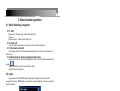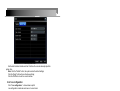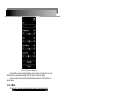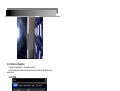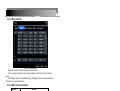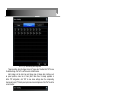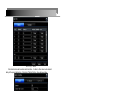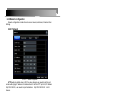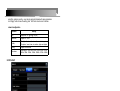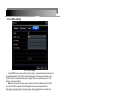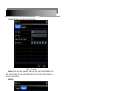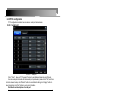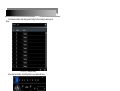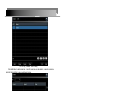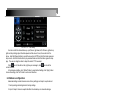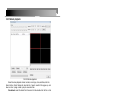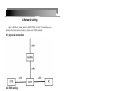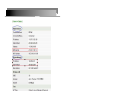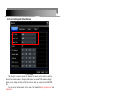
1
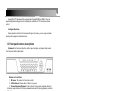
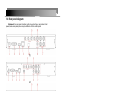
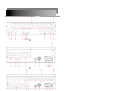
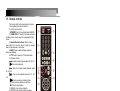
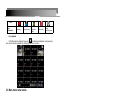
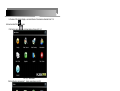
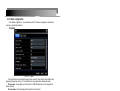
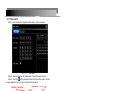
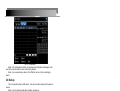
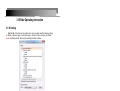
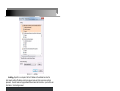
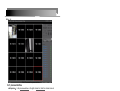
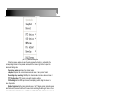
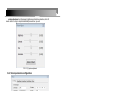
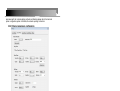
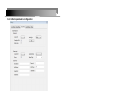
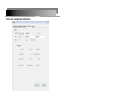
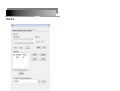
H.264 NETWORK Embedded DVR User Manual Thank you for purchase our product. Please read this user manual carefully to ensure that you can use the device correctly and safely. Attentions: ◆The DVR should be installed in a well-ventilated place,keep suitable space from ground.Benefit for machine cooling,be sure not to block its air vent,keep away from heat sources and high temperature a environment. ◆Please keep the level installation of this product.Should be avoided installation of violently shaking place ◆For avoid short circuit cause fire or other damage,please prevent DVR(include camera and other parts) touch water and wet, the machine doesn’t have waterproof. ◆The equipment consists of Precision Parts, please do not try to disassemble or adjust any parts.If need maintenance,please contact the distributer or customer service. ◆Please select the hard disk which commended by the manufacturers,suit the DVR work requirement, to meet a long time large amount of data read and write requests,please purchase from the formal channels to ensure the hard disk quality. ◆This product can’t bear heavy weight.Please do not place a heavy object or multi-layer laminated on the product. Disclaimer: The Company is do the best to make the content correct and complete during the preparation of this manual,if has any errors or omissions without any liability,the company reserves the right to change any hardware and software mentioned in this manual at any time and without explain beforehand.Thank you for choosing our products,please read this manual carefully before use.Due to not according to the specified operating losses.The company will not assume any financial liability and legal responsibility. 1. Product Introduction............................................................................................... 5 1.1 Summary............................................................................................................... 5 1.2 Main Functions..................................................................................................... 5 1.3 Front panel buttons descriptions.......................................................................6 1.4 Rear panel diagram.............................................................................................7 1.5 Remote controls................................................................................................... 9 2. Basic function operation......................................................................................10 2.1 On/off Switching navigation............................................................................. 10 2.1.1 Start....................................................................................................................................10 2.2 Login.................................................................................................................... 10 2.3 Main menu setup guide.................................................................................... 11 2.4 Configuration management............................................................................. 12 2.4.1 Basic configuration...........................................................................................................13 2.4.2 Live configuration............................................................................................................. 14 2.4.3 Record configuration....................................................................................................... 16 2.4.4 Schedule configuration....................................................................................................19 2.4.5 Alarm configuration.......................................................................................................... 20 2.4.6 Network configuration......................................................................................................26 2.4.7 User management........................................................................................................... 28 2.4.8 P.T.Z configuration........................................................................................................... 30 2.4.9 Advance configuration..................................................................................................... 33 2.5 Data retrieval...................................................................................................... 33 2.5.1 Time search...................................................................................................................... 34 2.5.2 Event search.....................................................................................................................34 2.6 Backup.................................................................................................................35 2.7 Check information..............................................................................................35 2.8 Disk management..............................................................................................36 2.9 Upgrade...............................................................................................................36 2.10 Logoff.................................................................................................................36 2.11 System shut down........................................................................................... 36 3.IE Side Operating Instruction.............................................................................. 37 3.1 IE Setting.............................................................................................................37 3.2 The remote live preview interface.................................................................. 38 3.2.2 Server parameters configuration................................................................................... 41 3.2.3 Remote playback............................................................................................................. 46 4.Network setting........................................................................................................ 47 4.1 physical connection...........................................................................................47 4.2 DVR setting.........................................................................................................47 4.2.1 network parameter........................................................................................................... 47 4.2.3 port setting and Virtual Servers......................................................................................49 4.3 check to the IP................................................................................................... 50 5.How to apply DDNS.................................................................................................52 3 6.Email setting............................................................................................................. 56 6.1 DVR setting.........................................................................................................56 6.2 PC Seting............................................................................................................ 56 7.Ptz Setting..................................................................................................................62 7.1 physics connection............................................................................................62 7.2 DVR Setting........................................................................................................ 62 8.FAQ.............................................................................................................................. 64 4 1. Product Introduction 1.1 Summary This device is a digital monitoring and recording product specially designed for the security field. It adopts standalone processor and standalone Linux operating system. The device combines with the latest technologies in the IT field, such as video and audio compression/decompression, large capacity HDD record, TCP/IP network etc.. The code is embedded in the FLASH chip, which makes the system running more steadily. This device has both features of digital video and audio recording(DVR) and digital video and audio server(DVS). It can’t only work locally and independently but also compose of a powerful security monitoring net with networking. With the use of professional network video surveillance platform (network) software, it can fully reflect its strong networking and remote monitoring capability. It can be used for the security protection in the fields of banking, telecommunications, electronic power, justice, traffic, residential, factory, warehouse, water conservancy facilities and other areas and departments. 1.2 Main Functions Real-time Monitoring It is with analogue video output port. It can realize the monitoring function through the monitor or display. It supports simultaneous TV and VGA output. Storage Function It adopts special format to save data which cannot be tampered with and will be secured Compression Method It supports multi-channel audio and video signal. Each channel of audio and video signal is compressed in real time by independent hardware. Sound and image keep stabilizing synchronization. Backup Function It backups through USB port(such as the common U disk, mobile hard disk, SATA Combo etc.).The client computer can download and backup the files on the hard disk via the internet Video Playback Function Each channel can realize an independent and real-time recording, while retrieval, reverse play, network monitoring, video search and download etc. can realize simultaneously.Multiple playback modes: slow forward, fast forward, reverse play and frame-by-frame play. When playing back the video, the exact time of the event can be displayed. Network Operation Function Through the internet, you can realize remote and real-time monitoring, remote video search and playback, and remote PTZ control. Communication Port With RS485 or RS422 port and PTZ control.With standard Ethernet port, realizing network remote control function PTZ Control 5 Support the PTZ decoder which communicates through RS485 or RS422. They can expand multiple decoding protocols, facilitating the realization of PTZ and dome camera control. Intelligent Operation Mouse operation function.For the same settings on the menu, you can copy and paste quickly.check equipment and accessories.. 1.3 Front panel buttons descriptions Statement: the front panel interface, button layout and type, real product shall prevail. The front panel buttons description: Buttons on Front Panel 1)IR Sensor: IR receiver for the remote control. 2)LED Indicators: Shows status of alarm, rec, power. 3)Channel/Numbers/Playback: Press buttons 0~9 to view the selected channel in full-screen; press buttons 0~9 to input passwords and user IDs; during playback, press the following: 4) : Increase reverse playback speed 1X, 2X, 4X, 8X, 1/2, 1/4, 1/8 8) : Press to freeze playback to one frame, then press again to advance frame-by-frame 6) : Press to start playback 7 : Press to slow playback speed by 1/2, 1/4, 1/8 8) : Press to increase forward playback speed 1X, 2X, 4X, 8X, 16X, 32X, 64X 9)MENU/ OK: Press to open/close the main menu.or confirm. 10)Navigation: Press the Navigation buttons to perform the following: •: In menus, press to confirm selections; in PTZ mode, press to change the navigation buttons to control the connected PTZ camera (not included) • : Press to move cursor up; in PTZ mode, press to pan the camera up • : Press to move cursor down; in PTZ mode, press to pan the camera down • : Press to move cursor left; in PTZ mode, press to pan the camera left • : Press to move cursor right; in PTZ mode, press to pan the camera right 11)USB: Connect a USB flash drive to the top port for data backup and firmware upgrades connect a USB mouse to the bottom port. 6 1.4 Rear panel diagram Statement: the rear panel interface, button layout and type, real product shall prevail,below rear panel picture may be different with the actual panel. (1) (2) (3) (4) (5) 7 (6) (7) (8) Connectors on Rear Panel: Item Physical connector 1 Power input 2 VGA 3 HDMI 4 Network 5 Audio Input 6 Audio Output 7 Video input 8 Video output 9 Line In 10 Alarm Input 11 Alarm Output 12 RS 485 or RS422 13 Power Switch Connector description Input DC12V(≥2A)direct current For connecting VGA monitor For connecting HDMI monitor For connecting Ethernet For connecting audio signal input For connection audio output For connecting analog video signal input (BNC) video output for connecting TV or monitor (BNC) For connecting Intercom equipment 4 alarm input 1 alarm output RS 485 or RS422 for connecting PTZ Power ON/OFF 8 1.5 Remote controls The remote control is the secondary input device For navigating the system’s interface. To use the remote control: 1.STANDBY:Press to turn standby mode ON/OFF. 2. LOGIN/LOCK: If "Security" has been enabled in the Setup menu, press to open the user password login screen. 3. Number/Channel buttons: While in menus, press buttons 0~9 to enter values; during live viewing, press to view channels in full-screen. 4.QUAD: Press to switch between quad and split-screen displays. 5. PTZ: Press to open the PTZ control window. 6. Playback controls : • : Increase reverse playback speed 2X, 4X, 8X. • : Press to start playback. • : Press to increase forward playback speed 2X, 4X, 8X. • : Press to slow playback speed by 1/2, 1/4, 1/8. • : Press to to advance frame-by-frame. • ║: Press to freeze playback to one frame. • ■: Press to stop playback. 7. SERACH: Press to stop playback 8. RECORD:Press to start manual recording, then press again to stop manual recording. 9. +/ - : In menus, press to adjust values. 10. MENU: Opens the main menu. 11. EXIT: Close menu windows 12. EXTRA: For the future use. 13. Navigation/Enter: • : Move cursor in menus up; • : Move cursor in menus right; • : Move cursor in menus left; • : Move cursor in menus down; • Enter: In menus, press to confirm selections; during playback and preview, press to view system information TIP: When using the remote control to enter password and camera titles, select the field using the navigation buttons, press ENTER, and then press the number buttons. Check whether there is fluorescent light being used in the nearby For the convenience of readers read and quick queries, the following sections with a example of 16-channel digital hard disk recorders to introduce the details, and pictures are base on this model, other model’s operation interface are the same except channel and frame rate, Corresponding parameter to the same settings, individual parameters can be directly and so on. 9 2. Basic function operation 2.1 On/off Switching navigation 2.1.1 Start Before start,Please ensure all parts connected well! Power on Equipment start,Power indicator light is red. 2.1.2 Power off User can power off the device by using the remote controller and mouse. 2.1.3 By remote controller Press power button, then shut down window will appear, click OK, the unit will power off after a while. 2.1.4 Disconnect the power by keyboard and mouse Step1: Enter into Menu, then select “System Shut Down” icon, the Shut down window will appear Step2: Click OK, the unit will power off after a while. Step3: Disconnect the power 2.2 Login Equipment starts,【POWER】indicator light bright. initial password is blank. After equipment start press 【MENU】key on the panel or press the right key of mouse, trun to login interface as below: Pic 2.2 user login After Input matching user name and password,you can enter system to setup and operation. Live preview interface: 10 Icon Sign description recording Manual record Motion detection state Alarm state Timing recording state Live playback Click Playbutton to playback the record enter fast record playback: as lelow picture: User can do concrete operation by clicking the buttons on screen. 2.3 Main menu setup guide Menu bar: Click right mouse or press ESC button on the front panel, the control bar will display on the bottom of the screen, refer to pic 2-2 Pic 2.3(1) Menu bar Click the icon near Screen mode , appear channel choose frame as below Pic 2.3(2) 11 Channel choose In the case of 16 channel display:user could choose 16 consecutive channels from 1-16 to show live video.Click Click function menu to save. ,will show dialogue frame as Pic 2-4; Pic 2.3.(3) Mian function Click“configuration management”,display syswindows as pic2-5: Pic 2.3(4) Configuration management Press MENU button on the front panel or the same button on remote control, also cuold display the same window. 2.4 Configuration management Configuration Management contains nine sub-menu: basic configuration,on-site Configuration,video configuration, recording plan, alarm configuration, network configuration, user management, PTZ configuration and advanced configuration. 12 2.4.1 Basic configuration Click“Basic configuration” ,show window as pic2-6, The basic configuration contains two sub-menu: system date and time 1) system Pic 2.4.1(1) System In this interface user can setup the device name, device ID, video format, Video Output and language, Screensaver and so on. The definitions for every parameters display as below: Device name: It may display on the client end or CMS that help the user to recognize the device remotely. Device number: Corresponding with the remote control number Video format: two modes: PAL and NTSC. User can select the video format according to that of the camera. Password check: Enable this option. User needs to input user name and password can do corresponding operations with the relevant right in system configuration. Show system time:choose display time in live or not Video output: the resolution of live display interface, range from: VGA800*600, VGA1024*768, VGA1280*1024 and HDMI 1080P. Language: setup the menu language:Simplified Chinese ,Traditional Chinese,English, Japanese,German,Russian,French,Portuguese,Turkish,spanish,Italian,Polish,Hungarian , Slovak,Vietnamese,greek Click the "Default" button, the system restore the default things ; Click the "Apply" button will save the above settings; Click the "Exit"button to exit the current interface,Tip to change the menu language and video output, the device will restart. 2) Time & Date 13 Pic 2.4.1(2) Time & date Set the date format as the date and time "interface.You can also manually adjust the system time. Note: Click the "Default" button, the system restore the default settings; Click the "Apply" button will save the above settings; Click the "Exit"button to exit the current interface. 2.4.2 Live configuration Click“Live configuration”,enter window as pic2-8 Live configuration includes two sub-menus : live and mask 2.4.2.1 Live configuration Pic 2.4.2.1(1) Live configuration Note: Click Camera Name to see a soft keyboard. User can choose different character format to input. Tick off camera name and click “Setting” button to display a window as below: 14 Pic 2.4.2.1(2) Live-color adjustment In this interface, user can adjust brightness, hue, saturation and contrast in live; click “Default” button to resort default setting, click “OK” button to save the setting. user can setup all channels with same parameters, please tick off “all” and then do relevant setup. 2.4.2.2 Mask Private mask. User can setup private mask area on the live image picture, Pic 2.4.2.2(1) Mask Setup mask area: click Setting button, enter into live image to press left mouse and drag mouse to set mask area, refer to below picture. Click Apply button to save the setting.; Delete mask area: select a certain mask area, click left mouse to delete that mask area, click Apply button to save the setting. 15 Pic 2.4.2.2(2)Live image mask area 2.4.3 Record configuration Click“Record configuration”,enter window as pic2-11: Record configuration includes four sub menus: start, record bit rate, Character overlay recycle record. 2.4.3.1 Start Pic 2.4.3.1(1) Start Tick off record channel, channel audio. User can setup all channels with same parameters, tick off “All”, then to do relevant setup. Click “Default” button to resort default setting; click “Apply” button to save the setting; click “Exit” button to exit current interface. Video parameters instruction Parameter Meaning start Every channel record switch audio Start use the channel record audio 16 2.4.3.2 Record bit rate Pic 2.4.3.2(1) Record bit rate Setup rate, resolution, quality, encode and max bit stream User can setup all channels with the same parameters, tick off “All”, then to do relevant setup. Click “Default” button to resort default setting; click “Apply” button to save the setting; click “Exit” button to exit current interface. 2.4.3.3 Record stream introduce Parameter Meaning Fps Range from 1-30(NTSC)1-25(PAL) Resolution Support 960H、D1、CIF Quality The higher the value is, the clearer the recorded image is. Six options:lowest, lower, low, medium, higher and highest. Coding Support CBR and VBR Max stream Select range: 16Kb、32Kb、64 Kb、128 Kb、256 Kb、512Kb、 640kb、758kb、1024kb、1536kb、2048Kb、3072kb、4096kb Stamp:User can overlap the channel name and time stamp on video. Pic2.4.3.3(1) Character overlay 17 Tick off camera name, time stamp; click Setting button, and then user can use cursor to drag the camera name and time stamp in random positions. Please refer to below Pic. Pic2.4.3.3(2) Before the change Pic2.4.3.3(2) After the change User can also setup all channels with same parameters. Click “Default” button to resort default setting; click “Apply” button to save the setting; Click “Exit” button to exit current interface 2.4.3.4 Recycle record Tick off recycle record to enable the recycle record function. It will cover the earlier recorded files and keep recoding when HDD is full; if disenabled, it will stop recording when HDD is full. Note: general the image quality, frame rate and resolution parameters setting higher, the more take up disk space. Click “Default” button to resort default setting; click “Apply” button to save the setting; Click “Exit” button to exit current interface. 18 2.4.4 Schedule configuration Schedule configuration includes two sub menus: schedule、motion and sensor. 2.4.4.1 Schedule The volume means the seven days of a week from Monday to Sunday; the row means 24 hours of a day. Click the grid to do relevant setup. Blue means checked area, gray means unchecked area. Pic 2.4.4.1 Schedule Copy:User can apply the schedule setting of certain channel to other or all channels. Just only select channel and click “Copy” button.Click “Default” button to resort default setting; click “Apply” button to save the setting; click “Exit” button to exit current interface. 2.4.4.2 Motion Pic 2.4.4.2 19 Motion The setup steps of motion are familiar with schedule Note: the default schedule of motion detection is full-selected, that is, the color of schedule setting interface is blue. 2.4.4.3 Sensor Pic 2.4.4.3 Sensor The setup steps of alarm are familiar with schedule Note: the default schedule of sensor is full-selected, that is, the color of schedule setting interface is blue. 2.4.5 Alarm configuration Alarm configuration includes five sub menus: sensor, motion, video loss and alarm out. 2.4.5.1 Sensor Sensor includes two sub menus: basic, alarm 1> Basic Pic 2.4.5.1(1) Sensor - Basic Enable sensor alarm and set the alarm type according to trigger alarm type. Two option: High level and Low level. 20 User can setup all channels with same parameters, please tick off “All”, and then to do relevant setup. Click “Default” button to resort default setting; click “apply” button to save the setting; click “Exit” button to exit current interface. 2> Alarm handling Pic 2.4.5.1(2) alarm handling -alarm configuration-sensor Select hold time and click setting the button. Then a dialog box will pop-up as below: Pic 2.4.5.1(3) alarm handling -alarm configuration Alarm configuration: in the alarm configuration interface can check the alarm way: audible alarm, trigger alarm and e-mail alarm 21 Pic 2.4.5.1(4) alarm handling -alarm configuration Trigger recording: check the trigger channel to "trigger video" interface.Click "OK" to save the above settings, click "Exit" to exit the current interface channel. Alarm linkage: set the alarm type and linkage type at linkage alarm interface, such as preset positions, cruise line or track (Note: these three is already applicable in before PTZ configuration, click "OK" to save above settings when the corresponding channel alarm input, PTZ start a preset point,cruise lines and trajectories. Click "Exit" to exit the current interface. Pic 2.4.5.1(5) Alarm handling - alarm linkage User can setup all channels with same parameters, please tick off “All”, and then to do relevant setup.。 Click “Default” button to resort default setting; click “Apply” button to save the setting; click “Exit” button to exit current interface. 2.4.5.2 Motion Motion includes one sub menus: motion 1>Motion 22 Pic 2.4.5.2(1) Motion Click start motion alarm and set alarm hold time,It refers to after close motion alarm it delay to the preset setting time. Click alarm "Settings" button, show below window: Pic 2.4.5.2(2) Alarm handling Alarm configuration, trigger video alarm handling, linkage alarm handling and sensor alarm handling trigger settings is same. Click on "Regional Settings" button at motion detection interface,trun to the following window; Pic 2.4.5.2(3) Motion detection - Regional Settings 23 At area Setting interface, users can drag the slider to adjust the sensitivity value (1-5), the default value is 4, 1-5 sensitivity progressive increase. Sensitivity influenced by the color of time (day or night), the users should adjust according to actual situation.click locales for the detection region;click icon,set All icon,will clear setting detection region;click icon,save setting;click button,exit from current interface. User can setup all channels with same parameters, please tick off “All”, and then to do relevant setup. Click “Default” button to resort default setting; Click “Apply” button to save the setting; click “Exit” button to exit current interface. 2.4.5.3 Video loss Pic 2.4.5.3(1) Video loss Click“Alarm handling”button,turn to window as below: Pic 2.4.5.3(2) Video loss - alarm handling The setup steps of video loss trigger are familiar with alarm handling. User can also setup all channels with the same parameters.Click “Apply” button to save the setting; click “Exit” button to exit current interface. 24 Click “Default” button to resort default setting; Disconnected from the network: when the network connection is disconnected, the syst em will automatically sent e-mail to the user specified mailbox on the network disconnecte d. 2.4.5.4 Alarm out Alarm out includes two sub menus: alarm out, and buzzer. 1> Alarm out Pic 2.4.5.4(1) Alarm out In this interface, set relay alarm out name, select hold time which means the interval time between the two adjacent alarms User can setup all channels with the same parameters. Tick off “All” to do relevant setup. Click “ Default” button to resort default setting;click “Apply” button to save the setting; click “Exit” button to exit current interface. 2> Buzzer Pic 2.4.5.4(2) buzzer At buzzer interface,tick off Buzzer, set buzzer alarm hold time 25 2.4.6 Network configuration Network configuration includes four sub-menus: network, sub stream, Email and other Settings. 2.4.6.1 Network Pic 2.4.6.1 Network configuration HTTP port:the default value is 80. If the value changed, user needs to add the port number when typing IP address in IE address blank. IE set the HTTP port to 82, IP address: http://192.168.0.25 , user needs to input that address: http://192.168.0.25:82 into IE browser. Server port: data and image communication port NO. After selecting the "Obtain an IP address automatically", the device will distribute IP address, subnet mask, and gateway IP and DNS server. Enable PPPoE to directly connect the DVR to internet via ADSL and then input the user name and password; click TEST button to test the effectiveness of the relevant information. Click “Default” button to resort default setting;click “Apply” button to save the setting; Click “Exit” button to exit current interface. 2.4.6.2 Network Sub stream Pic 2.4.6.2 Network Sub stream 26 select fps, resolution, quality.,user can also setup all channels with same parameters. click “Apply” button to save the setting; click “Exit” button to exit current interface. network configuration Parameter Meaning Fps Range from 1-30(NTSC)1-25(PAL) Resolution Support CIF、QCIF Quality The higher the value is, the clearer the recorded image is. Six options:lowest, lower, low, medium, higher and highest. Coding Support CBR and VBR Max stream Select range: 16Kb、32Kb、64 Kb、128 Kb、256 Kb、512Kb、 640kb、758kb、1024kb、1536kb、2048Kb、3072kb、4096kb 2.4.6.3 email Pic 2.4.6.3 Email SMTP Server/Port: the name and port number of the SMTP server. Send address/password: sender’s email address/password. Receive address: receiver’s email address. Here user can add at least three mails addresses Click Test button to test the validity of the mailbox. Click “Default” button to resort default setting;Cick “Apply” button to save the setting; click “Exit” button to exit current interface. 27 2.4.6.4 Other settings Pic 2.4.6.4 Other settings Enable DDNS server: user needs to input user name, password and host domain name of the registered website, click TEST to test the effectiveness of the relevant information. click “Default” button to resort default setting; click “Apply” button to save the setting; click “Exit” button to exit current interface. Note: the user selects a domain name is bound by the Domain Name Service for DVR, you must first land the website of the ISP registered user name and password, and then apply for a domain name for the server online. After the application is successful, the user could enter the domain name to access the server in IE side. 2.4.7 User management Enter User management , as below pic: Pic 2.4.7(1) 28 User management Clicking Add button, a dialog box will pop-up as below: Pic 2.4.7(2)General General: Input user name, password; select user type, input the MAC address of th ePC; click OK button, this user will be added into the user list box; click Exit button to exit the current interface. Authority: Pic 2.4.7(3) Authority In the authority interface, assign the definite operation right for that user. In the user management interface, click Setup button to modify user name, user type and binding PC MAC address. Select the user that user wants to delete in the user list box and then click “Delete” button to delete this user. click Change password button to modify the password and then click “Exit” button to exit the current interface. 29 2.4.8 P.T.Z configuration P.T.Z configuration includes two sub-menus: serial port and advance 2.4.8.1 serial port Pic 2.4.8.1 Serial port Click“Start”,base on P.T.Z support Protocol to set Address, Baud rate,and Protocol. User can setup all channels with same serial port parameters, please tick off “All”, and then to do the relevant setup. click “Default” button to resort default setting; click “Apply” button to save the setting; click “Exit” button to exit current interface. Definitions and descriptions of serial port: Parameter Address Baud rate Meaning The address of the PTZ device Baud rate of the PTZ device. Range form: 110, 300, 600, 1200, 2400, 4800, 9600, 19200, 34800, 57600, 115200, 230400, 460800, 921600. Protocol Communication protocol of the PTZ device. Range from:, PELCOP, PELCOP1, PELCOP5, PELCOD, PELCOD1, HY, PHILIPS, SAMSUNG SHARP,SONY, SAMSUNG, PANASMIC , Control, etc… 2.4.8.2 Advanced configuration Pic 2.4.8.2(1) Advanced 30 In the Advance interface, after clicking preset “Setting” button, a dialog box will pop-up as below: Pic 2.4.8.2(2) Preset point setting In the preset set interface, click Setting button to see a window as below: Pic 2.4.8.2(3) Preset setting User can control the P.T.Z up, up left, down, right down, left , left down, right and up right and stop rotating;can adjust the rotation speed of the PTZ, focus and aperture;choose preset arrange NO.Click “Save” button to save the settings,click can remerge it;click icon to hide the tool bar,right-key icon to exit the current interface In the preset interface, click ”OK” button to save the setting; click ”Exit” button to exit current interface. In the Advance interface, click cruise “Setting” button, a dialog box will pop-up as below: 31 Pic 2.4.8.2(4) Advance - cruise “Setting Click Add button to add cruise line(max 32 cruise line can be added);select a cruise line and click Setup button, to see a window as below: Pic 2.4.8.2(5) Cruise set - preset point setting Click Add icon,to set the speed and time of preset point; select a preset point and click icon to delete that preset poin;click Modify icon ,to modify the setting of a preset Delete point;User can click those icons to adjust the position of preset point.top 、up 、 down and bottom 。Click Preview button to preview the cruise line and then click “OK” button to save the setting. Next, click “Exit” button to exit current interface Select a preset point in the cruise line list box and click Delete button to delete that cruise line; click “Clear all” button to clear all cruise line from the list box; click “OK” button to save the setting; click “Exit” button to exit current interface. In the advance interface, click track “Setting” button to pop up a dialog box as below: 32 Pic 2.4.8.2(6) Track setting User can control the dome rotates up, up left, down, right down, left, left down, right and up right and stop rotating. adjust the rotate speed and the value of zoom, focus and iris of the dome;click Start Record button to record the move track of PTZ and click this button again can stop record;click Start track button to play recorded track and click this button again can stop play . The user can drag the slider to adjust the rate of P.T.Z movement. icon to hide the tool bar, right-key can remerge it; click icon to exit the Click current interface. In the Advance interface, click “Default” button to resort default setting; click “Apply” button to save the setting; click “Exit” button to exit current interface. 2.4.9 Advance configuration Advanced settings include three sub-menu: factory settings, and import / export and exit. 1. Factory settings: all settings back to factory settings. 2. Import / Export: Users can export data files to be backed up on removable storage devices, you can also import the specified data file from a removable storage device to for DVR. 3. Exit: exit current interface. Pic 2.4.9 Advance configuration Returned to the main menu, enter the data retrieval interface. 2.5 Data retrieval Search configuration includes two sub-menus: Time Search, Event Search, 33 2.5.1 Time search Step1:enter into Search configurationÆTime Search; refer to below pic: Pic 2.5.1(1) Time search Step 2:Select the channel, the calendar date , the start time and end time Step 3:click“Play” button, playback will start from the set time bucket; click the corresponding button on the screen to start concrete operations. Pic 2.5.1(2) Playback buttons 2.5.2 Event search Step1:enter into Search configurationÆevent search; refer to below pic. 34 Pic 2.5.2 Event search Step2:After clicking Search button, the searched event information will displayed in the event list box, double check a certain record file to playback. Step3:User can select date, channel. Tick off Motion, Sensor or All is accordingly to search. 2.6 Backup This unit supports backup by USB device,User also can make backup by IE browser via internet. Step1: enter into backup configuration interface, as below pic: Pic 2.6 Data backup Step2: set the start & end time, select channels and click Search button to display the searched data in the data backup list box. Step3: checked a data file or tick off “All” to select all data files, click “Backup” button, Step4: in the backup information interface, user can check the relevant information of backup files, storage type, save file type, etc. click “Start” button to starting backup. 2.7 Check information Through this option, the user can check system information, system journal, network 35 information System Information: Enter menu Æ view information Æ system information, in the interface user can view the equipment and version information and relevant information Log information: Enter menu Æ View system information Æ Log information,in the interface users can set the start & end time of log you want to view, select the type of log you want to view and click the search button, searched the log information will be displayed in the log list box. Note: Users can export data files to be backed up on removable storage devices. Network information: Enter menu Æ view information Æ Network configuration,in the interface,Users can view the relevant parameters of the network information . 2.8 Disk management Enter menu Æ Disk management,In the interface, the user can view disk storage state, also can choose to formatting the hard disk Please format the hard disk before record ,Specific operation as below:. Step1: enter into disk management interface, The system will pop up the Disk Management window. Step2: select a hard disk and click Format button to star format.;set the property of the disk then click “Apply” button to save the setting. Note: all recorded files in the hard disk will be lost after formatted. 2.9 Upgrade Once have the new version, the user can choose to upgrade the panel and the miainboard, can get upgraded software from the buyers, to upgrade the system. Upgrade step:user needs to copy the upgrade software which get from vendor into the USB storage device and then connect to the USB port. Enter Menu Upgrade,refresh list,the upgrade software name is displayed in the upgrade list box, select that software and click Upgrade button to start upgrading. System will automatically restart on the upgrade process, Please wait for a while when the system is rebooted. Please don’t cut off power during upgrading. This system supports the upgrade of the USB device but it must be compatible with the USB device, need to reboot the system after the upgrade completed to take effect. Note: If the upgraded software does not appeared in USB, usually the USB devices are not compatible. 2.10 Logoff Enter Menu Æ Logoff,Click Log off icon, The system will exit the current user login. If user wants to log in again, click mian menu icon to enter into user name and password to re-login. 2.11 System shut down Click“system shut down”icon, shut down system. 36 3.IE Side Operating Instruction 3.1 IE Setting Set for IE:If the first use, the controls can not be loaded, need the following setting for IE:tool—>Internet option—>self define level—>ActiveX control and plug. All chosen enable and finally click OK. IE security level setting interface As below: 37 PIC 3.1(1) ACTIEX landding:Open IE on a computer. Set the IP address in the address bar enter the host network settings IP address,enter login page,as below pic.Enter user name and login password,the user name and logon password should same with host side,input correct user information,then landing succeed. Pic 3.1(2) IE side landding page 3.2 The remote live preview interface After landing the main page comprised of the preview window,PTZ Monitoring control,preview mode,select stream channel open configuration,playback composition. As 38 Below pic: Pic3.2 The remote live preview interface 3.2.1 preview interface start preview:In the preview window on the right channel list, click the channel name to open or close the preview, start all channel preview. preview start, or click stop all preview stop.Click button,could start or stop all preview mode: in the preview mode switch box by clicking or double click preview window to do single screen or multiple screen preview mode switch。 stream option: The product supports dual-stream, select the video preview stream type in the stream selection box(only support the LAN) PTZ control: PTZ direction control button,you can,down,left and right to control PTZ rotate direction. Iris' button to increase or decrease light of the dome. Focus' button to have long or short focus. Zoom' button to zoom in or out the locale picture of this camera. Advanced Settings box: 39 pic 3.2.1(1) Advanced Settings box When the preview window to open the video preview,the function is activated.In the corresponding channel on the preview window,click the mouse right button to open the advanced Settings box: Open/close audio:open/close the channel audio snapshot: Capture the current video screen and save it as a picture format Recording/ stop recording: Start/Stop the channel video’s remote video and save it PTZ Configuration: PTZ preset, cruise path, trajectory settings OSD settings:Set the OSD layer channel, time display position, drag the mouse to save the position. Motion Detection:Set the motion detection area:fisrt“√”display motion detection areas elect“add area”,Press and hold the left mouse button and drag,the white grid lines on the s creen is the motion detection area;select“clear area”.On The white grid line area, press an d hold the left mouse button and drag,the white grid line region on the screen disappears, the motion detection area to be cancele. select the corresponding parameter in sensitivity and output delay box. pic 3.2.1(2) Motion Detection setting 40 picture adjustment: set the image's brightness,contrast,hue,saturation,click left mouse button or drag to adjust.Automatically saved when you exit PIC 3.2.1(3) picture adjustment 3.2.2 Server parameters configuration pic 3.2.2 Server parameters configuration In the setup interface,set related parameter on the host side respectively. Set 41 parameters with the host side,setting methods and attentions,please refer to the host-side system configuration,system information,the network operating instructions 3.2.2.1Channel parameters configuration pic 3.2.2.1 Channel parameters configuration In the setup interface,respectively,related parameter settings on the host side.Set parameters with the host side,setting methods and precautions refer to the host-side image settings,videosettings,PTZ setting instructions In the setup interface,set related parameter on the host side respectively.Set parameters with the host side,setting methods and attentions,please refer to the host-side image settings,videosettings,PTZ setting instructions 42 3.2.2.2 Alarm parameters configuration Pic3.2.2.2 Alarm parameters configuration In the setup interface,set related parameter on the host side respectively. Set parameters with the host side, setting methods and attentions,please refer to the host-side System configuration, alarm input, alarm output, alarm handling operations. 43 3.2.2.3 user configuration information Pic3.2.2.3 user configuration information Set the device’s user information, consistent parameters set with the host-side, setting methods and attention refer to the host-side user management instructions 44 3.2.2.4 other Pic3.2.2.4 other configuration In the setup interface, set related parameter on the host side respectively. Set parameters with the host side, setting methods and attentions, please refer to the host-side Manual recording, date, time, hard disk management, log queries, software upgrade, restore the default settings instructions. 45 3.2.3 Remote playback Pic3.2.3 Remote playback Select the video playback channel number, record type, time,conditions,click the Search button, the left border will show the list of search results.It Can pages up and down or enter a page number jump to view video files. file playback: select the target file in the search list box,double-click the file or click the "File Playback" button,play the destination file on the right side playback window, playback control and the host side is same. time playback: Click on the "time playback button, the playback window will begin to pla y the video files for the set start time file download: In the search list box to select the target file, clickthe "File Download ”button,set the save path to start the download target file,below progress bar displays th e status of the file download progress. 46 4.Network setting Login to WAN can choose which by DHCP,PPPOE or static IP access.Now is to introduce the most common means of access, use PPPOE Internet. 4.1 physical connection 4.2 DVR setting Pic 4.2 network 4.2.1 network parameter Login router,check to be filled in the information on DVR (IP address,subnet mask, gateway,DNS) 47 PIC 4.2.1 status Cick the result of the subnet mask, DNS and gateway, IP address fill in to the DVR. Note:1)the IP address can't same with routers,such as the IP address is 192.168.0.9, in the DVR,you should fill in 192.168.0.× (except 1,9 and 255 Numbers). 2)Enter the router's default gateway is the IP. Customers here may be in doubt, why the router displays the IP address, but to fill to the gateway here. Because, according to"external network cable +moderm router+dvr" connection method,the router is equivalent to a switch, dvr Internet through the switch) 3)Subnet mask and DNS according to the router 48 4.2.3 port setting and Virtual Servers Pic 4.2.3 network The http port is used to access the browser; the server port is used by clients to access; the mobile access is through mobile phone to access DVR used.we strongly advice you to change the http port 80.You can set what you need such as 8000,9000 Etc You can set up virtual servers on the router. Port forward:the http port,server port and mobile port . We use server port 9000 for example. IP address is the one fill on the DVR before 49 4.3 check to the IP input the IP address + HTTP port in the browser, as above IP address is 115.171.123.105,DVR's HTTP port is 8000, the input IP is http://115.171.123.105:8000 in IE browser 4.4 DDNS setting Due to the IP address will be change, in order to convenient use after login, we recommend to use DDNS. now support 3322, dyndns, no --IP, changeip. To enable DDNS Choose good DDNS service provider The user name and password is the user name and password login DDNS site 50 The Host DDNS domain is applied 4.5 mobile setting 1)Check the mobie port whether mapping into the router. 2)Install the mobile software. 3)Input the parameter about the dvr. The following picture is iphone interface,other cellphones are similar Pic 4.5 mobile setting 51 5.How to apply DDNS We have no-ip as an example that demonstrates how to apply for a DDNS NO-IP open http://www.noip.com/ via IE Click to built an account 52 53 Click and Confirmation After that,login noip; Click to show your Host. 54 You get an account from noip,write the informations to your DVR. It will work. The user name and password is the user name and password login DDNS site The Host DDNS domain is applied 55 6.Email setting Using this function on the premise that DVR is connected to the WAN 6.1 DVR setting To setup email notification: 1)Under SMTP, enter the SMTP address of your email server. For example, smtp.gmail.com 2)Under SMTP PORT, enter the SMTP port of your email server.(SSL certified Mails port is 465,other are 25) 3)Under SEND EMAIL, enter the sender email address. 4)Under SEND PW, enter the password of your email server. 5)Under RECV EMAIL, enter the email address that will receive the email notification. 6.2 PC Seting If you use the mail requires SSL authentication,you must set up Microsoft Outlook.the following methods introduce how to set up Microsoft Outlook. Gmail setting 1.Gmail is one of the few free email providers that lets you set up a POP account so that you can read and reply to messages offline, without being connected to the Internet. Read on to learn how you set up your POP3 Gmail account in Outlook Express. 2.open the Outlook Express 3.Launch Outlook Express. Click on "Tools" and then "Accounts." 56 4.In the "Internet Accounts" box, click on "Add" and then "Mail." 5.Enter the display name for your account. Click "Next." 57 6.Enter the Email Address for your Gmail account. Click "Next." 7.Enter the following information: Incoming Mail: pop.gmail.com Outgoing Mail: smtp.gmail.com Click "Next." 58 8.In Account Name, enter your full Gmail email address followed by the password for your account. Click "Next." 9.Click on "Finish." 59 10.Now, you need to specify the Gmail server settings. Highlight the new Email account you have just created and click on "Properties." Click on the "Servers" tab. Under "Outgoing Mail Server," check the box that says "My Server Requires Authentication." 11.Click on the "Advanced" tab. Check both boxes that say "This Server Requires a Secure SSL Connection." Enter the following information: Outgoing Mail: 465 Incoming Mail: 995 60 Click "OK" and "Exit." You should now be able to send and receive Gmail emails in Outlook Express. 61 7.Ptz Setting 7.1 Physics connection Connecting the PTZ and DVR,inserting into the port.Note the positive and negative lines of the PTZ camera 485A (422T+)connect positive electrode;485B(422T-)connect the negative electrode 7.2 DVR Setting 1.After the PTZ energized, the monitor will be displayed its address code,baud rate, protocol 2.Enter into the PTZ interface, set PTZ relevant parameters,set the PTZ protocol, address code and baud rate in the corresponding channel. 3. After setting the relevant parameters, apply and exit. Right-click. 62 Note:The above-mentioned two steps must be operated in the corresponding channe ls.See detailed setting parameters 2.4.8 PTZ settings 63 8.FAQ If your problem is not listed below, please call our toll-free number for more support. 1.Question: DVR is not working after starting? Answer: Check the adaptor input Check the on-off power line, is it well-connected? Check the power on-off Check the upgrade procedure Check the main board of DVR 2.Question: DVR is rebooting automatically or stopped after starting the DVR for several minutes? Answer: Instability or low input voltage Bad track hard drive or the line of hard drive is bad On-off power supply is not enough The hardware of DVR is defective 3.Question: No output of single channel, multi channel or all channel video? Answer: Please check the adaptor of camera whether to see if it is well-connected Please check the cable for connecting video input/output in the back panel of DVR Please insert the video source directly into the display device and check if they are causing the problem. Check the brightness of the picture and bring it back to its original default setting No video input signal or too weak The hardware of DVR is defective 4.Question: DVR is having problem with real-time images, such as bad image color or serious brightness distortion Answer: If PAL and NTSC is not correctly selected on the BNC output, the images will be in black and white DVR is not compatible with monitor The video transmission distance is too far The setting of DVR color, brightness and so on are wrong 5.Question: No audio sound when monitoring? Answer: Check sound box or speaker functions. Also check possible short circuit. Audio source may be connected to the video channel. You can click to full-screen to check. 6.Question: No audio sound when playing back? Answer: Setting problem: open audio-video item Check the audio to see if it is closed in playback interface 7.Question: System time is not correct? Answer: Wrong setting or user did not click "Edit" to confirm Battery is not connected properly 8.Question: Motion detection is not working? Answer: The setting of motion detection area is not correct Sensitivity is too low 10.Question: It displays "other members are setting......" while setting DVR by IE Answer: It probably means someone else is setting the DVR. Please check the DVR 64 configuration interface or exit DVR. 65