1
Telegesis ZigBee RangeFinder
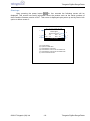
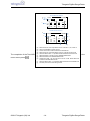
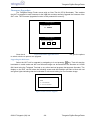
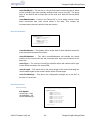
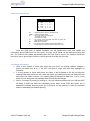
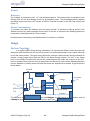
Screen-1:
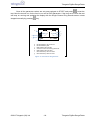
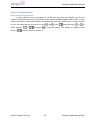
This is the initialization state of the test when there is no one hop link established between HHT and
GAS as shown in Screen-1. Initially when the devices (RTR or SAT) are out of range of the HHT or
are not turned on the HHT cannot pass on the message to the GAS. Hence the link status shows a
broken link between the HHT and RTR and GAS.
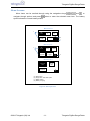
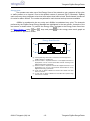
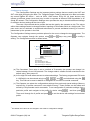
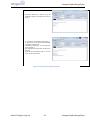
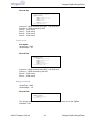
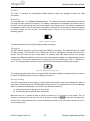
Screen-2:
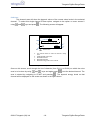
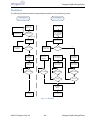
The test will remain in the initialization state and periodically retry to establish the link (indicated by
periodic beeps). To run the test, turn on the RTR and bring it closer to the HHT until you see
Screen-2. When the HHT can communicate with RTR Screen-2 will be displayed which indicates
that the link between HHT and RTR is established but the link between HHT and GAS is not
established as the RTR cannot pass on the messages to the GAS. The HHT will try to continuously
establish one hop link until successful when screen 3 is displayed.
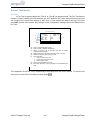
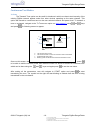
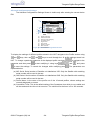
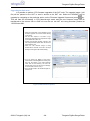
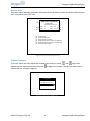
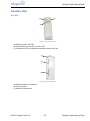
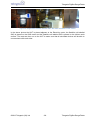
Screen-3:
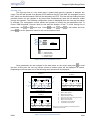
When Screen-2 appears, turn on the GAS and bring it closer to the RTR so that it can get the
messages for the RTR. Once that happens Screen-3 will appear and the HHT will set the test
channel on all devices and start pinging messages to GAS for the set test duration and update the
RSSI values.
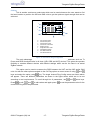
As the test is running the operator can move the devices to get a measure of the optimum range
between devices. If any of the devices move outside the pre-configured RSSI limits or if some
packets are missing the HHT will beep to indicate this and the operator can react accordingly.
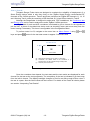
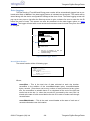
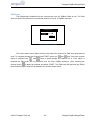
To end the test press
key and the HHT will send a message to end the test on both RTR and
GAS units. Until both units are in range the end message will not carry forward to GAS and the HHT
will keep retrying which is indicated by periodic beeps on the HHT.
©2012 Telegesis (UK) Ltd
-21-
Telegesis ZigBee RangeFinder