1
www.quantek.co.uk
T: 01246 417113
Standalone Keypad Access Control User Manual
*Please read the manual carefully before using this unit*
1.
Packing List
Name
Quantity
Remarks
Keypad
1
User manual
1
Screw driver
1
Φ20mm×60mm,Special for keypad
Rubber plug
2
Φ6mm×30 mm, used for fixing
Self tapping screws
2
Φ4mm×28 mm, used for fixing
Star screw
1
Φ3mm×6mm, used for fixing
Please ensure that all the above contents are correct. If any are missing please notify us
2.
Quick Reference Programming Guide
To enter the programming mode
*
Master code #
999999 is the default factory master code
To exit from the programming mode
*
Note that to undertake the following programming the master user must be logged in
To change the master code
0
New code # New code #
The master code can be 6 to 8 digits
To add a PIN user.
1
User ID number # PIN #
The ID number is any number between 1 & 2000.
The PIN is any four digits between 0000 & 9999
with the exception of 1234 which is reserved.
Users can be added continuously without exiting
programming mode
To add a card user
1
Read Card #
Cards can be added continuously without exiting
programming mode
To delete a PIN or a card user.
2
User ID number # for a PIN user or
2
Read Card # for a card user
Users can be deleted continuously without exiting
programming mode
3.
To unlock the door for a PIN user
Enter the PIN then press
To unlock the door for a card user
Present the card
#
Description
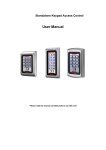
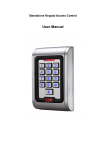
The unit is single door multifunction standalone access controller or a Wiegand output keypad or card reader. It is suitable for mounting either indoor
or outdoor in harsh environments. It is housed in a strong, sturdy and vandal proof Zinc Alloy electroplated case which is available in either a bright
silver or matt silver finish. The electronics are fully potted so the unit is waterproof and conforms to IP68. This unit supports up to 2000 users in either
a Card, 4 digit PIN, or a Card + PIN option. The inbuilt card reader supports 125KHZ EM cards, 13.56MHz Mifare cards. The unit has many extra
features including lock output current short circuit protection, Wiegand output, and a backlit keypad. These features make the unit an ideal choice for
door access not only for small shops and domestic households but also for commercial and industrial applications such as factories, warehouses,
laboratories, banks and prisons.
4.
5.
6.
Features
Waterproof, conforms to IP68
Adjustable Door Output time, Alarm time, Door Open time
Strong Zinc Alloy Electroplated anti-vandal case
Very low power consumption (30mA)
Full programming from the keypad
Fast operating speed, <20ms with 2000 users
2000 uses, supports Card, PIN, Card + PIN
Lock output current short circuit protection
Can be used as a stand alone keypad
Easy to install and program
Backlight keys
Built in light dependent resistor (LDR) for anti tamper
Wiegand 26 input for connection to external reader
Built in buzzer
Wiegand 26 output for connection to a controller
Red, Yellow and Green LEDS display the working status
Specifications
Operating Voltage
DC 12 - 24V±10%
User Capacity
2000
Card Reading Distance
3-6 cm
Active Current
<60mA
Idle Current
25±5 mA
Lock Output Load
Max 3A
Alarm Output Load
Max 20A
Operating Temperature
- 45 C – 60 C
Operating Humidity
10%- 90% RH
Waterproof
Conforms to IP68
Adjustable Door Relay time
0 -99 seconds
Adjustable Alarm Time
0- 3 minutes
Wiegand Interface
Wiegand 26 bit
Wiring Connections
Electric Lock, Exit Button, External Alarm, External reader
Installation
Remove the back cover from the keypad using the supplied special screw driver
Drill 2 holes on the wall for the Self tapping screws and I hole for the cable
Put the supplied rubber bungs to into the two holes
Fix the back cover firmly on the wall with 2 Self tapping screws
Thread the cable through the cable hole
Attach the keypad to the back cover.
2
7.
Wiring
Colour
Function
Description
Pink
BELL_A
Doorbell button one end
Pale blue
BELL_B
Doorbell button to the other end
Green
D0
WG output D0
White
D1
WG output D1
Grey
ALARM
Alarm negative(alarm positive connected 12 V+)
Yellow
OPEN
Exit button one end(the other end connected GND)
Brown
D_IN
Magnetic switch one end(the other end connected GND)
Red
12-24V+
12-24V + DC Regulated Power Input
Black
GND
12-24V - DC Regulated Power Input
Blue
NO
Relay normally-on end(Connect positive electric lock "-")
Purple
COM
Relay Public end, connect GND
Orange
NC
Relay Closed end(connect negative electric lock "-")
Common power supply diagram
Special power supply diagram
3
8.
To Reset to Factory Default
a. Disconnect power from the unit
b. Press and hold # key whilst powering the unit back up
c. On hearing two “Di” release # key, system is now back factory settings
Please note only installer data is restored, user data will not be affected
9.
Anti Tamper Alarm
The unit uses a LDR (light dependent resistor) as an anti tamper alarm. If the keypad is removed from the cover then the tamper alarm will operate.
10. Sound and Light indication
Operation Status
Red Light
Green Light
Yellow Light
Buzzer
Power on
-
Bright
-
Di
Stand by
Bright
-
-
-
Press keypad
-
-
-
Di
Operation successful
-
Bright
-
Di
Operation failed
-
-
-
DiDiDi
Bright
-
-
-
-
Bright
Di
Bright
-
-
Di
-
Bright
-
Di
Bright
-
-
Alarm
Enter into programming mode
In the programming mode
Exit from the programming mode
Open the door
Alarm
11. Detailed Programming Guide
11.1 User Settings
To enter the programming mode
* Master code #
999999 is the default factory master code
To exit from the programming mode
*
Note that to undertake the following programming the master user must be logged in
To change the master code
0 New code # New code #
The master code can be 6 to 8 digits long
Setting the working mode:
Set valid card only users
3
0
# Entry is by card only
Set valid card and PIN users
3
1
# Entry is by card and PIN together
Set valid card or PIN users
3
2
# Entry is by either card or PIN (default)
To add a user in either card or PIN mode, i.e. in the 3 2 # mode. (Default setting)
To add a Pin user
1
User ID number # PIN #
The ID number is any number between 1 & 2000. The PIN is any
four digits between 0000 & 9999 with the exception of 1234 which is
reserved. Users can be added continuously without exiting
programming mode as follows:
To delete a PIN user
1
User ID no 1 # PIN User ID no 2 # PIN #
2
User ID number #
Users can be deleted continuously without exiting programming
mode
4
* ID number # Old PIN # New PIN
To change the PIN of a PIN user
# New PIN #
(This step must be done out of programming mode)
To add a card user (Method 1)
1
Read card #
This is the fastest way to enter cards, user ID number
Cards can be added continuously without exiting programming
auto generation.
mode
To add a card user (Method 2)
1
This is the alternative way to enter cards using User ID
User can be added continuously without exiting programming mode
ID number # Read card #
Allocation. In this method a User ID is allocated to a
card. Only one user ID can be allocated to a single card.
To add a card user (Method 3)
1
Card number is the last 8 digits printed on the back of the
User can be added continuously without exiting programming mode
Card number #
card,user ID number auto generation
To add a card user (Method 4)
1 ID number # Card number #
In this method a User ID is allocated to a card number.
User can be added continuously without exiting programming mode
Only one user ID can be allocated to the card number
2
Read Card
2
User ID
To delete a card user by card number.
2
Card number
This option can be used when the user want to make
Note
the change but the card has lost
programming mode
To delete a card user by card. Note users can be
#
deleted continuously without exiting programming mode
To delete a card user by user ID. This option can be
#
used when a user has lost their card
users
can
#
be
deleted
To add a card and PIN user in card and PIN mode ( 3
1
continuously
exiting
#)
To Add a card and Pin user
Add the card as for a card user
(The PIN is any four digits between 0000 & 9999 with
Press
the exception of 1234 which is reserved.)
Then allocate the card a PIN as follows:
To change a PIN in card and PIN mode (Method 1) Note
without
* to exit from the programming mode
*
Read Card 1234 # PIN # PIN #
*
Read Card Old PIN #
New PIN #
New PIN #
that this is done outside programming mode so the user
can undertake this themselves
To change a PIN in card and PIN mode (Method 2) Note
* ID number # Old PIN #
New PIN
# New PIN #
that this is done outside programming mode so the user
can undertake this themselves
2
To delete a Card and PIN user just delete the card
User ID
#
To add a card user in card mode ( 3
0
#)
The operating is the same as adding and deleting a card user in 3
To Add and Delete a card user
2
#
To delete All users
To delete ALL users. Note that this is a dangerous
2
0000
#
option so use with care
To unlock the door
For a PIN user
Enter the PIN then press #
For a card User
Read card
For a card and PIN user
Read card then enter PIN #
5
11.2
Door Settings
Relay Output Delay Time
To set door relay strike time
*
Master code # 4
~
0 99
# *
0-99 is to set the door relay time 0-99 seconds
Door Open Detection
Door Open Too Long (DOTL) warning. When used with an optional magnetic contact or built-in magnetic contact of the lock, if
the door is opened normally, but not closed after 1 minute, the inside buzzer will beep automatically to remind people to close
the door and continue for 1 minute before switching off automatically.
Door Forced Open warning. When used with an optional magnetic contact or built-in magnetic contact of the lock, if the door is
forced open, or if the door is opened after 20 seconds,the inside buzzer and alarm output will both operate. The Alarm Output
time is adjustable between 0-3 minutes with the default being 1 minute.
To disable door open detection. (Factory default)
6
0
#
To enable door open detection
6
1
#
Alarm output time
To set the alarm output time (0-3 minutes) Factory
5
~
0 3
#
default is 1 minute
Keypad Lockout & Alarm Output options. If there are 10 invalid cards or 10 incorrect PIN numbers in a 10 minute period
either the keypad will lockout for 10 minutes or both the alarm and the inside buzzer will operate for 10 minutes, depending on
the option selected below.
Normal status: No keypad lockout or alarm (factory
7
0
# (Factory default setting)
Keypad Lockout
7
1
#
Alarm and inside buzzer operate
7
2
#
default)
To remove the alarm
To reset the Door Forced Open warning
Read valid card or Master Code
To reset the Door Open Too Long warning
Close the door or Read valid card
#
or Master Code #
12. The unit operating as a Wiegand Output Reader
In this mode the unit supports a Wiegand 26 bit output so the Wiegand data lines can be connected to any controller which supports a Wiegand 26
bit input.
6
Issue Record
Door
Location:
Site:
User
Code
User Name /
Pin
Number
001
7
Card / Fob number
Issue Date