1
INTRODUCTION
DANGER
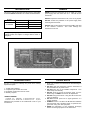
This service manual describes the latest service information
for the IC-756PRO HF/50MHz ALL MODE TRANSCEIVER.
NEVER connect the transceiver to an AC outlet or to a DC
power supply that uses more than 16 V. This will ruin the
transceiver.
DO NOT expose the transceiver to rain, snow or any liquids.
MODEL
IC-756PRO
VERSION
SYMBOL
U.S.A.
USA
Europe
EUR
France
FRA
DO NOT reverse the polarities of the power supply when
conecting the transceiver.
DO NOT apply an RF signal of more than 20 dBm (100 mW)
to the antenna connector. This could damage the
transceIer’s front end.
To upgrade quality, any electrical or mechanical parts and
internal circuits are subject to change without notice or
obligation.
ORDERING PARTS
REPAIR NOTES
Be sure to include the following four points when ordering
replacement parts:
1. Make sure a problem is internal before disassembling the
transceiver.
2. DO NOT open the transceiver until the transceiver is
disconnected from its power source.
3. DO NOT force any of the variable components. Turn
them slowly and smoothly.
4. DO NOT short any circuits or electronic parts. An insulated tuning tool MUST be used for all adjustments.
5. DO NOT keep power ON for a long time when the transceiver is defective.
6. DO NOT transmit power into a signal generator or a
sweep generator.
7. ALWAYS connect a 50 dB to 60 dB attenuator between
the transceiver and a deviation meter or spectrum analyzer when using such test equipment.
8. READ the instructions of test equipment thoroughly
before connecting equipment to the transceiver.
1.
2.
3.
4.
10-digit order numbers
Component part number and name
Equipment model name and unit name
Quantity required
<SAMPLE ORDER>
1110000960 S.IC
NJM4558M
IC-756PRO MAIN UNIT
8810005770 Screw BiH M3×8 ZK IC-756PRO Top cover
5 pieces
10 pieces
Addresses are provided on the inside back cover for your
convenience.