1
DA98D User Manual
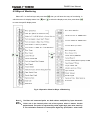
(2) Switch on control circuit power (temporarily not switching on the main circuit power) and
the point on the display of the drive unit will shine. If alarm occurs, examine the wiring.
(3) Set the control mode (parameter No.4) as speed operation mode (set as 2) and set PA43
parameter as 0. Set parameter No.24~27 according to needs.
(4) Switch on the main circuit power.
(5) Render servo on (SON) ON after confirming that there is no alarm or any other abnormal
condition, then the motor will be activated and under the operation state of internal speed
1.
(6) Change the states of input signal SC1 and SC2 to make the motor rotate at the given
speed.
7.3 Adjustment
Attention
z Wrong parameter setting may cause equipment failure or accidents. Confirm validity
of parameter setting before starting the system.
z It is recommended to no-load commissioning should be conducted before
commissioning with load.
1) Adjustment in Basic Gains
(1) Speed Control
① The value speed proportion gain (parameter No.5) should be set as large as possible
under the precondition that no vibration will be caused. Generally, the greater the load
inertia is, the larger the value of speed proportion gain shall be set.
② The value of speed integral time constant (parameter No.6) shall be set as low as possible
according to the given conditions. If the value of speed integral time constant is set too low,
the response speed will be improved but it is also easy to cause vibration. So under the
precondition that no vibration will be caused, the value shall be set as low as possible. For
if the value is too high, the speed will have a great change when the load is changed.
(2) Position Control
① Set proper speed proportion gain and speed integral time constant according to the
above-motioned methods.
② Set position feed-forward gain (parameter NO.10) as 0%.
③ Within the range of stability, the value of position proportion gain (parameter No.9) shall be
set as large as possible. If the value of position proportion gain is set too high, the position
command will be easily traced and have small lag error, but it is prone to cause vibration
when it stops positioning.
④ If an extremely high performance in position tracing is required, the value of position
feed-forward gain can be increased. But if the value is set too high, it may cause
over-adjustment.
Note: When the value of position proportion gain is relatively low, the system will be
stable, but the position tracing performance will be impaired and the lag error
increased.
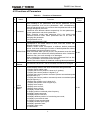
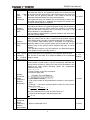
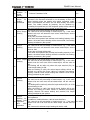
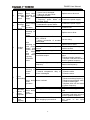
2) Chart for Adjustment in Basic Parameters
51