1
4. Modifying an existing Installation
Removing a device:
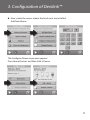
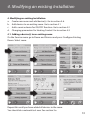
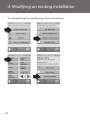
If you want to remove a dead device from your Devilink™ system, go to the
service menu by pressing the setup pin behind the front cover. Go to Room
and Devices and select Manage Devices. Select remove any device and do a
reset on the actual device.
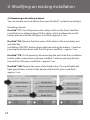
If the device is broken, remove the device from the system by pressing
Remove dead device and then select the device to be removed. To add a
replacement device just follow process described in 4.1 Adding a device.
19