1
Managing Server Applications in the Agent Tool
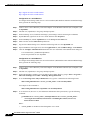
– Select the time at which to start the backup.
•
Weekly – The backup occurs every week.
– Select the day of the week, Sunday through Saturday, on which to run the backup.
– Select the time at which to start the backup.
•
Daily – The backup occurs every day at the scheduled time.
– Select the time at which to start the backup.
•
Hourly – You can select 12, 6, 4, 3, or 2 hours, 1 hour, or a half hour (30 minutes). The backup occurs
every day at the scheduled time.
– Select the time at which to start the backup.
Step 5
Select one of the following backup intervals from each of the Differential Backup and Log Backup
drop-down lists:
•
Daily – The backup occurs every day at the scheduled time.
– Select the time at which to start the backup.
•
Hourly – You can select 12, 6, 4, 3, or 2 hours, 1 hour, or a half hour (30 minutes). The backup occurs
every day at the scheduled time.
– Select the time at which to start the backup.
•
Never – No backups will occur.
Step 6
Click Save.
Step 7
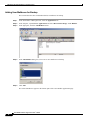
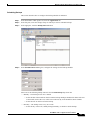
To view the backup status in the InfoStore application window, select a storage group or Microsoft
Exchange - InfoStore in the left pane and then click the Refresh button.
Note
The window does not refresh automatically after the backup occurs.
SonicWALL CDP 5.1 Agent Tool User’s Guide
42