1
» Kontron User's Guide «
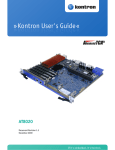
RTM8940
Document Revision 1.1
April 2013
If it's embedded, it's Kontron.
Revision History
Rev. Index
Brief Description of Changes
1.0
First Release
1.1
Second Release
Date of Issue
August 2011
April 2013
Customer Service
Contact Information:
Kontron Canada, Inc.
4555 Ambroise-Lafortune
Boisbriand, Québec, Canada
J7H 0A4
Tel: (450) 437-5682
(800) 354-4223
Fax: (450) 437-8053
E-mail: [email protected]
Kontron Modular Computer GMBH
Sudetenstrasse 7
87600 Kaufbeuren
Germany
+49 (0) 8341 803 333
+49 (0) 8341 803 339
[email protected]
Visit our site at: www.kontron.com
© 2011 Kontron, an International Corporation. All rights reserved.
The information in this user's guide is provided for reference only. Kontron does not assume any liability
arising out of the application or use of the information or products described herein. This user's guide may
contain or reference information and products protected by copyrights or patents and does not convey any
license under the patent rights of Kontron, nor the rights of others.
Kontron is a registered trademark of Kontron. All trademarks, registered trademarks, and trade names used
in this user's guide are the property of their respective owners. All rights reserved. Printed in Canada. This
user's guide contains information proprietary to Kontron. Customers may reprint and use this user's guide in
other publications. Customers may alter this user's guide and publish it only after they remove the Kontron
name, cover, and logo.
Kontron reserves the right to make changes without notice in product or component design as warranted by
evolution in user needs or progress in engineering or manufacturing technology. Changes that affect the
operation of the unit will be documented in the next revision of this user's guide.
i
RTM8940
www.kontron.com
Table of Contents
Table of Contents
Safety Instructions . . . . . . . . . . . . . . . . . . . . . . . . . . . . . . . . . . . . . . . . . . . . . . . . . . . . . . . vi
Before You Begin . . . . . . . . . . . . . . . . . . . . . . . . . . . . . . . . . . . . . . . . . . . . . . . . . . . . . . . . . . . . . . . vi
Preventing Electrostatic Discharge . . . . . . . . . . . . . . . . . . . . . . . . . . . . . . . . . . . . . . . . . . . . . . . . .vii
Preface . . . . . . . . . . . . . . . . . . . . . . . . . . . . . . . . . . . . . . . . . . . . . . . . . . . . . . . . . . . . . . . . viii
How to Use This Guide . . . . . . . . . . . . . . . . . . . . . . . . . . . . . . . . . . . . . . . . . . . . . . . . . . . . . . . . . . viii
Customer Comments . . . . . . . . . . . . . . . . . . . . . . . . . . . . . . . . . . . . . . . . . . . . . . . . . . . . . . . . . . . . . ix
Advisory Conventions . . . . . . . . . . . . . . . . . . . . . . . . . . . . . . . . . . . . . . . . . . . . . . . . . . . . . . . . . . . . ix
Unpacking . . . . . . . . . . . . . . . . . . . . . . . . . . . . . . . . . . . . . . . . . . . . . . . . . . . . . . . . . . . . . . . . . . . . . .x
Powering Up the System. . . . . . . . . . . . . . . . . . . . . . . . . . . . . . . . . . . . . . . . . . . . . . . . . . . . . . . . . . .x
Adapter Cables . . . . . . . . . . . . . . . . . . . . . . . . . . . . . . . . . . . . . . . . . . . . . . . . . . . . . . . . . . . . . . . . . .x
Storing Boards . . . . . . . . . . . . . . . . . . . . . . . . . . . . . . . . . . . . . . . . . . . . . . . . . . . . . . . . . . . . . . . . . .x
Regulatory Compliance Statements . . . . . . . . . . . . . . . . . . . . . . . . . . . . . . . . . . . . . . . . . . . . . . . . . xi
Limited Warranty . . . . . . . . . . . . . . . . . . . . . . . . . . . . . . . . . . . . . . . . . . . . . . . . . . . . . . . . . . . . . . xii
1.
Product Description . . . . . . . . . . . . . . . . . . . . . . . . . . . . . . . . . . . . . . . . . . . . . . . . . . . . . . . 2
1.1
Product Overview . . . . . . . . . . . . . . . . . . . . . . . . . . . . . . . . . . . . . . . . . . . . . . . . . . . . . . . . . . . . . 2
1.2
What’s Included. . . . . . . . . . . . . . . . . . . . . . . . . . . . . . . . . . . . . . . . . . . . . . . . . . . . . . . . . . . . . . 2
1.3
Board Specifications . . . . . . . . . . . . . . . . . . . . . . . . . . . . . . . . . . . . . . . . . . . . . . . . . . . . . . . . . . 3
1.4
Hot-Swap Capability . . . . . . . . . . . . . . . . . . . . . . . . . . . . . . . . . . . . . . . . . . . . . . . . . . . . . . . . . . 4
1.5
Interfacing with the Environment . . . . . . . . . . . . . . . . . . . . . . . . . . . . . . . . . . . . . . . . . . . . . . . 4
1.5.1
2.
RTM (rear transition module) . . . . . . . . . . . . . . . . . . . . . . . . . . . . . . . . . . . . . . . . . . . . . . . .4
Board Features . . . . . . . . . . . . . . . . . . . . . . . . . . . . . . . . . . . . . . . . . . . . . . . . . . . . . . . . . . . 6
2.1
Block Diagram . . . . . . . . . . . . . . . . . . . . . . . . . . . . . . . . . . . . . . . . . . . . . . . . . . . . . . . . . . . . . . . 6
2.2
SFP . . . . . . . . . . . . . . . . . . . . . . . . . . . . . . . . . . . . . . . . . . . . . . . . . . . . . . . . . . . . . . . . . . . . . . . . 7
2.3
SFP+ . . . . . . . . . . . . . . . . . . . . . . . . . . . . . . . . . . . . . . . . . . . . . . . . . . . . . . . . . . . . . . . . . . . . . . . 7
2.4
QSFP+ . . . . . . . . . . . . . . . . . . . . . . . . . . . . . . . . . . . . . . . . . . . . . . . . . . . . . . . . . . . . . . . . . . . . . . 7
2.5
E1 - T1 BITS . . . . . . . . . . . . . . . . . . . . . . . . . . . . . . . . . . . . . . . . . . . . . . . . . . . . . . . . . . . . . . . . . 7
2.6
MMC Boot Block . . . . . . . . . . . . . . . . . . . . . . . . . . . . . . . . . . . . . . . . . . . . . . . . . . . . . . . . . . . . . . 8
ii
RTM8940
www.kontron.com
Table of Contents
2.7
2.7.1
Sensor Data Record (SDR). . . . . . . . . . . . . . . . . . . . . . . . . . . . . . . . . . . . . . . . . . . . . . . . . . .8
2.7.2
Hardware Sensors . . . . . . . . . . . . . . . . . . . . . . . . . . . . . . . . . . . . . . . . . . . . . . . . . . . . . . . . .9
2.7.3
Field Replaceable Unit (FRU) Information . . . . . . . . . . . . . . . . . . . . . . . . . . . . . . . . . . . . .11
2.7.4
MMC Firmware Code . . . . . . . . . . . . . . . . . . . . . . . . . . . . . . . . . . . . . . . . . . . . . . . . . . . . . .12
2.7.5
MMC Firmware Upgrade Procedure . . . . . . . . . . . . . . . . . . . . . . . . . . . . . . . . . . . . . . . . . . .12
2.7.6
Boot Block Upgrade Procedure . . . . . . . . . . . . . . . . . . . . . . . . . . . . . . . . . . . . . . . . . . . . . .13
2.8
3.
B.
Hot Swap LED (LED0) . . . . . . . . . . . . . . . . . . . . . . . . . . . . . . . . . . . . . . . . . . . . . . . . . . . . .14
2.8.2
Out Of Service (LED1) . . . . . . . . . . . . . . . . . . . . . . . . . . . . . . . . . . . . . . . . . . . . . . . . . . . . .14
2.8.3
Healthy LED (LED2). . . . . . . . . . . . . . . . . . . . . . . . . . . . . . . . . . . . . . . . . . . . . . . . . . . . . . .14
2.8.4
QSFP+, SFP+ and SFP LED . . . . . . . . . . . . . . . . . . . . . . . . . . . . . . . . . . . . . . . . . . . . . . . . . .14
Hot Swap and Installation. . . . . . . . . . . . . . . . . . . . . . . . . . . . . . . . . . . . . . . . . . . . . . . . . 16
D.
RTM Hot Swap and Installation . . . . . . . . . . . . . . . . . . . . . . . . . . . . . . . . . . . . . . . . . . . . . . . . . 16
3.1.1
Installing the RTM in the chassis. . . . . . . . . . . . . . . . . . . . . . . . . . . . . . . . . . . . . . . . . . . . .16
3.1.2
Removing the RTM from the chassis . . . . . . . . . . . . . . . . . . . . . . . . . . . . . . . . . . . . . . . . . .16
Connector Pinouts . . . . . . . . . . . . . . . . . . . . . . . . . . . . . . . . . . . . . . . . . . . . . . . . . . . . . . .A-1
A.1
Connectors and Headers Summary . . . . . . . . . . . . . . . . . . . . . . . . . . . . . . . . . . . . . . . . . . . . . .A-1
A.2
QSFP+ Connetors (X1, X2) . . . . . . . . . . . . . . . . . . . . . . . . . . . . . . . . . . . . . . . . . . . . . . . . . . . . .A-1
A.3
SFP+ Connetors (X3, X5) . . . . . . . . . . . . . . . . . . . . . . . . . . . . . . . . . . . . . . . . . . . . . . . . . . . . . .A-2
A.4
SFP Connetor (X6) . . . . . . . . . . . . . . . . . . . . . . . . . . . . . . . . . . . . . . . . . . . . . . . . . . . . . . . . . . .A-2
A.5
E1/T1 Connector (J15, J16, J17 & J18) . . . . . . . . . . . . . . . . . . . . . . . . . . . . . . . . . . . . . . . . . .A-2
Software Update . . . . . . . . . . . . . . . . . . . . . . . . . . . . . . . . . . . . . . . . . . . . . . . . . . . . . . . .B-1
B.1
C.
Face Plate Indicators . . . . . . . . . . . . . . . . . . . . . . . . . . . . . . . . . . . . . . . . . . . . . . . . . . . . . . . . . 14
2.8.1
3.1
A.
Hardware Management Overview . . . . . . . . . . . . . . . . . . . . . . . . . . . . . . . . . . . . . . . . . . . . . . . . 8
MMC Firmware Update Procedure . . . . . . . . . . . . . . . . . . . . . . . . . . . . . . . . . . . . . . . . . . . . . . .B-1
Getting Help . . . . . . . . . . . . . . . . . . . . . . . . . . . . . . . . . . . . . . . . . . . . . . . . . . . . . . . . . . . . C-1
C.1
Returning Defective Merchandise. . . . . . . . . . . . . . . . . . . . . . . . . . . . . . . . . . . . . . . . . . . . . . . C-1
C.2
When Returning a Unit . . . . . . . . . . . . . . . . . . . . . . . . . . . . . . . . . . . . . . . . . . . . . . . . . . . . . . . C-2
Glossary . . . . . . . . . . . . . . . . . . . . . . . . . . . . . . . . . . . . . . . . . . . . . . . . . . . . . . . . . . . . . . D-1
iii
RTM8940
www.kontron.com
List of Figures
List of Figures
Figure 2-1: Block Diagram . . . . . . . . . . . . . . . . . . . . . . . . . . . . . . . . . . . . . . . . . . . . . . . . . . . . . . . . . . . . . .6
iv
RTM8940
www.kontron.com
List of Tables
List of Tables
Table 1-1 Board Specifications . . . . . . . . . . . . . . . . . . . . . . . . . . . . . . . . . . . . . . . . . . . . . . . . . . . . . . . . . . 3
Table 2-1 Possible Ports Mappings: AT8940 with RTM8940 . . . . . . . . . . . . . . . . . . . . . . . . . . . . . . . . . . . . . 7
Table 2-2 IPMI Hardware Sensors . . . . . . . . . . . . . . . . . . . . . . . . . . . . . . . . . . . . . . . . . . . . . . . . . . . . . . . . 9
Table 2-3 Board Information Area. . . . . . . . . . . . . . . . . . . . . . . . . . . . . . . . . . . . . . . . . . . . . . . . . . . . . . . 11
Table 2-4 Product Information Area . . . . . . . . . . . . . . . . . . . . . . . . . . . . . . . . . . . . . . . . . . . . . . . . . . . . . 11
Table 2-5 Type 16 Module Current Requirements Records . . . . . . . . . . . . . . . . . . . . . . . . . . . . . . . . . . . . . 12
Table 2-6 Hot-Swap LED Description . . . . . . . . . . . . . . . . . . . . . . . . . . . . . . . . . . . . . . . . . . . . . . . . . . . . . 13
v
RTM8940
www.kontron.com
Safety Instructions
Safety Instructions
Before You Begin
Before handling the board, read the instructions and safety guidelines on the following pages to prevent
damage to the product and to ensure your own personal safety. Refer to the "Advisories" section in the
Preface for advisory conventions used in this user's guide, including the distinction between Warnings,
Cautions, Important Notes, and Notes.
• Always use caution when handling/operating the computer. Only qualified, experienced,
authorized electronics service personnel should access the interior of the computer. The power
supplies produce high voltages and energy hazards, which can cause bodily harm.
• Use extreme caution when installing or removing components. Refer to the installation
instructions in this user's guide for precautions and procedures. If you have any questions, please
contact Kontron Technical Support
WARNING
High voltages are present inside the chassis when the unit's power cord is plugged
into an electrical outlet. Turn off system power, turn off the power supply, and then
disconnect the power cord from its source before removing the chassis cover. Turning
off the system power switch does not remove power to components.
vi
RTM8940
www.kontron.com
Safety Instructions
Preventing Electrostatic Discharge
Static electricity can harm system boards. Perform service at an ESD workstation and follow proper ESD
procedure to reduce the risk of damage to components. Kontron strongly encourages you to follow proper
ESD procedure, which can include wrist straps and smocks, when servicing equipment.
Take the following steps to prevent damage from electrostatic discharge (ESD):
•When unpacking a static-sensitive component from its shipping carton, do not remove the
component's antistatic packing material until you are ready to install the component in a
computer. Just before unwrapping the antistatic packaging, be sure you are at an ESD workstation
or grounded. This will discharge any static electricity that may have built up in your body.
•When transporting a sensitive component, first place it in an antistatic container or packaging.
•Handle all sensitive components at an ESD workstation. If possible, use antistatic floor pads and
workbench pads.
•Handle components and boards with care. Don't touch the components or contacts on a board. Hold
a board by its edges or by its metal mounting bracket.
•Do not handle or store system boards near strong electrostatic, electromagnetic, magnetic, or
radioactive fields.
•When you want to remove the protective foil (if present), make sure you are properly grounded and
that you touch a metalic part of the board.
CAUTION
Removing the protective foil from the top and bottom cover might create static.
When you remove those protections, make sure you follow the proper ESD procedure.
vii
RTM8940
www.kontron.com
Preface
Preface
How to Use This Guide
This user's guide is designed to be used as step-by-step instructions for installation, and as a reference for
operation, troubleshooting, and upgrades.
For the circuits, descriptions and tables indicated, Kontron assumes no responsibility as far as patents or
other rights of third parties are concerned.
The following is a summary of chapter contents:
•Chapter 1, Product Description
•Chapter 2, Board Features
•Chapter 3, Installing the board
•Appendix A, Connector Pinout
•Appendix B, Software Update
•Appendix C, Getting Help
•Appendix D, Glossary
viii
RTM8940
www.kontron.com
Preface
Customer Comments
If you have any difficulties using this user's guide, discover an error, or just want to provide some feedback,
please send a message to: [email protected]. Detail any errors you find. We will correct the errors
or problems as soon as possible and post the revised user's guide on our Web site. Thank you.
Advisory Conventions
Seven types of advisories are used throughout the user guides to provide helpful information or to alert you
to the potential for hardware damage or personal injury. They are Note, Signal Paths, Jumpers Settings, BIOS
Settings, Software Usage, Cautions, and Warnings. The following is an example of each type of advisory. Use
caution when servicing electrical components.
Note:
Indicate information that is important for you to know.
Signal Path:
Indicate the places where you can fin the signal on the board.
Jumper Settings:
Indicate the jumpers that are related to this sections.
BIOS Settings:
Indicate where you can set this option in the BIOS.
Software Usage:
Indicates how you can access this feature through software.
CAUTION
Indicate potential damage to hardware and tells you how to avoid the problem.
WARNING
Indicates potential for bodily harm and tells you how to avoid the problem.
ESD Sensitive Device:
This symbol and title inform that electronic boards and their components are sensitive to static
electricity. Therefore, care must be taken during all handling operations and inspections of this
product, in order to ensure product integrity at all times.
Please read also the section "Special Handling and Unpacking Instructions".
CE Conformity:
This symbol indicates that the product described in this manual is in compliance with all applied CE
standards. Please refer also to the section "Regulatory Compliance Statements" in this manual.
Disclaimer: We have tried to identify all situations that may pose a warning or a caution condition in this
user's guide. However, Kontron does not claim to have covered all situations that might require the use of a
Caution or a Warning.
ix
RTM8940
www.kontron.com
Preface
Unpacking
Follow these recommendations while unpacking:
•Remove all items from the box. If any items listed on the purchase order are missing, notify Kontron
customer service immediately.
•Inspect the product for damage. If there is damage, notify Kontron customer service immediately.
•Save the box and packing material for possible future shipment.
Powering Up the System
Before any installation or setup, ensure that the board is unplugged from power sources or subsystems.
If you encounter a problem, verify the following items:
•Make sure that all connectors are properly connected.
•Verify your boot devices.
•If the system does not start properly, try booting without any other I/O peripherals attached,
including AMC adapters.
Make sure your system provides the minimum DC voltages required at the board's slot, especially if DC power
is carried by cables.
If you are still not able to get your board running, contact our Technical Support for assistance.
Adapter Cables
Because adapter cables come from various manufacturers, pinouts can differ. The direct crimp design offered
by Kontron allows the simplest cable assembly. All cables are available from Kontron Sales Department.
Storing Boards
Electronic boards are sensitive devices. Do not handle or store device near strong electrostatic,
electromagnetic, magnetic or radioactive fields.
x
RTM8940
www.kontron.com
Preface
Regulatory Compliance Statements
FCC Compliance Statement for Class A Devices
This equipment has been tested and found to comply with the limits for a Class A digital device,
pursuant to Part 15 of the FCC Rules. These limits are designed to provide reasonable protection
against harmful interference in a residential installation. This equipment generated, uses and can
radiate radio frequency energy and, if not installed and used in accordance with the instructions
may cause harmful interference to radio communications. However, there is no guarantee that
interference will not occur in a particular installation. If this equipment does cause harmful
interference to radio or television reception, which can be determined by turning the equipment
off and on, the user is encouraged to try to correct the interference by one or more of the following
measures:
•Reorient or relocate the receiving antenna.
•Increase the separation between the equipment and receiver.
•Connect the equipment into an outlet on a circuit different from that to which the receiver is
connected.
•Consult the dealer or an experience radio/TV technician for help.
WARNING
This is a Class A product. If not installed in a properly shielded enclosure and used in
accordance with this User's Guide, this product may cause radio interference in
which case users may need to take additional measures at their own expense.
Safety Certification
All Kontron equipment meets or exceeds safety requirements based on the IEC/EN/UL/CSA 609501 family of standards entitled, "Safety of information technology equipment." All components are
chosen to reduce fire hazards and provide insulation and protection where necessary. Testing and
reports when required are performed under the international IECEE CB Scheme. Please consult the
"Kontron Safety Conformity Policy Guide" for more information. For Canada and USA input voltage
must not exceed -60Vdc for safety compliance.
CE Certification
The product(s) described in this user's guide complies with all applicable European Union (CE)
directives if it has a CE marking. For computer systems to remain CE compliant, only CE-compliant
parts may be used. Maintaining CE compliance also requires proper cable and cabling techniques.
Although Kontron offers accessories, the customer must ensure that these products are installed
with proper shielding to maintain CE compliance. Kontron does not offer engineering services for
designing cabling systems. In addition, Kontron will not retest or recertify systems or components
that have been reconfigured by customers.
xi
RTM8940
www.kontron.com
Preface
Limited Warranty
Kontron grants the original purchaser of Kontron's products a TWO YEAR LIMITED HARDWARE WARRANTY as
described in the following. However, no other warranties that may be granted or implied by anyone on behalf
of Kontron are valid unless the consumer has the express written consent of Kontron.
Kontron warrants their own products, excluding software, to be free from manufacturing and material
defects for a period of 24 consecutive months from the date of purchase. This warranty is not transferable nor
extendible to cover any other users or long- term storage of the product. It does not cover products which
have been modified, altered or repaired by any other party than Kontron or their authorized agents.
Furthermore, any product which has been, or is suspected of being damaged as a result of negligence,
improper use, incorrect handling, servicing or maintenance, or which has been damaged as a result of
excessive current/voltage or temperature, or which has had its serial number(s), any other markings or parts
thereof altered, defaced or removed will also be excluded from this warranty.
If the customer's eligibility for warranty has not been voided, in the event of any claim, he may return the
product at the earliest possible convenience to the original place of purchase, together with a copy of the
original document of purchase, a full description of the application the product is used on and a description
of the defect. Pack the product in such a way as to ensure safe transportation (see our safety instructions).
Kontron provides for repair or replacement of any part, assembly or sub-assembly at their own discretion, or
to refund the original cost of purchase, if appropriate. In the event of repair, refunding or replacement of
any part, the ownership of the removed or replaced parts reverts to Kontron, and the remaining part of the
original guarantee, or any new guarantee to cover the repaired or replaced items, will be transferred to cover
the new or repaired items. Any extensions to the original guarantee are considered gestures of goodwill, and
will be defined in the "Repair Report" issued by Kontron with the repaired or replaced item.
Kontron will not accept liability for any further claims resulting directly or indirectly from any warranty
claim, other than the above specified repair, replacement or refunding. In particular, all claims for damage
to any system or process in which the product was employed, or any loss incurred as a result of the product
not functioning at any given time, are excluded. The extent of Kontron liability to the customer shall not
exceed the original purchase price of the item for which the claim exists.
Kontron issues no warranty or representation, either explicit or implicit, with respect to its products
reliability, fitness, quality, marketability or ability to fulfil any particular application or purpose. As a result,
the products are sold "as is," and the responsibility to ensure their suitability for any given task remains that
of the purchaser. In no event will Kontron be liable for direct, indirect or consequential damages resulting
from the use of our hardware or software products, or documentation, even if Kontron were advised of the
possibility of such claims prior to the purchase of the product or during any period since the date of its
purchase.
Please remember that no Kontron employee, dealer or agent is authorized to make any modification or
addition to the above specified terms, either verbally or in any other form, written or electronically
transmitted, without the company's consent.
xii
RTM8940
www.kontron.com
Chapter 1
Product Description
1.1
1.2
1.3
1.4
1.5
Product Overview .............................................. 2
What’s Included ................................................ 2
Board Specifications .......................................... 3
Hot-Swap Capability .......................................... 4
Interfacing with the Environment ......................... 4
1
RTM8940
www.kontron.com
Product Description
1. Product Description
1.1
Product Overview
The RTM8940 is an ATCA Rear Transition Module for the AT8940 40GbE Fabric Interface Hub. Architectural
features under consideration such as 40GbE interfaces are expected to deliver a high performance uplink
capability. Some of the highlights are:
Up to 80Gbps uplink capability on Fabric Interface
• 2x QSFP for 40Gbps Active Copper Cables
• 4x SFP+ supporting SX, LX, SR, LR, LRM and Copper Modules
Support for 2x SFP 1 GbE uplinks on Base Interface
• 1000Base-SX/LX Optical Modules
• 10/100/1000Base-T Copper Module
Master Clock Generator with Stratum 3 accuracy and SyncE support
• 2 ETSI T3 E1/T1 BITS input/outputs
• 2 ETSI T4 E1/T1 Upstream/Downstream Chassis Clock Support.
• ATCA Synchronisation Clock Support CLK1 A/B, CLK2 A/B, CLK3 A/B
• Clock Synchronisation to MCG of redundant HUB/RTM.
1.2
What’s Included
This board is shipped with the following items:
• One RTM8940 board
• One CD-ROM containing documentation and drivers.
• Cables that have been ordered
If any item is missing or damaged, contact the supplier.
2
RTM8940
www.kontron.com
Product Description
1.3
Board Specifications
Table 1-1:Board Specifications
Features
Description
Compatible Products
•
•
AT8910
AT8940
Compliancy
•
•
•
PICMG3.0 R3.0
PICMG3.1 R2.0
PICMG HPM.1
•
•
•
Management Controller compliant to PICMG 3.0 and IPMI v2.0 .
Management Controller is run time field reprogrammable without payload impact.
Robust fail safe reprogramming implementation (which includes two firmware images) that
could perform automatic or manual rollback if a problem occurs during critical reprogramming
phase.
Remote upgrade capability (via IPMB).
Management Controller self test which can detect failure under its code integrity and triger an
automatic rollback.
IPMI Features
•
•
•
Hardware system monitor through IPMI (voltages, currents, temperature), temperature
monitor/alarm; board temperature sensor, power failure.
Mechanical
•
322.25 x 93.74 x 29 mm
Power Requirements
•
10W Typical
Environmental
Temperature*
Operating: 0-55°C/32-131°F with 30CFM airflow
Storage and Transit: -40 to +70°C/-40 to 158°F
Environmental
Humidity*
Operating: 15% to 90% @55°C/131°F non-condensing
Storage and Transit: 5% to 95% @ 40°C/104°F non-condensing
Environmental Altitude*
Operating: 4,000 m / 13,123 ft
Storage and Transit: 15,000 m / 49,212 ft
Environmental Shock*
Operating: 3G each axis
Storage and Transit: 18G each axis
Environmental
Vibration*
Operating: 5-200Hz. 0.2G, each axis
Storage and Transit: 5Hz to 20Hz @ 1 m2/s3 (0.01g2 /Hz) (flat)
20Hz to 200Hz @ -3dB/oct (slope down)
Reliability
•
•
Safety / EMC
Meet or exceed:
•
Safety: UL 60950-1; CSA C22.2 No 60950-1-03; EN 60950-1:2001; IEC60950-1
•
EMI/EMC: FCC 47 CFR Part 15, Class B; CE Mark to EN55022/EN55024/EN300386
Warranty
Two years limited warranty
Supervisory
Whole board protected by active breaker
USB voltage protected by active breaker
* Designed to meet or exceed
3
RTM8940
www.kontron.com
Product Description
1.4
Hot-Swap Capability
The RTM8940 supports Full Hot Swap capability as per PICMG3.0 R3.0. It can be removed from or installed in
the system while it is on (without powering-down the system). Please refer to the PICMG3.0 R3.0
specification for additional details.
1.5
Interfacing with the Environment
1.5.1
RTM (rear transition module)
The RTM8940 is a single slot (6HP) AdvancedTCA Rear Transition Module. This module provides additional
connectivity for AT8940 Hub front boards.
1.5.1.1
FRU Data EEPROM
• FRU Data EEPROM size is 32Kbit and it includes board identification and serial number information.
1.5.1.2
Hot Swap
As a Hot Swappable Intelligent Managed FRU, the RTM8940 (FRU2) includes a Management Controller, the
AdvancedTCA Hot Swap indicator (Blue LED) and the standard AdvancedTCA handle switch.
1.5.1.2.1
Insertion and Removal of the Managed FRUs
After insertion, the front board detects and activates the management components of the FRU. When the
handle is closed, the power budget and the e-keying negotiations start. Then, the front board's IPMC
activates the payload components of the FRU.
Opening the RTM handle switch on the RTM FRU and will start the deactivation process, which deactivates the
RTM8940.
The operational state of the FRU is reported through the management subsystem FRU Hot Swap sensors. The
BLUE LED is 100% off when a FRU is operational and unsafe for extraction. An always on(100%) indicates
that a FRU can safely be extracted; transitional states are identified through blinking patterns. Additional
details on the standard FRU Hot Swap sensor and the BLUE LED usage can be found in the AdvancedTCA
specifications.
4
RTM8940
www.kontron.com
Chapter 2
Board Features
2.1
2.2
2.3
2.4
2.5
2.6
2.7
2.8
Block Diagram .................................................. 6
SFP................................................................. 7
SFP+ ............................................................... 7
QSFP+ ............................................................. 7
E1 - T1 BITS...................................................... 7
MMC Boot Block ................................................ 8
Hardware Management Overview .......................... 8
Face Plate Indicators.......................................... 14
www.kontron.com
2. Board Features
2.1
Block Diagram
Figure 2-1:Block Diagram
6
RTM8940
www.kontron.com
The configuration of the RTM8940 supports enabling up to 2 out of the following 3 sets of ports
simultaneously: RTM 4x SFP+, RTM QSFP+(#1) and RTM QSFP+(#2).
See the table below for the possible configuration with the AT8940:
Table 2-1:Possible Ports Mappings: AT8940 with RTM8940
Port- MAPNumber
Front
4x SFP+
RTM
4x SFP+
QSFP+(#1)
QSFP+(#2)
1
0/1-0/4
0/19-0/22
0/18
Disabled
2
0/1-0/4
Disabled
0/18
0/19
3
0/1-0/4
Disabled
Disabled
Disabled
4
0/1-0/4
0/20-0/23
0/19
Disabled
5
0/1-0/4
Disabled
0/19
0/20
NOTE:
• Port configurations will be set by using the cli command: set board port-map Port-Map-number
• Configurations 1 and 2 are for a 6 and 14-slot ATCA chassis
• Configurations 3-4-5 are for a 16-slot ATCA chassis
For the AT8910 the fixed configurations is 4x Front SFP+ ports on 0/1-0/4 and 4x RTM SFP+ ports on 0/20-0/
23. QSFP+ ports are not supported by the RTM8940 when used with the AT8910.
2.2
SFP
The RTM8940 has one dual SFP module connector available on the RTM face plate. The SFP module signals are
coming from the front board at 1Gb through zone 3 connector.
2.3
SFP+
The RTM8940 has two dual SFP+ module connectors available on the RTM face plate. The SFP+ module signals
are coming from the front board at 10G through zone 3 connector.
2.4
QSFP+
The RTM8940 has two QSFP module connectors available on the RTM face plate. The QSFP module signals are
coming from the front board at 40Gb through zone 3 connector.
2.5
E1 - T1 BITS
The RTM8940 has four E1 - T1 BITS connectors available on the RTM face plate. The clock signals are coming
from the front board or from an external source. It supports:
7
RTM8940
www.kontron.com
• 2 ETSI T3 E1/T1 BITS input/outputs
• 2 ETSI T4 E1/T1 Upstream/Downstream Chassis Clock Support.
2.6
MMC Boot Block
The MMC runs a firmware from its internal 256KB flash. It is programmed by an additional 8K boot block. It
keeps the last two copies of the MMC firmware in dedicated flash memories. The boot block activates the MMC
image and can rollback a firmware update in the MMC in case of problems.
2.7
Hardware Management Overview
The RTM communicates with the front board using the IPMB-L channel. Kontron Intelligent RTM address on
the IPMB-L is fixed and has a value of 0xA6.
The memory subsystem of the MMC consists of an integrated flash memory to hold the MMC operation code
and integrated RAM for data. The field replacement unit (FRU) inventory information is stored in the
nonvolatile memory on an EEPROM connected via a local I2C interface to the MMC. It is possible to store up to
4 KBytes within the FRU inventory information. Event generation over IPMB-L bus to reach the front board
that forward it to the ShMc ensure that 'post-mortem' logging information is available even if the power of
the RTM is disabled.
The onboard DC voltages and temperature are monitored by the MMC device. The MMC will send an event to
the front board if any of the thresholds are exceeded.
To increase the reliability of the RTM8940 management subsystem, an external watchdog supervisor for the
MMC is implemented. The MMC must strobe the external watchdog at 500 μsec. intervals to ensure continuity
of operation of the board's management subsystem. If the MMC ceases to strobe the watchdog supervisor,
the watchdog resets the MMC. The watchdog timeout expires after one second if strobes are not received. The
external watchdog supervisor is not configurable and must not be confused with the IPMI v1.5 watchdog
timer commands. This external watchdog of the MMC is implemented in a separate chip.
2.7.1
Sensor Data Record (SDR)
Every sensor on the RTM is associated with a Sensor Data Record (SDR). Sensor Data Records contain
information about the sensors identification such as sensor type, sensor name and sensor unit. The SDR also
contains the configuration of a specific sensor such as threshold/hystheresis and event generation
capabilities that specifies sensor behaviour. Some fields of the SDR are configurable through IPMI v1.5
command and are set with built-in initial values. Finally, one field which is the sensor owner must reflect the
module addresses that allows a system management software to identify the owner of the SDR when it is
scanned from the front board IPMC and merged within the IPMC Device SDR repository.
From IPMI prespective, the RTM8940 management controller is set up as a satellite management controller
(SMC). It does support sensor devices, and use the IPMI static sensor population feature of IPMI v1.5 to
merge the hot swaped RTM sensor with the front board sensors population. The usual way the SHMC is
8
RTM8940
www.kontron.com
informed about an RTM insertion is through the RTM Module Hot Swap sensor and a radial presence line on
the RTM connector. All SDRs can be queried using Device SDR commands. Module sensors that have been
implemented are listed below.
2.7.2
Hardware Sensors
Table 2-2:IPMI Hardware Sensors
IPMI
sensor
ID
Sensor Name
Description (Sensor Type, Event trigger)
Scanning Enabled under
Power State
Health LED
(Green to Amber)
0
RTM8940
NA (Management Controller Locator Record)
1
RTM:Module
HS
F0h (PICMG Hot Swap)
Event Type: 6Fh (Sensor-specific discrete)
*
N
2
RTM:Temp
Board
01h (Temperature)
Event Type: 01h (Threshold)
*
X
3
RTM:Temp
Outlet
01h (Temperature)
Event Type: 01h (Threshold)
*
X
4
RTM:Vcc
+3.3VSUS
02h (Voltage)
Event Type: 01h (Threshold)
-
X
5
RTM:Vcc
+3.3V
02h (Voltage)
Event Type: 01h (Threshold)
-
X
6
RTM:Vcc +5V
02h (Voltage)
Event Type: 01h (Threshold)
-
X
7
RTM:Vcc
+1.8V
02h (Voltage)
Event Type: 01h (Threshold)
-
X
8
RTM:Vcc
+1.0V
02h (Voltage)
Event Type: 01h (Threshold)
-
X
9
RTM:Vcc +12V
02h (Voltage)
Event Type: 01h (Threshold)
-
X
10
RTM:Power
State
08h (Power Supply)
Event Type: 6Fh (Sensor-specific discrete)
*
N
11
RTM:Power
Good
08h (Power Supply)
Event Type: 6Fh (Sensor-specific discrete)
*
N
12
RTM:Pwr
Good Ev
08h (Power Supply)
Event Type: 6Fh (Sensor-specific discrete)
*
N
13
RTM:Health
Error
24h (Platform Alert)
Event Type: 03h (digital discrete)
*
N
14
RTM:Ver
Change
2Bh (Version Change)
Event Type: 6Fh (Sensor-specific discrete)
*
N
15
RTM:IPMBL
State
C3h (OEM IPMB-L Link State)
Event Type: 6Fh (Sensor-specific discrete)
*
N
16
RTM:MMC
Reboot
24h (Platform Alert)
Event Type: 6Fh (Sensor-specific discrete)
*
N
9
RTM8940
www.kontron.com
IPMI
sensor
ID
Sensor Name
Description (Sensor Type, Event trigger)
Scanning Enabled under
Power State
Health LED
(Green to Amber)
17
RTM:MMC
FwUp
C7h (OEM IPMC Firmware Upgrade)
Event Type: 6Fh (Sensor-specific discrete)
*
N
18
RTM:MMC
Stor Err
28h (Management Subsystem Health)
Event Type: 6Fh (Sensor-specific discrete)
*
N
19
RTM:IPMI
Info-1
C0h (OEM Firmware Info)
Event Type: 70h (OEM)
*
N
20
RTM:IPMI
Info-2
C0h (OEM Firmware Info)
Event Type: 70h (OEM)
*
N
X
Exceed critical threshold / Error Assertion
*
Power On/Off
-
Power On
N
No change
10
RTM8940
www.kontron.com
2.7.3
Field Replaceable Unit (FRU) Information
The FRU Information provides inventory data about the boards where the FRU Information Device is located.
The part number or version number can be read through software.
FRU information in the RTM8940 includes data describing the RTM8940 board according to AMC.0 R2.0
specification requirements. This information is retrieved from the RTM, enabling reporting of board-specific
information through a standardized mechanism.
Table 2-3:Board Information Area
Board Information Area
Field Description
Value (hex)
Format Version
0x01
Board Area Length
*Calculated
Language code
0x00
Manufacturing Date / Time
*Based on mfg. date
Board Manufacturer type/length
*Calculated
Board Manufacturer
“Kontron”
Board Product Name type/length
*Calculated
Board Product Name
“RTM8940”
Board Serial Number type/length
*Calculated
Board Serial Number
Manufacturer S/N
Board Part Number type/length
*Calculated
Board Customer Part Number
"T5706”
FRU File ID type/length
*Calculated
FRU File ID
"T5706-XPX-00"
No more fields
0xC0
Padding
0x00
Board Area Checksum
*Calculated
Table 2-4:Product Information Area
Product Information Area
Field Description
Value (hex)
Format Version
0x01
Product Area Length
*Calculated
Language Code
0x00
Manufacturer Name type/length
*Calculated
Manufacturer Name
“Kontron”
Product Name type/length
*Calculated
Product Name
“RTM8940”
Product Part/Model Number type/length
*Calculated
Product Part/Model Number
"T5706"
11
RTM8940
www.kontron.com
Product Information Area
Product Version type/length
*Calculated
Product Version
“XX” *
Product Serial Number type/length
*Calculated
Product Serial Number
Manufacturer S/N
Asset Tag type/length
0xC0
Asset Tag
FRU File ID type/length
*Calculated
FRU File ID bytes
"T5706-XPX-00"
No more fields
0xC0
Padding
0x00
Product Info Area Checksum
*Calculated
Table 2-5:Type 16 Module Current Requirements Records
Type 16 – Module Current Requirements Record
Record Type ID
C0h
Record format version
02h
Manufacturer ID
00315Ah (PICMG Record ID)
PICMG Record ID
16h (Module Power Descriptor table)
Record Format Version
00h
Current Draw
0Ah (1.0 Amps at 12 V => 12.0 Watts)
2.7.4
MMC Firmware Code
MMC firmware code is organized into boot code and operational code, both of which are stored in a flash
module. Upon an MMC reset, the MMC executes the boot code and performs the following:
1 Self test to verify the status of its hardware and memory.
2 Performs a checksum of the operational code.
3 Set operational state that tells the boot block the firmware operate correctly.
Upon successful verification of the operational code checksum, the firmware will jump to the operational
code.
2.7.5
MMC Firmware Upgrade Procedure
The upgrade procedure is compliant to PICMG HPM.1. MMC Firmware upgrades can be done by using IPMITOOL
from sourceforge from the front board or remotely on the chassis. It has been designed to be upgradable
through any IPMI interface without payload impact.
12
RTM8940
www.kontron.com
2.7.6
Boot Block Upgrade Procedure
Type the following to perform MMC firmware upgrade
ipmifwu -fb <file> -P /dev/ttyS1 -M rtm -p <ENTER>
Note:
During boot block firmware upgrade the MMC is held in reset
2.7.6.1
Hot-Swap Process
The RTM8940 has the ability to be hot-swapped in and out of the front board. The onboard MMC manages the
RTM's power-up and power-down transitions. The list below illustrates this process for power down request.
1 Ejector latch is opened. HOT_SWAP_PB# assertion. MMC firmware detects the assertion of this
signal.
2 MMC sends "Module Handle Open" event message to the front board. The corresponding M state of
the front board moves from M4-> M5.
3 The front board moves from M5 -> M6 if the SHMC grants the request. The front board IPMC sends
the FRU control requesting quiesced state to the RTM.
4 The firmware deasserts payload power and sends "Module Quiesced" event message to the front
board where it transitions from M6 to M1 state.
Note:
Depending on your BIOS configuration, a hot-swap process might turn off the front board. Please
refer to the BIOS section “Managed FRU Deactivation Policies” of the AT8940.
2.7.6.2
Hot-Swap LED
The RTM8940 and RTMDISK supports a blue Hot Swap LED mounted on the front panel. This LED indicates
when it is safe to remove the RTM from the front board. The on-board MMC drives this LED to indicate the hotswap state. The following states are possible:
Table 2-6:Hot-Swap LED Description
LED state
Description
OFF
M4 state; normal state when board is in operation.
ON
M1 state; ready for hot swap.
Short blink
M5 state; deactivation request
Long blink
M2 state; activation request.
When the RTM latch is disengaged from the faceplate, the hot swap switch embedded in the PCB will assert a
"HOT_SWAP_PB#" signal to the MMC, and the MMC will send “Module Handle Open” event message to the
front board which moves from the M4 state to the M5 state. Once in the M5 state, the front board will ask the
SHMC (or Shelf Manager) for permission to move the RTM to the M6 state. Then the IPMC of the front board,
through IPMB-L, will set the RTM Hot Swap LED to indicate this state with a short blink. Once permission is
received from the SHMC or higher-level software, the front board will move to the M6 state.
13
RTM8940
www.kontron.com
The SHMC or higher level software can reject the request to move to the M6 state. If this occurs, the RTM will
return the Hot Swap LED to a solid off condition, indicating that the RTM has returned to M4 state.
If the RTM reaches the M6 state through an extraction request from the RTM handle latch, the MMC
communicates to the front board that the module must discontinue operation in preparation for removal. The
Hot Swap LED continues to flash during this preparation time, just like it does at the M5 state. When main
RTM payload power is successfully removed from the RTM slot, the Hot Swap LED remains lit, indicating it is
safe to remove the RTM from the chassis or the hard disk from the RTM.
Refer to the AT8940 manual for information on "Managed FRU Deactivation Policies" affecting the FRU
deactivation process.
2.8
Face Plate Indicators
All LEDs can be overriden with standard PICMG LED APIs
2.8.1
Hot Swap LED (LED0)
The Blue / Hot Swap LED indicates the hot swap status of the RTM. The LED is ON when it is safe to remove the
RTM from the slot. During normal operation, this LED is OFF.
2.8.2
Out Of Service (LED1)
The AdvancedTCA LED1 is red or amber and indicates an Out-of-Service (OOS) condition. During normal
operation, the OOS LED is OFF. This LED is ON during firmware upgrade and is user configurable if needed by a
customer application.
2.8.3
Healthy LED (LED2)
The AdvancedTCA LED2 is green or amber and indicates a healthy condition. The healthy LED indicates if the
blade is powered up and all voltages and temperatures are within specifications. During normal operation,
this LED is ON (green). This LED is also ON (amber) when one of the RTM8940 voltage or temperature sensor
pass a threshold.
2.8.4
QSFP+, SFP+ and SFP LED
The Green LEDs indicate the link status of the connection. The LED is ON when there is a link otherwise, it’s
OFF.
14
RTM8940
www.kontron.com
Chapter 3
Hot Swap and Installation
3.1 RTM Hot Swap and Installation............................. 16
www.kontron.com
3. Hot Swap and Installation
3.1
RTM Hot Swap and Installation
Because of the high-density pinout of the hard-metric connector, some precautions must be taken when
connecting or disconnecting a RTM to/from an AT8940:
1 Rail guides must be installed on the enclosure to slide the RTM to the AT8940.
2 Do not force theRTM if there is mechanical resistance while inserting it.
3 Screw the faceplate to the enclosure to firmly attach the RTM to its enclosure.
4 Use extractor handles to disconnect and extract the RTM from its enclosure.
WARNING
Always use a grounding wrist wrap before installing or removing the board from a
chassis.
3.1.1
Installing the RTM in the chassis
To install the RTM:
1 Remove the filler panel from the slot.
2 Ensure the RTM is configured properly.
3 Carefully align the PCB edges at the bottom and top card guide.
4 Insert the RTM in the system until it makes contact with the CPU board.
5 Using both ejector handles, engage the RTM in the front board connectors until both ejectors are
locked.
6 Fasten screws at the top and bottom of the faceplate.
3.1.2
Removing the RTM from the chassis
To remove the RTM:
1 Unscrew the top and the bottom screw of the faceplate.
2 Unlock the lower handle latch.
3 Wait until the blue LED is fully ON, this mean that the hot swap sequence is ready for RTM removal.
4 Use both ejectors to disengage the RTM from the front board.
5 Pull the RTM out of the chassis.
16
RTM8940
www.kontron.com
A. Connector Pinouts
A.1
Connectors and Headers Summary
Connector
Description
P30
RTM Connector
X1, X2
QSFP+ Connectors
X3, X5
SFP+ Connectors
X6
SFP Connectors
J15, J16, J17 & J18
E1/T1 Connectors
A.2
QSFP+ Connetors (X1, X2)
Pin
Signal
Pin
Signal
1
GND
20
GND
2
TX2-
21
RX2-
3
TX2+
22
RX2+
4
GND
23
GND
5
TX4-
24
RX4-
6
TX4+
25
RX4+
7
GND
26
GND
8
MODSEL#
27
MODPRS#
9
RESET#
28
INT#
10
VCC RX
29
VCC TX
11
SCL
30
VCC
12
SDA
31
LPMODE
13
GND
32
GND
14
RX3+
33
TX3+
15
RX3-
34
TX3-
16
GND
35
GND
17
RX1+
36
TX1+
18
RX1-
37
TX1-
19
GND
38
GND
A-1
RTM8940
www.kontron.com
A.3
SFP+ Connetors (X3, X5)
Pin
Signal
Pin
Signal
1
VeeT
11
VeeR
2
TX_Fault
12
RD-
3
TX_Disable
13
RD+
4
SDA
14
VeeR
5
SCL
15
VccR
6
MOD-ABS
16
VccT
7
Rate_Select 0
17
VeeT
8
RX_LOS
18
TD+
9
Rate_Select 1
19
TD-
10
VeeR
20
VeeT
A.4
SFP Connetor (X6)
Pin
Signal
Pin
Signal
1
VeeT
11
VeeR
2
TX_Fault
12
RD-
3
TX_Disable
13
RD+
4
SDA
14
VeeR
5
SCL
15
VccR
6
MOD-ABS
16
VccT
7
Rate_Select 0
17
VeeT
8
RX_LOS
18
TD+
9
Rate_Select 1
19
TD-
10
VeeR
20
VeeT
A.5
E1/T1 Connector (J15, J16, J17 & J18)
Pin
Signal
Pin
Signal
1
RING_RX-
5
TIP_TX+
2
TIP_RX+
6
N.C.
3
N.C.
7
N.C.
4
RING_TX+
8
N.C.
A-2
RTM8940
www.kontron.com
B. Software Update
B.1
MMC Firmware Update Procedure
To update the software of your board, it is recommended to use the update CD. Please contact your local
technical support departement for the proper procedure to follow.
B-1
RTM8940
www.kontron.com
C. Getting Help
If, at any time, you encounter difficulties with your application or with any of our products, or if you simply
need guidance on system setups and capabilities, contact our Technical Support at:
North America
EMEA
Tel.: (450) 437-5682
Tel.: +49 (0) 8341 803 333
Fax: (450) 437-8053
Fax: +49 (0) 8341 803 339
If you have any questions about Kontron, our products, or services, visit our Web site at: www.kontron.com
You also can contact us by E-mail at:
North America: [email protected]
EMEA: [email protected]
Or at the following address:
North America
C.1
EMEA
Kontron Canada, Inc.
Kontron Modular Computers GmbH
4555, Ambroise-Lafortune
Sudetenstrasse 7
Boisbriand, Québec
87600 Kaufbeuren
J7H 0A4 Canada
Germany
Returning Defective Merchandise
Before returning any merchandise please do one of the following:
• Call
1 Call our Technical Support department in North America at (450) 437-5682 and in EMEA at +49
(0) 8341 803 333. Make sure you have the following on hand: our Invoice #, your Purchase
Order #, and the Serial Number of the defective unit.
2 Provide the serial number found on the back of the unit and explain the nature of your problem
to a service technician.
C-1
RTM8940
www.kontron.com
3 The technician will instruct you on the return procedure if the problem cannot be solved over
the telephone.
4 Make sure you receive an RMA # from our Technical Support before returning any merchandise.
• E-mail
1 Send us an e-mail at: [email protected] in North America and at:
[email protected] in EMEA. In the e-mail, you must include your name,
your company name, your address, your city, your postal/zip code, your phone number, and
your e-mail. You must also include the serial number of the defective product and a description
of the problem.
C.2
When Returning a Unit
• In the box, you must include the name and telephone number of a contact person, in case
further explanations are required. Where applicable, always include all duty papers and
invoice(s) associated with the item(s) in question.
• Ensure that the unit is properly packed. Pack it in a rigid cardboard box.
• Clearly write or mark the RMA number on the outside of the package you are returning.
• Ship prepaid. We take care of insuring incoming units.
North America
EMEA
Kontron Canada, Inc.
Kontron Modular Computers GmbH
4555, Ambroise-Lafortune
Sudetenstrasse 7
Boisbriand, Québec
87600 Kaufbeuren
J7H 0A4 Canada
Germany
C-2
RTM8940
www.kontron.com
D. Glossary
Acronyms
Descriptions
ACPI
Advanced Configuration & Power Interface
AdvancedMC
(Same as AMC). Advanced Mezzanine Card.
AMC
(Same as AdvancedMC). Advanced Mezzanine Card.
AMC.0
Advanced Mezzanine Card Base Specification.
AMC.1
PCI Express and Advanced Switching on AdvancedMC. A subsidiary specification to the Advanced
Mezzanine Card Base Specification (AMC.0).
AMC.2
Ethernet Advanced Mezzanine Card Specification. A subsidiary specification to the Advanced
Mezzanine Card Base Specification (AMC.0).
AMC.3
Advanced Mezzanine Card Specification for Storage. A subsidiary specification to the Advanced
Mezzanine Card Base Specification (AMC.0).
ATCA
Advanced Telecommunications Computing Architecture
BIOS
Basic Input/Output System
CMOS
Complementary Metal Oxide Semiconductor. Also refers to the small amount of battery (or capacitor)
powered CMOS memory to hold the date, time, and system setup parameters.
CPU
Central Processing Unit. This sometimes refers to a whole blade, not just a processor component.
CTS
Clear To Send
DTR
Data Terminal Ready
EMI
ElectroMagnetic Interference
FCC
Federal Communications Commission
FRU
Field Replaceable Unit. Any entity that can be replaced by a user in the field. Not all FRUs are hot
swappable.
GND
GrouND
HDD
Hard Disc Drive
HPM
PICMG Hardware Platform Management specification family
HPM.1
Hardware Platform Management IPM Controller Firmware Upgrade Specification
I2C
Inter Integrated Circuit bus
ID
IDentification
IEEE
Institute of Electrical and Electronics Engineers
IPM
Intelligent Platform Management
IPMB
Intelligent Platform Management Bus
IPMB-0
Intelligent Platform Management Bus Channel 0, the logical aggregation of IPMB-A and IPMB-B.
IPMB-A
Intelligent Platform Management Bus A
IPMB-B
Intelligent Platform Management Bus B
IPMB-L
Intelligent Platform Management Bus Local
IPMC
Intelligent Platform Management Controller
IPMI
Intelligent Platform Management Interface
IPMIFWU
Intelligent Platform Management Interface FirmWare Update
LED
Light-Emitting Diode
MMC
Module Management Controller. MMCs are linked to the IPMC.
NC
Not Connected
OOS
Out Of Service
D-1
RTM8940
www.kontron.com
Acronyms
Descriptions
OS
Operating System
PICMG
PCI Industrial Computer Manufacturers Group
PICMG®
PCI Industrial Computer Manufacturers Group
POST
Power-On Self-Test
RAM
Random Access Memory
RS-232
(Same as RS232). Recommended Standard 232.
RS232
(Same as RS-232). Recommended Standard 232.
RTM
Rear Transition Module
RTS
Request To Send
SAS
Serial Attached SCSI
SFP
Small Form-factor Pluggable
ShMC
Shelf Management Controller
TX
Transmit
TXD
Transmit
USB
Universal Serial Bus
VCC
Power supply
D-2
RTM8940
www.kontron.com