1
www.pc-adapter.net
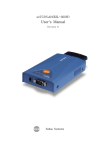
Embedded TCP/IP agreement serial port server
USER GUIDE
CONTENT
1 Product Introduction................................1
1.1 Product Description...
.
..
.
..
.
..
.
..
.
..
.
..
.
..
..………..1
1.2 Technical Specification...
..
.
..
.
..
.
..
.
..
.
..
.
..
..…..…1
1.3 Exterior Connection...
.
..
.
..
.
..
.
..
.
..
.
..
.
..
.
..….....2
1.4 Installation...
.
..
.
..
.
..
.
..
.
..
.
..
.
..
.
..
..
.
..
.
..
......2
2 Operating Guide....
.
..
.
..
..
.
..
.
..
....
.
..
..
.
..
.
.....4
2.1 2108E Disposition..
..
.
..
.
..
.
..
.
..
.
..
.
..
.
..
.
..
.…....4
2.2 Communication Test.
.
..
.
..
.
..
.
..
.
..
.
..
.
..
.
..
.
.......7
2.2.1 Single Plane Test..
.
..
.
..
.
..
.
..
.
..
..
.
..
.
..
.
....
...7
2.2.2 Movement Test..
.
..
.
..
.
..
..
.
..
.
..
.
..
.
..
...
..
....10
3 Application Example ...
.
..
..
.
..
.
..
..
.
..
.
..
..
.
..
....
..10
3.1 The long Range Data Transmitting....
.
..
.
..
.
..
.
..
.
..
..…10
3.2 Concentration-control System...
..
.
..
.
..
.
..
.
..
.
..
.......10
1
www.pc-adapter.net
1 Product Introduction
1.1 Product Description
The 2108E serial embedded TCP/IP agreement serial port server is the
bidirectional transformation facility from RS232 serial port to Ethernet
TCP/IP agreement. Quick networking by changing the traditional serial
port
communication
to
network
communication;
transparent
transmission without changing process; Low price to improve your
product’s core competition; Easy and simple nimble disposition and the
reliable performance satisfy your any harsh application.
1.2 Technical Specification
Interface: 10 Base-T, RS232/485(DB9 female jack)
Agreement: TCP/UDP/IP/ICMP, Ethernet, ARP
Serial Port: 300bps-115200bps
Power Supply: DC5V+-1O%
Dimension: 92*64*24mm (high-quality aluminum alloy shade case)
2
www.pc-adapter.net
1.3 Exterior Connection
Ready
Link
TX/RX
1.4 Installation
The 2108E serial embedded TCP/IP agreement serial port server
adopts WINDOWS application procedure-ezConfig and disposes
parameter through network. Therefore, we have to install the network
card in computer and set good network environment. If it needs to
connect other 2108E equipments, we shall have the network
switchboard or HUB
1. To install the network card and dispose IP address and subnet covers
3
www.pc-adapter.net
code.
IP address can be disposed casually if no connection with
other computers in one identical network, such as : 192.168.X..Y
(Note :In one identical local area network,
X same ,Y random , no
duplication),the code of the subnet covers is 255.255.255.0 .If the
computer is in the local area network, please follow system
manager's arrangement.
2. To connect the computer network card interface to 2108E interface
by overlapping or directly by straight line to the network
switchboard or HUB.
3. To connect serial port of 2108E with serial port of embedded
equipment or PC machine by RS232 cable (for testing 2108E)
4. 2108E would start to work after connecting power. PWR light is on
and RUN light twinkles, which demonstrate 2108E work normally.
LINK light is on, which demonstrates the correct physical
connection. ACT light begins to twinkle when there is data packet
receiving and dispatching, which shows the smooth connection
between 2108E and identified network. Then, the connection
process is completed.
2. Operating Guide
2.1 2108E Disposition
2108E adopt the transparent transmission means to deal with data,
namely any data the serial port receives is retransmitted to the
4
www.pc-adapter.net
network. The user may use any communication agreement to realize
network communication without changing the original procedure.
Then 2108E adopts WINDOWS application procedure-ezConfig and
disposes parameter through network. Below is the initial contact
surface:
Buttons function instruction:
SEARCH(S): To search 2108E converter in network, with the result
demonstrated in physical address tabulation frame. After selecting one
physical address, you can read or set this converter parameter.
READ(R):
To read the current converter parameter. You can
automatically read the corresponding parameter in the physical address
tabulation or choose to read one in it.
WRIAE (W): Button W is effective when you choose the converter
5
www.pc-adapter.net
in the physical address tabulation frame. You can insert any data in the
corresponding frame. Click the button to write it into the converter.
Attention: Changing physics address leads to the replacement
network connection which takes rather long time or using DOS
order “ARP-D” to eliminate the ARP buffer to operate.
EXIT(X):
To close ezConfig, or click the ESC key.
The disposition step is as follows:
1. Correctly install and connect 2108E (RF. 1.4), move the ezConfig
procedure, and click [Search]. Physical address is shown in the physical
address tabulation frame after the software found the converter as below:
2.Choose the physical address and the other parts would be efficient.
Now read and set the converter parameter. Which can be reread to relative
switch parameter is confirmed to be OK.
6
www.pc-adapter.net
3. You can test its reach capability after setting is completed using PING
test in DOS windows. Note: The computer must be in the same
identical local area network with the converter as follows:
2.2 Communication Test
2.2.1 Single plane test
After the disposition completed, we need to carry on simple test to
confirm the accuracy of the setting and 2108E. The single plane test
adopts the means of receiving and dispatching of the data packets
between the super terminal (the RS232 serial port) and WINDOWS
application procedure e1Test (Ethernet TCP/IP) to confirm.
The single plane test step is as follows:
7
www.pc-adapter.net
1. Correct install and connect 2108E (RF.1.4), moves e1Test procedure,
set the remote IP address with the remote port to be 2108E and local
port to be 2108E as remote port as follows:
[PC IP address] Choose PC IP address. The procedure automatically
searches all IP address of the computer and chooses the most possible one.
If wrong, you can choose through the frame.
[Local port] The port is to receive a TCP/UDP package.
[Communication agreement] Choose UDP agreement. Better not to
choose TCP agreement
[Interception] Intercept the TCP connection of 2108E.
[Module IP Address] To show opposite party’s IP Address.
[Module port] To show opposite party’s port.
[HEX DISP] Choose it to show receiving data according to HEX
8
www.pc-adapter.net
DISP, or as ASCII code.
[Clear] Clear the contents of receive data frame.
[Hex send] Send according to hexadecimal system.
Note: The data only can be “0~9, a~f or A~F”, no blank in it.
[Automatic send]
Automatically send the data in the fixed time
according to the sending cycle.
[Send cycle] Set the automatic sending cycle (ms).
[Send by handing] Send TCP/UDP data packet to assigned IP and port.
[Clear count] Clear the transmitting and the receiving count.
2.
To connect the serial port of 2108E with the serial port of PC
machine by RS232 cable; to open the super terminal, and to choose the
port which connects 2108E to set relative baud rate (baud rate parameter
disposed with ezConfig, automatically to be 19200), 8 data positions, 1
stop position, no verification and no class controls.
3 . We have completed the hardware connection and the software
establishment, now we can carry on normal communication. The
character inputted in the super terminal would appear in the e1Test
receiving window (whether the super terminal can reshow tbe
transmission character is decided by the corresponding set of converter),
otherwise the e1Test transmission information can be seen in the super
terminal window.
9
www.pc-adapter.net
2.2.2 Movement test
The design goal of 2108E is to realize network communication by
serial port with the extremely low cost. There is no requirement to
understand TCP/IP agreement well and no regulation of the serial
transmission format. You can definite any serial communication
agreement. And you don’t need change current communication
procedure to realize the network communication.
Below we can simulate the relative test under this circumstance:
To dispose two 2108E converters, set their remote IP addresses to be the
ones of the opposites. (Two 2108E should dispose in the same identical
local area network), exchange their local port and remote port (opposite
party’s remote port to be its local port and the opposite party’s local port
to be its remote port, others set as required), and connect the serial port
with its the PC serial port (Could be different serial port of one PC). To
open the super terminal and set the relative parameter and the
communication is established well. And the character input in one
terminal will be shown in another terminal.
3. Application example
3.1 The long range data transmitting
3.2 Concentrate control system
10
www.pc-adapter.net