1
36
Every Day Use
5.2.6
Selecting subtitle tracks
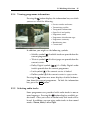
Some programmes are provided with subtitle tracks in one or
more languages. If the current programme provides subtitle
tracks, the subtitle symbol ( ) will be marked on the information box. Pressing the
button displays available subtitle
tracks. Once you select a subtitle track, it will be displayed.
5.2.7
Viewing teletext
On some services, such information as weather reports, news
or stock quotations is provided by means of teletext. If the current service provides teletext, the teletext symbol ( ) will be
displayed on the information box. Press the
button to view
teletext pages.
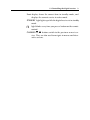
Select a page to view by entering its page number with the nu
meric buttons. You can zoom into a teletext page with the F3 button, and adjust its transparency level with the F4 button.
To clear the teletext screen, press the EXIT button.
5.3
Viewing electronic programme guide
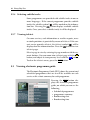
The Electronic Programme Guide (EPG) shows the current and
scheduled programmes that are or will be available on each
service with a short summary for each programme.
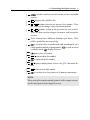
Pressing the EPG button displays the electronic programme
guide, on which you can see the
following:
•
•
•
•
Scheduled programmes
programme summary
Broadcasting date
Broadcasting time