1
Intermec 条码打印机免费服务热线:400-1166-021
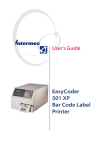
User’s Guide
EasyCoder
501 XP
Bar Code Label
Printer
Informationinthismanualissubjecttochangewithoutpriornoticeanddoesnotrepre
senta
commitmentonthepartofIntermecPrinterAB.
©CopyrightIntermecPrinterAB,2002.Allrightsreserved.PublishedinSweden.
EasyCoder,EasyLAN,Fingerprint,andLabelShopareregisteredtrademarksofInterm
ecTechnologiesCorp.ThewordIntermec,theIntermeclogo,InterDriver,PrintSet,andDurather
mare
trademarksofIntermecTechnologiesCorp.
CentronicsisaregisteredtrademarkofGenicomCorporation.
KimduraisaregisteredtrademarkofKimberlyClark.
MicrosoftisaregisteredtrademarkofMicrosoftCorporation.
TorxisaregisteredtrademarkofCamcarDivisionofTextronInc.
TrueDocisaregisteredtrademarkofBitstream,Inc.
TrueTypeisatrademarkofAppleComputerInc.
UnicodeisatrademarkofUnicodeInc.
WindowsisatrademarkofMicrosoftCorporation.
Preface
Contents
Preface
1. Introduction
2. Installation
3. Starting Up
4. Media Load
5.Thermal Transfer Printing
6. Setting Up the Printer
............................................................13
·
Power...........................................................................
.......13
·
Computer........................................................................
...13
ControlsandIndicators...........................................................
..14
·
ControlLamps....................................................................
14
·
Display.........................................................................
.......14
·
Keyboard........................................................................
.....14
·
Beeper..........................................................................
.......15
StartupFiles....................................................................
............16
MemoryCards.....................................................................
......17
SwitchingOnthePrinter...........................................................
18
DisplayMessagesatStartup.......................................................1
8
Intermec EasyCoder 501 XP – User’s Guide
Preface
Contents, cont.
6. Setting Up the Printer, cont.
·
·
·
·
0
-MediaSize......................................................................
...50
-MediaType......................................................................
.52
-PaperType......................................................................
...53
-Contrast.......................................................................
.....57
-Testfeed.......................................................................
......57
PrintDe
fi
7. Setup Mode
NavigatinginSetupMode..............................
...........................61
SetupModeOverviews.................................
.............................62
8.
Intermec
Shell
Startup
ProgramIntroduction...........................................................................
....67
StartingwithIntermecShell..........................
.............................68
IntermecShellv4.8Diagram...........................
..........................71
LineAnalyzer.......................................
.......................................72
9. Options
2
76
Intermec EasyCoder 501 XP – User’s Guide
Preface
Contents, cont.
9. Options, cont.
10.Troubleshooting
11. Maintenance
12. Adjustments
Appendix 1
Appendix 2
·
·
·
·
Appendix 3
·
·
·
·
·
·
·
Intermec EasyCoder 501 XP – User’s Guide
Preface
FCC Notice (United States of America)
WARNING
Thisequipmentgenerates,uses,andcanradiateradiofrequencyenergyandifnotinsta
lledand
usedinaccordancewiththeinstructionsmanual,maycauseinterferencetoradiocommu
nications.
IthasbeentestedandfoundtocomplywiththelimitsforaClassAcomputingdevicepursu
ant
toSubpartJofPart15ofFCCRules,whicharedesignedtoprovidereasonableprotection
against
suchinterferencewhenoperatedinacommercialenvironment.Operationofthisequipm
entin
aresidentialareaislikelytocauseinterferenceinwhichcasetheuserathisownexpen
sewillbe
requiredtotakewhatevermeasuresmayberequiredtocorrecttheinterference.
DOC Notice (Canada)
Canadian Dept. of Communication
REGULATIONS COMPLIANCE (DOC-A)
ThisdigitalapparatusdoesnotexceedtheclassAlimitsforradionoiseemissionsfrom
adigital
apparatusassetoutintheradiointerferenceregulationsoftheCanadianDepartmento
fCommunication.
Ministère des Communications du Canada
CONFORMITE DE REGLEMENTS (DOC-A)
Leprésentappareilnumériquen
’
émetpasdebruitsradio-électriquesdépassantleslimitesapplicables
auxappareilsnumériquesdeclasseAprescritesdanslerèglementsurbrouillageradio
électriqueédicté
parleMinistèredesCommunicationsduCanada.
Intermec EasyCoder 501 XP – User’s Guide
Preface
Declaration of Conformity (CE)
We,
Intermec Printer AB
Idrottsvägen 10
Box 123
S-431 22 Mölndal
Sweden
declareunderoursoleresponsibility1thattheproduct
EasyCoder 501 XP
towhichthisdeclarationrelatesisinconformitywiththefollowingstandar
ds
Electrical Safety: EN 60950
EMC Emissions: EN 50081-1:92
(EN 55022:94, EN 61000-3-2:95)
EMC Immunity: EN 50082-2:95
(EN 61000-4-2:95; EN 61000-4-3:96; ENV 50204:95;
EN 61000-4-4:95; EN 61000-4-6:96)
followingtheprovisionsofDirectives
89/336/EECand 73/23/EEC
Mölndal1998-09-01
.......................................................
............
MatsGunnarsson
President
1
printerishandled,modi
ed,orinstalledinothermannersthanthosedescribedin
Intermec’smanuals.
fi
Guide
Chapter 1
Introduction
EasyCoder 501 XP
6
glanguage,whichallows
theusertocreatecustom-madeapplicationprogramsandlabel
layoutsinaBASIC-likeenvironment.Itisalsodesignedto
workwiththeIntermecDirectProtocolprogramminglanguage
andwiththeIntermecInterDriver.TheInterDriverallowsyou
todesignlabelsusingstandardPCapplications,forexample
MicrosoftOffice.
TheEasyCoder501XPsupports15scaleableUnicodeTrueType
andTrueDocfontsasstandard.Additionalfontscanbedownloadedintotheprinter’sFlashmemory,orbepluggedinusing
amemorycard.TheUnicodestandardallowstheuseofspecial
charactersforvariouslanguagesincludingnon-Latinfonts,such
asCyrillic,Chinese,Japanese,Korean,Hebrew,andsimilar.
Intermec EasyCoder 501 XP – User’s Guide
Chapter 1 Introduction
Safety
Product Labeling
Intermecassumes
noresponsibilit
yregardingtheCE
Directiveif
theprinterishan
dled,modi
fi
ed,orinstalledi
nanywayother
thanthatdescrib
edinIntermec ’
smanuals.
Caution
·
Readthismanualc
arefullybeforec
onnectingthepri
nter.
·
Movingpartsaree
xposedwhenthesi
dedoorisopen,so
ensurethatthe
coversareclos
edbeforeyouop
eratetheprint
er.
·
Donotopenthefro
nt/left-handcov
er.Dangerousvol
tage!
·
Donotremovethel
eft-handcover.D
angerousvoltage
!
·Donotputyourfi
ngersinsidethep
rintmechanismwh
en
thepowerison.
·
Placetheprinter
onanevensurface
whichcansupport
its
weightofappro
ximately13kg(
29pounds)plus
suppliesand
possibleoptions.
·Donotspraytheprinterwithwater.Ifyouareusingahose
tocleanthepremisesinanindustrialenvironment,removethe
printerorprotectitcarefullyfromsprayandmoisture.
·Carefullyreadthewarningtextontheenvelopebeforeusing
acleaningcard.
containsinforma
tionontype,mode
l,andserialnumb
eraswellas
ACvoltage.Itals
ocontainsvariou
ssignsofapprova
l.
Themachinelabelisattachedtotheprinter’srearplateand
Intermec EasyCoder 501 XP – User’s Guide
7
Chapter 2
Installation
Unpacking
Hz.
European-type
230VACplug
Iftheprinterhasbeendamagedinanywayduringtransporta
tion,complaintothecarrierimmediately.
1
vary,orlabels/ribbonmaybe
omittedcompletely,dependingonareaofdistribution.
8
/.Typeandquantitymay
Chapter 2 Installation
Front View
Thefrontdooris
heldbyasnap-lo
ck.Openthefron
tdoorto
viewthevarious
partsontheprin
ter’sfront.
Control Lamps
Display Window
Keyboard
Connector for optional
paper cutter
(Not used in this printer model)
Print Unit
Front Door
RefertoChapter9
“
Options
forinformationonpossibleoptional
devicesfittedontheprinter’sfront.
”
Intermec
EasyCod
er
501
XP
–
User ’ s
Guide
9
Chapter 2 Installation
Rear
View
TherearplatecontainstheOn/Offswitch,theACpowercord
receptacle,andvariousinterfaceconnectorsandslots.
Provision for optional Interface Boards
Bar Code Wand Connector
On/Off Switch
Not used
AC Power Cord Receptacle
RS-232 Serial Interface Connector ("uart1:")
Upper External Media Intake
Centronics Parallel Interface
Memory Card Slot
Machine Label
Lower External Media Intake
Intermec EasyCoder 501 XP – User ’s Guide
10
Chapter 2 Installation
Media Compartment
Themediacompartmentbecomesaccessiblewhentheright-h
and
doorisopened.Thedoorisheldbyamagneticlockandcanbe
opened180
°,orberemovedcompletelybypushingitrearwards.
Ribbon Rewind Hub
Ribbon Supply Hub
Media Supply Hub
N
.
TE AR
va
t
o
s
e
gl y
pr
e
li fe
ns
h ig
th
s
r to p p
id e d
The e
prin
ty
of t y
of
en d e d / p r
q u a li q u a l i co m m e n
fo
r I re
only
Slack Absorber
RefertoChapter
9 “ Options ”
forinformation
onpossibleopti
onal
devicesfittedinsidetheprinter’smediacompartment.
Intermec EasyCoder 501 XP – User’s Guide
11
Chapter 2 Installation
Print
Unit
Theprintunitfeaturesahigh-performance12dots-per-mm
(≈300dots-per-inch)thermalprintheadwithquick-mountfittingstofacilitatereplacement.
Pressure Arm Locking Knob
Printhead Pressure
Adjustment Knob
Edge Guide
Pressure Arm
Thermal Printhead
Tear Bar
Upper Label Stop Sensor Guide
(removable)
Lower Label Stop Sensor Guide
(removable)
12
Chapter 2 Installation
Connections
Power
Computer
1Placethep
rinteronal
evelsurfac
enearanACo
utlet.You
shouldbe
abletoea
silyacce
ssthepri
ntertolo
admedia,
to
loadribb
on,andto
removeth
eprintou
t.
2Checkthat
theprinter
isswitched
off.
3Connectth
epowercord
totherecep
tacleonthe
rearplatea
nd
toanelec
tricalou
tlet(>90
to<264VA
C.)
TheEasycod
er501XPisfi
ttedwithon
e36-pinfem
aleCentron
icsconnect
orforthepa
rallelinte
rfaceporta
nda25-pinD
-style
subminiatu
re(DB-25)m
aleconnectorfortheRS-232serial
("auto:")c
interfaceport(seeAppendix3,“Interfaces”).
anbeselect
edinInterm
·CentronicsParallelInterface
UsetheparallelinterfacewiththeIntermecInterDriver(for ecShell(se
Windows)becauseitisfasterthantheserialinterface.There eChapter7)
orusingthe
is
IntermecFi
nocommunicationsetupfortheparallelinterface.
ngerprinti
·RS-232SerialInterface
nstruction
UsetheserialinterfacewithIntermecDirectProtocolor
SETSTDIO,s
IntermecFingerprintprogramminglanguagebecauseyoucan ee
receiveerrormessagesfromyourprinter(asopposedtothe
IntermecFi
parallelinterface.)Beforeyoucanusetheserialinterface, ngerprintv
you
7.61,Progr
mayneedtosetupthecommunicationparameters,suchas
ammer
’
baudrate,parityetc.asdescribedinChapter6,“SettingUp sReference
thePrinter.”
Manual.
·OptionalInterfaceBoard
Switchoffb
Severaltypesareavailable(seeChapter9, “ Options.) ”
othPCandpr
Refer
toAppendix3andtheseparatedocumentationdeliveredwith interbefor
theboardsforconnectionandsetupinstructions.
econnectin
gthemtoget
Theprintercanbesettoscanallcommunicationportsfor
incomingdataandautomaticallyswitchtothatport.Thisfacili her.
ty
Intermec EasyCoder 501 XP – User’s Guide
13
Chapter 2 Installation
Controls and Indicators
TheEasyCoder501XPhasseveralwaysofcommunicating
directlywithitsoperator:threecontrollamps,adisplay
window,
amembrane-switchkeyboardwith23programmablekeys,and
abeeper.
Ready
8
5
F2
,
Pri nt
Control
Lamps
Display
Keyboard
14
layedaccordingtotherequirementsofthe
application.
Thecontrollamps
arecoloredLEDs( Thekeyboardisofmembrane-switchtypeandhasaself-adhesive
LightEmittingDi overlaythateasilycanbereplacedforspecialapplications.It
odes)
has23keyswithhardcodedfunctionsinthestartupandsetup
andareusedforth modes.
efollowingpurpo InapplicationprogramscreatedusingtheIntermecFingerprint
ses:
programminglanguage,thekeyscanbeassignedtovarious
·
functions.Sinceonekeyworksasshiftkey,upto44different
Power(green)ind keycombinationsarepossible.Anaudiblesignal,whichcanbe
icatesthatthepo
turnedoff,acknowledgesthatakeyhasbeenpressed.
werison.
·
Intermec EasyCoder 501 XP – User’s Guide
Ready(green)ind
icatesthatthepr
interisreadyfor
use.
·
Error(red)indic
atesthatsomekin
doferrorhasoccu
rred.
Ifserialcommu
nicationisuse
d,anerrormess
agemaybe
returnedtothe
hostcomputer.
Thedisplaywindo
wcontainsanLCD(
LiquidCrystalDi
splay)
withbackgroundi
lluminationandt
wolinesoftext,e
achwith16
characters.Itgu
idestheoperator
throughthesetup
andindicates
possibleerrorsd
uringprinting.
TheIntermecFing
erprintprogramm
inglanguageandt
he
IntermecDirectP
rotocolallowcus
tom-mademessage
stobe
composedanddisp
Chapter 2 Installation
Controls and Indicators, cont.
Beeper
Thebeepern
oti
fi
estheopera
torwhenane
rrorhasocc
urred
andacknowl
edgesthata
keyhasbeen
pressed.Th
eIntermec
Fingerprin
tprogrammi
nglanguage
allowsthek
eyacknowle
dge
signaltobe
switchedof
f.Thefrequ
encyanddur
ationofthe
signalcanb
especi
fi
ed.Thus,it
ispossible
creatediff
erentsigna
ls
fordiffere
ntconditio
nsorevento
makethepri
nterplaysi
mple
melodies!
Intermec EasyCoder 501 XP – User’s Guide
15
Chapter 3
Starting Up
Startup Files
16
le(IntermecShell)intheread-onlypartofthe
printer’spermanentmemory(device"rom:").
Ifyouinsertamemorycardthatcontainsastartupfilebefore
youswitchontheprinter,thisstartupfilewillbeusedinstead
ofIntermecShell.
Intermec EasyCoder 501 XP – User’s Guide
Chapter 3 Starting Up
Memory Card
Ifyouwanttouse
amemorycard,yo
umustinsertiti
nto
theslotinthepr
inter
’
srearplatebefo
reyouswitchont
he
power.Thememor
ycardcanbeanSR
AMcardcomplyin
gwith
theJEIDA-4stan
dardoraFlashMe
morycardfromIn
termec.
Maximumsizeinb
othcasesis64Mb
it(8MB).Therea
rethree
typesofFlashMe
morycards:
·
FontCardsprovi
deadditionalfo
ntsthatcanbeus
edaslongas
thecardremai
nsinsertedin
theprinter.
·
FontInstallCar
dspermanentlyi
nstalladdition
alfontsin
theprinter,w
hichcanbeuse
devenafterth
ecardhasbeen
removed.
·
FirmwareCardsa
utomaticallyre
placetheprinte
r’sfirmware,
usuallywitha
nupdatedvers
ion.
Backsid
e
Important!
Alwaysswitchoffthepowerbeforeinsertingorremovinga
memory
card!Themanufacturer
’
slogotypeshouldfacerightwhenviewing
thecardasintheillustrationabove.
Intermec EasyCoder 501 XP – User’s Guide
17
Chapter 3 Starting Up
Switching On the Printer
Beforeswitchingontheprinter,makethenecessaryconnec
tions,
insertanymemorycardyouwanttouse,andcheckthatthe
Warning!
Duringstartup,anoptional
papercutterwillrotateto
homeposition.Alwayskeep
thecutterclosedwhenthe
powerison.
Display Messages at Startup
Whenthepowerisswitchedon,theprinterisinitialized.T
he
progressoftheinitializationisindicatedbyanincreasi
ngnumber
ofcolonsonthelowerlineinthedisplay:
Initializing
:::
Thetypeofstartup
fi
lerunningintheprinterisindicatedby
themessageshowninthedisplaywindowimmediatelyafter
initialization.
A. Intermec Shell Startup Program (standard printers)
ENTER=SHELL
5 sec. v.4.8
4 sec. v.4.8
3 sec. v.4.8
2 sec. v.4.8
1 sec. v.4.8
RefertoChapter8formoreinformationonIntermecShell.T
he
digitsinthelowerrightcornerofthedisplayindicatethe
version
ofIntermecShell.
B. Custom-Made Application Program (non-standard printers)
Anyotherdisplaymessagesthanthoseillustratedabovein
dicates
thattheprinterisrunningsomecustom-made,non-standar
d
applicationprogram,orthatsomeerrorhasoccurred.
18
Chapter 4
Media Load
Tear-Off (Straight-through)
TheEasyCoder501XPcanprintonlabels,tickets,tags,and
continuousstockinvariousforms.Thissectiondescribes
thecase
whenthemediaistornoffmanuallyagainsttheprinter ’
stearbar.
Thismethodisalsoknownas“straight-throughprinting.”
Usethe<Feed>key(seefigure#11)whenloadingthesame
typeofmedia.Whenswitchingtoanewtypeofmedia,orif
theprinterdoesnotfeedoutthemediaproperly,simultane
ously
pressthe<Shift>and<Feed>keystoperforma“testfeed.”
Tear-offcanbeusedfor:
·Non-adhesivecontinuousstock
·Self-adhesivecontinuousstockwithliner
·Self-adhesivelabelswithliner
·Ticketswithgaps,withorwithoutperforations
·Ticketswithblackmarks,withorwithoutperforations
Anoptionallabeltakensensorcanholdtheprintingofthen
ext
copyinthebatchuntilthepresentcopyhasbeenremoved,se
e
Chapter9,“Options.”
1
Openthefrontandright-handdoors.
2
Turntheprintheadliftleverto”Open”position.
19
Chapter 4 Media Load
Tear-Off, cont.
3
4a
mm
38-40
)
(1.5"
Removeanycorefromthemediasupp
4b
Fitanewrollofmediaonthemediasupp
5
mm
76
(3")
Routethemediaunderneaththeslacka
Incaseofmediarollwitha76mm(3-inc
20
Intermec EasyCoder 501 XP – User’s Guide
Chapter 4 Media Load
Tear-Off, cont.
6
7
Routethemediathroughtheprintunitandpushit
inwardsasfarasitwillgo.
Thisd
iagra
mshow
sthem
ediap
ath.
8
9
Turntheprintheadliftleverto“Closed”position.
Intermec EasyCoder 501 XP – User’s Guide
Adjustthep
ositionoft
hegreenedg
eguidesoth
e
mediaisguidedwithaminimumofplay.
21
Chapter 4 Media Load
Tear-Off, cont.
grabtheouteredgeandpull
downwards.
10
22
Clos
ethe
fron
tand
righ
t-ha
nddo
ors.
12
Totearoff
themedia,
11
Feed
PresstheFeedkey
toadvancethemed
iaandadjust
the
med
iaf
eed
.
Intermec
EasyCoder 501
XP – User ’ s
Guide
Chapter 4 Media Load
Cut-Off
1
TheEasyCoder50
1XPcanprintonl
abels,tickets,
tags,and
continuousstoc
kinvariousform
s.Thischapterd
escribesthecas
e
whenthemediais
automaticallyc
utoffafterprin
tingusingan
optionalpaperc
utter.
Usethe<Feed>ke
y(see
fi
gure#14)whenlo
adingthesamety
pe
ofmediaasbefor
e.Whenswitchin
gtoanewtypeofm
edia,orif
theprinterdoes
notfeedoutthem
ediaproperly,s
imultaneously
pressthe<Shift
>and<Feed>keys
toperforma
“testfeed.”
Cut-offcanbeus
edfor:
·
Non-adhesiveco
ntinuousstock
·
Self-adhesivel
abelswithliner
Notethatthec
uttermustnot
cutthroughth
elabels
–
onlythe
liner
–
ortheadhesivewillsticktothebladesandrenderthecutter
inoperableorevendamagethecutter’smotor!
·Ticketswithgapswithoutperforations
·Ticketswithmarkswithoutperforations
WARNING!
Therotatingcuttingbladecanbeaccidentlyactivatedwhenthe
cutterisopened.Toavoidanyriskofinjurytofingers,always
SwitchoffthepowerusingtheOn/Offswitchon
theprinter’srearplate.
Intermec EasyCoder 501 XP – User’s Guide
switchoffthepo
werbeforeloadi
ngmediaand/orr
ibbonina
cutter-equippe
dprinter.
2
Openthecutteru
nitandtheright
-handdoor.
Chapter 4 Media Load
Cut-Off, cont.
3
4
Turntheprintheadliftleverto ”
Removeanycorefromthemediasupp
5b
5a
mm
38-40
)
(1.5"
Fitanewrollofmediaonthemediasupp
24
mm
76
(3")
Incaseofmediarollwitha76mm(3-inc
Intermec EasyCoder 501 XP – User’s Guide
Chapter 4 Media Load
Cut-Off, cont.
6
7
Routethemediaunderneaththeslacka
8
Routethemediathroughtheprintunit
9
Thisdiagramshowsthemediapat
Turntheprintheadliftleverto
Intermec EasyCoder 501 XP – User’s Guide
25
Chapter 4 Media Load
Cut-Off, cont.
10
11
-O F F
T
rm a
PR
nsf
.
th
ea d
th e
li t y
fo r
of
me
er I re c
onl
AdjustthepositionofthegreenedgeguidesotheRoutethemediathroughthecutterbetw
eenthe
mediai
sguide
dwitha 13
minimu
mofpla
y.
12
-O F F
T
rm a
PR
rm a
tr
nsf
.
rm a
ea d
the
lit y
fo r
er
of
me
I re c
onl
ClosethecutterunitwhilepullingattheendoftheSwitchonthepowerusingtheOn/Offs
witchon
26
media.Closetheright-handdoor.
Chapter 4 Media Load
Cut-Off, cont.
14
Feed
PresstheFeedkeytoadvancethemediaandadjust
themediafeed.
Intermec EasyCoder 501 XP – User’s Guide
27
Chapter 4 Media Load
Peel-Off (Self-strip)
TheEasyCoder501XPcanprintonlabels,tickets,tags,and
continuousstockinvariousforms.Thischapterdescribes
the
casewhenprecutlabels
fi
ttedonliner(backingpaper)aretobe
separatedfromthelinerimmediatelyafterprinting.This
requires
anoptionalinternalliner/batchtakeupunit,onwhichthe
liner
iswoundupafterthelabelshavebeenprintedanddispensed
.
Thisisalsoknownas“Self-strip”operation.
Usethe<Feed>key(seefigure#15)whenloadingthesametype
ofmediaasbefore.Whenswitchingtoanewtypeofmedia,ori
f
theprinterdoesnotfeedoutthemediaproperly,simultane
ously
pressthe<Shift>and<Feed>keystoperforma“testfeed.”
Peel-offcanbeusedfor:
·Self-adhesivelabelsfittedonliner.
Anoptionallabeltakensensorcanholdtheprintingofnext
label
inabatchuntilthepresentlabelhasbeenremoved,seeChap
ter
9,“Options.”
1
28
Openthefrontand
right-handdoors
2
.
Turntheprintheadliftleverto”Open”position.
Intermec EasyCoder 501 XP – User’s Guide
Chapter 4 Media Load
Peel-Off, cont.
4
3
2.
1.
Removeanycorefromthemediasupp
Pulloutthegreenclip(1)ontheliner
takeuphub
5a
5b
mm
76
(3")
mm
38-40
(1.5")
Fitanewmediarollonthemediasupply
Incaseofmediarollwitha76mm(3-inc
Intermec EasyCoder 501 XP – User’s Guide
29
Chapter 4 Media Load
Peel-Off, cont.
6
7
Routethemediaunderneaththeslackabsorberand
forwardtowardstheprintunit.TheslackabsorberRoutethemediathroughtheprintuni
tandpushit
canberotatedforbetteraccess.
8
r
FF
TEA
PR
e
dt
use
the a
er m
ti n
Pulloutapproximately40cm(15inches)oflabelsRoutethelineraroundthetearbarand
backunder
andremovethelabelsfromtheliner.
30
Chapter 4 Media Load
Peel-Off, cont.
10
11
1
Thisdiagramshowsthepathsofthelab
12
Turntheprintheadliftleverto
13
Adjustthepositionofthegreenedgeg
Intermec EasyCoder 501 XP – User’s Guide
31
Chapter 4 Media Load
Peel-Off, cont.
14
Closethefrontandright-handdoors.
32
Chapter 4 Media Load
Internal Batch Takeup
TheEasyCoder501XPcanprintonlabels,tickets,tags,and
continuousstockinvariousforms.Thischapterdescribes
the
casewhenprintedlabels
fi
ttedonliner(backingpaper)orpreperforatedticketsandtagsarewoundupinsidetheprinter.
The
rollofprintedlabels,tickets,ortagscanthenberemoved
andbe
handledmanually.Thisrequiresanoptionalinternalline
r/batch
takeupunit.
Thetakeuphubcanaccommodate1/4to1/3ofafull-sizemedia
roll.
Usethe<Feed>key(seefigure#16)whenloadingthesametype
ofmediaasbefore.Whenswitchingtoanewtypeofmedia,ori
f
theprinterdoesnotfeedoutthemediaproperly,simultane
ously
pressthe<Shift>and<Feed>keystoperforma“testfeed.”
Internalbatchtakeupcanbeusedfor:
·Self-adhesivelabelsfittedonliner
·Preperforatedticketswithgaps
·Preperforatedticketswithmarks
1
Open
thef
ront
andr
ight
-han
ddoo
rs.
Intermec
EasyCoder
501 XP –
User ’ s
Guide
2
Turntheprintheadliftleverto“Open”position.
33
Chapter 4 Media Load
Internal Batch Takeup, cont.
3
Removea
nycoref
romthem
ediasup
plyhub.
4
Loosenthesinglescrewthatholdstheguideplateat
therearofthemediacompartment.
6a
5
mm
(1.5"
RemovethetearbarfromtheprintunitandreplaceFitanewmediarollonthemediasupply
huband
pushtherollinwardsasfarasitwillgo.
34
Intermec EasyCoder 501 XP – User’s Guide
itwiththeguideplat
e.
Chapter 4 Media Load
Internal Batch Takeup, cont.
7
6b
m
76 m
(3
)
"
Routethemediaunderneaththeslackabsorber
and
Incaseofmediarollwitha76mm(3-inch)core,forwardtowardstheprintunit.Theslack
absorber
firstfitanadapteronthemediasupplyhub.
canberotatedfo
rbetteraccess.
8
9
40
cm
Routethemediathroughtheprintunitandpushit
inwardsasfarasitwillgo.Pulloutapproximately40cm(15inches)oflabels.
Intermec EasyCoder 501 XP – User’s Guide
35
Chapter 4 Media Load
Internal Batch Takeup, cont.
10
11
2.
1.
-OFF
T
r ri b
l
d th
Th e
prin
of
th o f
p r en d /
d /p r o v
RoutethelabelsaroundtheguideplateandbackWindupsomeofthemediaonthetakeuphub
and
undertheprintunittothetakeuphub.
12
Thisdiagramshowsthemediapath.
36
Chapter 4 Media Load
Internal Batch Takeup, cont.
15
14
-OF F
s,
rm a
rm a
.
rm a l
o t h er
d ia
tr a a n d
a
ds
to
e
ea d
th e
li t y o f
fo r er
onl
me
I re c
AdjustthepositionofthegreenedgeguidesotheClosetheright-handdoorbutkeepthef
open
rontdoor
.
mediaisguidedwithaminimumofplay.
16
Feed
PresstheFeedkeytoadvancethemediaandadjust
themediafeed.
Intermec EasyCoder 501 XP – User’s Guide
37
Chapter 4 Media Load
External Supply (Fan-fold)
Thischapterdescribesthecasewhenanexternalmediasupp
ly
isused,forexampleastackoffan-foldticketsoranextern
al
mediaroll.
Itispossibletosimplyletthemediaentertheprinterthro
ugh
eitherofthetwoslotsintherearplate.However,werecomm
end
to
fi
ttheoptionalIntermecFan-FoldKit,whichprovidesbette
r
guidanceofthemediausingadjustableguides.Thekitcanb
e
fittedtoeithertheupperorthelowerslotintherearplate.
Whenusinganexternalmediasupply,takecaretoprotectth
e
mediafromdust,dirt,andotherforeignparticles,thatca
nimpair
theprintoutqualityorcauseunneccessaryweartotheprin
thead.
Dependingonbrandandquality,alldirectthermalmediaar
e
moreorlesssensitivetoheat,directsunlight,moisture,
oil,
plasticizers,fat,andothersubstances.Protectitaccor
dingly.
Externalsupplycanbeusedfor:
·Tear-offoperation
·Cut-offoperation
·Peel-offoperation(upperslotonly)
·Internalbatchtakeupoperation
1
2
Usetheupperslotintherearplatewhenthesupply
isatthesamelevelastheprinterandwhenusingUsethelowerslotintherearplatewhent
hesupply
peel-offoperation.
38
Chapter 4 Media Load
External Supply, cont.
3
Asanoption,theprintercanbe
4
fi
5
Fitthefanfoldguideintheupperslot
Theouterguideisadjustableformedi
6
Fitthefanfoldguideinthelowerslot
Intermec EasyCoder 501 XP – User’s Guide
39
Chapter 5
Thermal Transfer Printing
Ribbon Load
1
Openthefrontandright-handdoors.
Chapter 5 Thermal Transfer Printing
Ribbon Load, cont.
3
4
Incaseofribbonreload,removeanyus
5a
UnpackarolloforiginalIntermecthe
5b
88 – 90 mm
60 mm
(3.5")
(2.3")
#2
#1
Incaseofribbonupto60mm(2.3inches
Incaseof88to90mm(3.5inches)ribbo
)wide,
compresstheribbonsupplybobbinand
nwidth,
Intermec EasyCoder 501 XP – User’s Guide
41
Chapter 5 Thermal Transfer Printing
Ribbon Load, cont.
5c
110 mm
2.
-O
u
s
t
e
h
T
e
h
f
o
p
IM
#3
Incaseof110mm(4.3inches)ribbonwidth,Presstheribbonrollontotheribbonsupplyb
obbin
compresstheribbonsupplybobbinandmoveitsoit(1)androutetheribbonthroughthepr
intunit.Pull
snapsintothe3:rdgroove.
7
Pressthecardboardcoreatthefrontendofthe
ribbon
Withoutreleasingtheribbon,turntheprintheadliftontotherewindhub.Duringprint
ing,bothhubs
leverto“Closed”positiontolocktheribbon.
42
Chapter 5 Thermal Transfer Printing
Ribbon Load, cont.
9
10
Windupther
ibbonuntil
Turntheprintheadliftleverto “ Open ” allofthetr
ansparent
position.
leaderhasp
assedthepr
intheadand
11
theribbon
b
e
c
o
m
e
s
t
i
g
h
t
.
Turntheprintheadliftleverto “ Closed ”
position.
Intermec EasyCoder 501 XP – User’s Guide
12
Closethefrontandright-handdoors.
43
Chapter 6
Setting Up the Printer
Description
44
etersremotely
fromthehost.
SeetheIntermecFingerprintv7.61manuals.
· Intermec Direct Protocol
-Usesetupstringstochangeindividualsetupparameters
remotelyfromthehost.
SeetheIntermecDirectProtocolmanuals.
Intermec EasyCoder 501 XP – User’s Guide
Chapter 6 Setting Up the Printer
Default Setup
Theprinter
’
sdefaultsetupislistedb
elow:
Ser-Com "uart1:"
Baudrate....................
............................
....
Characterlength.............
...........................
.
Parity......................
............................
........
Stopbits....................
............................
.....
RTS/CTS.....................
............................
..
ENQ/ACK.....................
...........................
XON/XOFF,datatohost.........
.................
XON/XOFF,datafromhost.......
..............
Newline.....................
............................
....
Receivebuffer...............
............................
..
Transmitbuffer..............
...........................
.
Feedadjust:
Startadjust.................
............................
.....
Stopadjust..................
............................
.....
Media:
X-start.....................
............................
........
Width.......................
............................
......
.................
9600bps
Mediatype...................8bits
............................None
..
1bit
Papertype...................Disable
............................Disable
....
Disable
Ribbonconstant..............Disable
........................... CR/LF
Ribbonfactor................300bytes
............................300bytes
.
Labeloffset.................0
............................0
....
Lowdiameter.................
........................... 36
1244
.
Contrast....................1800
............................Label(wGaps)
Thermaltransfer
.....
90
Print Defines:
25
Printspeed..................0
............................36
....
±0%
150mm/sec.
Reading the Current Setup
Theprinter
’
scurrentsetupvaluescanbereadfromtheprinter’s
displaywindowbybrowsingthroughtheSetupMode.
Youcanlisttheprinter
’
scurrentsetupvaluesbyprintingtestlabel
#5intheSetupModeorbyusingIntermecShell.
Thecurrentsetupvaluescanbesenttothehostviathe
standardserialcommunicationchannelusingaSETUP
WRITE
"uart1:"statement(seeIntermecFingerprintv7.61,Prog
rammer’sReferenceManual).
Intermec EasyCoder 501 XP – User’s Guide
45
Chapter 6 Setting Up the Printer
Setup Parameters
TheserialcommunicationparameterscontrolthecommunicaSerial
Communica tionbetweentheprinterandtheconnectedcomputerorother
devicesonthestandardserialport"uart1:"andtheoptional
tion
· Baud Rate serialports"uart2:"and"uart3:".Theoptionalportsrequire
anoptionalinterfaceboard.Theprinter’sfirmwaredetectsifan
· Character interfaceboardisinstalledintheprinterandpresentsadditional
Length
setsofcommunicationsetupmenusdependingontypeofcom· Parity
munication(refertodiagrams3-5inChapter7,“SetupMode”).
· Stop Bits Theserialcommunicationparametershavenoeffectonparallelcom·
Flow munications,onEthernetcommunications,orontheINandOUT
portsontheoptionalIndustrialInterfaceBoard.
Control
· New Line Fortheserialcommunicationchannel"uart1",thefollowing
· Receive parameterscanbeset.Makesuretheymatchthesetupofthe
connecteddeviceorviceversa.Ifthesetupoftheprinterandthe
Buffer
· Transmit setupofthehostdonotmatch,theresponsefromtheprinter
tohostwillbegarbled.
Buffer
Baud Rate
Thebaudrateisthetransmissionspeedinbitspersecond.There
are9options:
300
600
1200
2400
4800
9600
·19200
·38400
·57600
46
Intermec EasyCoder 501 XP – User’s Guide
Chapter 6 Setting Up the Printer
Setup Parameters, cont.
Serial Communication, cont. Character Length
Thecharacterlengthspeci
fi
esthenumberofbitsthatwilldefine
acharacter.Eightbitsarerecommended,becausethatopti
on
allowsmorespecialcharactersandcharactersspeci
fi
cforforeign
languagestobeused.RefertotheIntermecFingerprintv7.
61,
Programmer
’
sReferenceManualforinformationonwhichcharactersareavailableinvariouscombinationsofcharacterle
ngthand
characterset.
·7
CharactersASCII000to12
·8
7decimal
CharactersASCII000to25
5decimal(default)
Parity
Theparitydecideshowthe
rmwarewillcheckfortransmission
errors.Therearefiveoptions:
·
None(default)
·
Even
·
Odd
·
Mark
·
Space
fi
Stop Bits
Thenumberofstopbitsspecifieshowmanybitswilldefinethe
endofacharacter.Therearetwooptions:
·1
(default)
·2
Flow Control
·RTS/CTS
RTS/CTSisaprotocolwherethecommunicationiscontrolledbycurrentsthroughseparatelinesinthecableb
eingset
eithertohighorlow.Bydefault,thisoptionisdisabled
.
RTShighindicatesthatthetransmittingunitisabletor
eceive
characters.RTSlowindicatesthatthereceivebufferis
filledto
75%(seeXON/XOFF).
CTShighindicatesthattheunittransmittingtheCTSsig
nal
isreadytoreceivedata.CTSlowindicatesthattherecei
ve
bufferisfull(seeXON/XOFF).Insomecomputerprograms
,
forexampleMSWindowsTerminal,RTS/CTSisdesignated
“Hardware.”
Intermec EasyCoder 501 XP – User’s Guide
47
Chapter 6 Setting Up the Printer
Setup Parameters, cont.
Serial Communication, cont.·ENQ/ACK
Inthisprotocol,thecommunicationiscontrolledbythe
controlcharactersENQ(ASCII05dec.)andACK(ASCII06
dec.)beingtransmittedonthesamelineasthedata.Thes
endingunittransmitsENQatregularintervals.Iftherespo
nse
ACKisnotreceived,thetransmissionisheldupawaiting
anACKcharacterfromthereceivingunit.Bydefault,ENQ
/
ACKisdisabled.
·XON/XOFF
Inthisprotocol,thecommunicationiscontrolledbythe
controlcharactersXON(ASCII17dec.)andXOFF(ASCII
19dec.)beingtransmittedonthesamelineasthedata.XO
N/
XOFFcanbeenabled/disabledseparatelyfordatareceiv
ed
fromthehostbytheprinter(printersendsXON/XOFF)and
fordatatransmittedtothehostfromtheprinter(hostse
nds
XON/XOFF).
XOFFissentfromtheprinterwhenitsreceivebufferis
filledto75%,andthetransmissionfromthehostisheld,
waitingforanXONcharacter.Whenenoughdatahavebeen
processedsothereceivebufferis
fi
lledonlyto50%,theprinter
sendsanXONcharacterandthehostresumestransmitting
data.ThesameprinciplesapplytoXON/XOFFsentbythe
host,evenifthepercentagefiguremaydiffer.
Bydefault,XON/XOFFisdisabledfordatabothways.
New Line
Selectsthecharacter(s)transmittedfromtheprintertos
pecifythe
switchingtoanewline.Therearethreeoptions:
LF
·CR
ASCII13dec.+ASC t)
II10dec.(defaul ASCII10dec.
ASCII13dec.
Receive Buffer
Thereceivebufferstorestheinputdatareceivedontheser
ial
channelbeforeprocessing.Defaultsizeis300bytes.
Transmit Buffer
Thetransmitbufferstorestheoutputdatatobetransmitte
don
theserialchannelbeforetransmission.Defaultsizeis30
0bytes.
48
Intermec EasyCoder 501 XP – User’s Guide
Chapter 6 Setting Up the Printer
Setup Parameters, cont.
Feedadjust
· Startadjust
· Stopadjust
Recommended Feed Adjustments
Thefollowingsettingsallow
printingfromthetopofthe
label.Minordeviationsfrom
therecommendedvaluesmay
berequiredduetovarious
combinationsofmediatypes,
rollsize,typeofmediasupply
device,andindividualdifferencesbetweenprinters.
Tear-Off:
Startadjust:-175dots
Stopadjust:0dots
Cut between labels:
Startadjust:-441dots
Stopadjust:270dots
Cut variable length strip:
Startadjust:-441dots
Stopadjust:375dots
Peel-Off:
Startadjust:-115dots
Stopadjust:-60dots
TheFeedadj
ustpartoft
heSetupMod
econtrolsh
owmuchof
themediais
fedoutorpu
lledbackbe
foreand/or
aftertheac
tual
printing.T
hesesettin
gsaregloba
landwillbe
effectedre
gardless
ofwhichpro
gramisrun.
Notethatth
e
fi
rmwareuses
thefronted
gesoflabel
sw.gaps,th
eends
ofdetectio
nslots,and
theforward
edgesofbla
ckmarksfor
detection,
allseeninr
elationtot
hefeeddire
ction.
Start Adjust
TheStartAd
justvaluei
sgivenasap
ositiveorn
egativenum
ber
ofdots(1dot=0.125mm=4.9mils).Defaultvalueis0,w
feedafte
hich
rtheprin
placestheoriginacertaindistancebackfromtheforw
tingisco
ardedge
mpletedw
ofthecopy.
illbeinc
· Apositivestartadjustmentmeansthatthespeci fi reasedby
edlength
the
ofmediawillbefedoutbeforetheprintingstarts.T speci fi
hus,the
edvalue.
originismovedfurtherbackfromtheforwardedgeof ·
the
Anegatives
copy.
topadjustm
· Anegativestartadjustmentmeansthatthespeci fi entmeansth
edlengthof
atthenorma
mediawillbepulledbackbeforetheprintingstarts.lmedia
Thus,the
feedafte
originismovedtowardstheforwardedgeofthecopy. rtheprin
tingisco
mpletedw
Stop Adjust
TheStopAdjustvalueisgivenasapositiveornegative
illbedec
number
reasedby
ofdots(1dot=0.125mm=4.9mils).Defaultvalueis0,
the
whichstopsthemediafeedinapositionsuitableforte
speci fi
aroff
edvalue.
operation.
·
Apositivestopadjustmentmeansthatthenormalmedia
Intermec EasyCoder 501 XP – User’s Guide49
Chapter 6 Setting Up the Printer
Setup Parameters, cont.
Media
·
Media
Size
·
Media
Type
·
Paper
Type
· Testfeed
· Contrast
50
vesamaximumprintwidthof1280dots
Themediaparamet (106.6mm/4.2inches).
erstellthe
fi
rmwarethecharac ByincreasingthevaluefortheX-startparameter,theoriginwill
bemovedoutwards,awayfromtheinneredgeofthemediapath.
teristicsof
themediathatwil Inotherwords,thelargerX-startvalue,thewiderinnermargin
lbeused,sothepr andthelessavailableprintwidth.
intoutwillbepos Width
itioned
Specifiesthewidthoftheprintableareainnumberofdotsfrom
correctlyandget theorigin.Thus,thesumoftheX-startandwidthvaluesgives
thebestqualityp theoutermarginoftheprintablearea.Thewidthshouldbe
ossible.
settopreventprintingoutsidethemedia,whichmayharmthe
printhead.
Media Size
Thesizeofthepri Length
ntableareaisde fi Specifiesthelengthoftheprintableareainnumberofdotsfrom
nedbythreeparam theoriginalongtheY-coordinateandallocatesmemoryspacefor
twoidenticalimagebuffersintheprinter’stemporarymemory.
eters;
X-Start,Width,a Thesizeofeachbuffercanbecalculatedusingthisformula:
ndLength.
Buffer size (bits) = [Print length in dots] x [Printhead width in dots]
Notethatthetemporarymemoryhasotherfunctionsthatalsorequire
X-Start
Speci
fi somememoryspace.Toobtainalongerprintarea,thememorycan
beincreasedbyfittingalargerDRAMSIMMontheprinter’sCPU
esthepositionof
theoriginalongt boardasdescribedintheServiceManual.
hedotsontheprin
thead.
Bydefault,X-sta
rtis36dots,whic
hplacestheinner
marginofthe
printarea3mm(0.
118inches)fromt
heinneredgeofth
emedia
andgivesamaximu
mprintwidthof12
44dots(103.7mm/
4.1
inches).Thispre
ventsprintingou
tsidelabelswhen
thelineris
slightlywiderth
anthelabels.
Ifyouwanttouset
heentiremediawi
dth,resettheX-s
tart
valueto0whichgi
Intermec EasyCoder 501 XP – User ’s Guide
Chapter 6 Setting Up the Printer
Setup Parameters, cont.
Media, cont.
Length,con
t.
·
Thelengths
etupalsode
cidestheam
ountofmedi
afeedwhen
using“fi
xlengths
trip.”
·
Thelengths
etupcreate
sanemergen
cystop,whi
chworks
whenthep
rinteris
setupfor
“Label(
wgaps)”
,
“Ticket
(w
mark)”
,o
r
“Ticket
(wgaps).
”
Ifthelab
elstopse
nsor(LSS)
has
notdetec
tedagapo
rmarkwit
hin150%o
fthesetl
ength,
themedia
feedisau
tomatica
llystopp
edtoavoi
dfeeding
outa
wholerollofmedia,becauseofanLSSmalfunction.
BysettinguptheX-start,theWidth,andtheLength,yo
u
willcreateaprintwindowinsidewhichtheprintingca
nbeperformed.Anyobjector
fi
eldextendingoutsidetheprintwindow
inanydirectionwilleitherbeclippedorcauseanerro
rcondition
(Error1003
“Fieldoutoflabel”),seeIntermecFingerprintv7.6
1,
Programmer’sReferenceManual.
13.4 mm (0.52 in)
max. 106.6 mm (4.2 in)
Length
PRINT
WINDO
W
Origin
Dot-line
on printhead
X-start
Dot #0
Width (1-1280)
FDot #127
E
E
D
DIRECTIO
N
25-120
(1-4.7 in)
Intermec EasyCoder 501 XP – User’s Guide
mm
51
Chapter 6 Setting Up the Printer
Setup Parameters, cont.
Media,
cont.
Media Type
TheMediaTypeparameterscontrolhowthelabelstopsensor
(LSS)andthemediafeedwork.Therearefivemediatype
options:
·Label(wgaps)isusedforadhesivelabelsmountedonliner.
·Ticket(wmark)isusedforlabels,tickets,orcontinuousstock
providedwithblackmarksattheback.
·Ticket(wgaps)isusedforticketsandtagswithdetection
slits.
·Fixlengthstripisusedforcontinuousstockwherethelength
oftheprintwindowdecidesthelengthofmediatobefedout.
·Varlengthstripisusedforcontinuousstockandadds115
dotsofmediafeedafterthelastprintabledot(mayevenbea
blankspacecharacterora“whitedot”inanimageorcharacter
cell)toallowthemediatobeproperlytornoff.
Itisimportanttoselectthecorrectmediatype,sotheprintercan
indicatepossibleerrors.Twoerrorconditionsmayoccur:
·Error1005“Outofpaper”indicatesthatthelastorderedcopy
couldnotbeprintedbecauseofanemptymediastock.
·Error1031“Nextlabelnotfound”indicatesthatthelast
orderedlabelorticketwassuccessfullyprinted,butnomore
labels/ticketscanbeprintedbecauseofanemptymediastock.
Intermec EasyCoder 501 XP – User ’s Guide
52
Chapter 6 Setting Up the Printer
Setup Parameters, cont.
Media, cont.
Paper Type
ThePaperTy
peparamete
rscontrolt
heheatemit
tedfromthe
printheadt
othedirect
thermalmed
iaorthetra
nsferribbo
nin
ordertopro
ducethedot
sthatmakeu
ptheprinto
utimage.St
art
bychoosing
betweentwo
alternativ
es:
·
ThermalTra
nsferprint
ing(defaul
t)
·
DirectTher
malprintin
g(option)
Yourchoice
willdecide
whichparam
eterstoent
ernext:
ThermalTra
nsferPrint
ing(option
)
Thisoption
containsfo
urparamete
rs:
·RibbonConstant (range50to
·RibbonFactor
115)
·LabelOffset
(range10to
50)
(range-50t
o50)
DirectThermalPrinting
Thisoptioncontainstwoparameters:
·LabelConstant (range50to
·LabelFactor
115)
(range10to
50)
Intermec EasyCoder 501 XP – User’s Guide
53
Chapter 6 Setting Up the Printer
Setup Parameters, cont.
ThermalTransferPrinting
KeeptheRibbonFactorforeachribbontypeattherecommendedvalue.DecreaseorincreasetheRibbonConstantfor
lighterordarkerimagesrespectively.Foranewlabelmaterial,
startwithanaverageRibbonConstantvaluefortheribbon
qualityinquestion.
Media,
cont.
DirectThermalPrinting
Intermecrecommendsthatyouusethepapertypeandprint
speedsettingslistedbelowtoproducethehighestpossibleprint
qualityundernormalconditionsandtoensuremaximumlifetimeoftheprinthead.LabelmaterialsareavailablefromIntermec
eitherinstandardtypesandsizes,orinspecialmaterialsandsizes.
Whenadjustingtheimagedarknessforindividualrequirements
ornewlabelmaterials,keeptheLabelFactorattherecommended
valueforthetypeofdirectthermalmedia.Decreaseorincrease
theLabelConstantforlighterordarkerimagesrespectively,
dependingontherequirementsoftheimagesorofthenewlabel
material.
BarCodeDirections
Inthetablesonthepagesthatfollow,differentmaximumprint
Bar
speedsmayberecommendeddependingonthedirectionof
Code possiblebarcodesintheprintout.Generally,ladderstylebar
Directi
codesaremoredemandingandmayrequirealowerprintspeed,
ons
especiallyinconnectionwithalargemediarolland/ornegative
startadjustvalues(see“PrintSpeed”laterinthischapter).The
Pick
et
Fen
ce
illustrationtotheleftshowshowthetwotypeofbarcode
directionsrelatetothemediafeeddirection.
Ladder
Feed
Direction
54
Intermec
EasyCoder
501
XP – User ’ s
Guide
Chapter 6 Setting Up the Printer
Setup Parameters, cont.
Media, cont.
Direct Thermal Printing (Europe)
DT Type/
Speed
Top Coated/
Standard
Non Top Coated/
Standard
Media
Designation
Thermal Top Board3
Thermal Top
Thermal Eco
Thermal Eco Board3
Label
Constant
100
95
85
80
Top Coated/High Thermal Top High Speed 80
30
250
Receiving
Material
TTR Uncoated
TTR Coated
TTR Premium
TTR Coated
TTR Premium
TTR Premium Board3
TTR Polyethylene
TTR Coated
TTR Premium
TTR Premium Board3
TTR Polyethylene
TTR Gloss Polyethylene
TTR High Gloss Polyester
Ribbon
Constant
80
80
70
100
90
105
85
100
90
105
85
90
100
Thermal Transfer Printing (Europe)
Ribbon
Type
GP02
HP07
HP66
HR03
200
200
200
1
(+59°F),decreaseprintspeedby100mm/sec.
2
3
Intermec EasyCoder 501 XP – User’s Guide55
/.Exceedingtherecommendedprintspeedmaycausetheprintheadtowearoutprematurely.Iftheambienttemperatureislowerthan
/.Alsoappliestoprintingoftext,images,lines,andbox
es.
/.Requireshighprintheadpressure(seeChapter12
“Adjustments,PrintheadPressure”).
Chapter 6 Setting Up the Printer
Setup Parameters, cont.
Media, cont.
Direct Thermal Printing (North America)
DT Type/
Speed
Top Coated/
Standard
Top Coated/
High
Media
Designation
Duratherm II Tag3
Duratherm II
Duratherm Ltg
Duratherm IR
Thermal Transfer Printing (North America)
Ribbon
Type
Receiving
Material
TMX 1500
Duratran I
Duratran VG
Duratran II
Duratran II Tag
65
65
TMX 2500
Duratran II
Duratran II Tag
mdura
300
300
TMX 3200
60
Polyester
1
tureislowerthan+15°C(+59°F),decreaseprintspeedby100mm/sec.
2
3
56
Intermec EasyCoder 501 XP – User’s Guide
/.Exceedingtherecommendedprintspeedmaycausetheprintheadtowearoutprematurely.Iftheambien
/.Alsoappliestoprintingoftext,images,lines,andbo
xes.
/.Requireshighprintheadpressure(seeChapter12
“Adjustments,PrintheadPressure”),
Chapter 6 Setting Up the Printer
Setup Parameters, cont.
Media, cont.
Print Defines
· Head Resistance
· Testprint
· Print Speed
Contrast
Usethecont
rastparame
tertomakem
inoradjust
mentsofthe
blacknessi
ntheprinto
ut,forexam
pletoadapt
theprinter
to
variations
inqualityb
etweendiff
erentbatch
esofthesam
emedia.
11optionsa
redisplaye
dinanendle
ssloopfrom
-10%to+10%
.
Defaultval
ueis0%.The
contrastis
resettothe
default(±
0)
wheneveran
ewpapertyp
eisspeci fi
ed,regardl
esswhichme
thod
hasbeenuse
d.
Testfeed
Thesensiti
vityofthel
abelstopse
nsor(LSS)m
ayneedtobe
adjustedwh
enswitchingfromonetypeofmediatoanother.
maybeprint
Thisisespeciallythecasewhenusingadhesivelabels edifthepri
sincethe
nteris
fi
transparencyoftheliner(backingpaper)mayvary.Ad ttedanopti
justing
onalinterf
theLSSentailsfeedingoutanumberofblankcopiesunt ace
il
board).Tes
the
fi tlabel#6is
rmwarehasdecidedthepropersettingfortheLSS.At onlyprinte
thesametime,thefrontedgesofthelabels,tickets,e diftheprin
tc.are
terhasanop
detectedsothefeedcontrolcanpositionthemediaacc tional
ording
EasyLAN100
totheFeedadjustparameter(sameastheIntermecFing iinterface
erprint
board.Test
statementTESTFEED).Thecomparatorandampli
fi labels#1to
ervaluesof
#5areillus
theLSSaredisplayed(read-onlyinformation).
trated
onthenextp
age.Ifthep
rinterrefu
Head Resistance
Theprintheadresistanceismeasuredautomaticallya sestoprint
tstartup
atestlabel,
(read-onlyinformation).
press
the<F3>key
to
fi
Testprint
Testlabel#1to#4checktheprintoutqualityandfacil ndoutwhati
itate
swrong,for
adjustmentoftheprintheadpressure,seeChapter12, examplepri
“Adjustnthead
ments.
”
Testlabel#5liststheprinter
’ liftedorou
scurrentsetup(extralabels
t-ofpaper.
Intermec EasyCoder 501 XP – User’s Guide57
Chapter 6 Setting Up the Printer
Setup Parameters, cont.
Print Defines, cont.
1109 ohms/12 dots
Test Label #1
CODE39
1 23 45 67 890 12 8
Test Label #3
Test Label #5
58
CODE39
CODE39
UART1
9600-8-N
RTS/CTS
DISABLE -1
ENQ/ACK
DISABLE
XON/XOFF
DATA TO HOST
DISABLE
DATA FROM HOST
DISABLE
NEW LINE
CR/LF
REC BUF
300
TRANS BUF
300
PRINT CONFIG
STARTADJ
0
STOPADJ
0
XSTART
36
WIDTH
1244
LENGTH
1800
MEDIA TYPE
LABEL (w GAPS)
PAPER TYPE
TRANSFER
LABEL CONSTANT
100
LABEL FACTOR
40
RIBBON CONSTANT
100
RIBBON FACTOR
25
LABEL OFFSET
0
CONTRAST
+0%
TESTFEED
12 3
HEAD RESIST
1164
PRINT SPEED
150
Odometer [km]
0
Model
501XP
Hardware version
1.1
Ram 4096 ( k)
Fos
0+0+2048
(k)
External 0
(k)
FIRMWARE
Fingerprint
7.40
MCS0857
xx-xxx-00 xx:xx:xx
m3k
slav0738 01-Apr-97 12:3:56
[0]
slav0738 01-Apr-97 12:3:56
[1]
Intermec
EasyCoder
501
XP – User ’ s
Guide
Chapter 6 Setting Up the Printer
Setup Parameters, cont.
Print Defines, cont.
Print Speed
Theprintsp
eedisvaria
blebetween
100and300m
m/sec.
Generally,
thelowerth
espeed,the
betterthep
rintoutqua
lity.
Thisisespe
ciallytrue
whenprinti
ngbarcodes
withthebar
s
runningacr
ossthemedi
apath(“lad
derstyle”
),
whenprinti
ng
ondemandin
gfacemater
ials,andwh
enprinting
atlowambie
nt
temperatur
es.Referto
thetablesu
nder
“ Media ”
earlierint
his
chapterfor
maximumpri
ntspeedval
ues.Thedef
aultsettin
gis
150mm/sec.
(
≈
6inches/se
c.).
Intermec EasyCoder 501 XP – User’s Guide59
Chapter 7
Setup Mode
Entering Setup Mode at Installation
ThemethodofenteringtheSetupModedependsonwhichstart
up
fi
lesarestoredintheprinter
’
smemory,asubjectthatwasmore
thoroughlydiscussedinChapter3,“StartingUp.”
EasyCoder 501 XP with Intermec Shell
·Switchonthepower.
·
Whenthedisplayshowsthemessage
“Enter=Shell;xsec...”,
press<Enter>.
·Press<Setup>(thisfacilitycanbeusedanywherewithin
IntermecShell).
·Setuptheprinterasdescribedinthischapter.
·ReturntoIntermecShellbypressing<Setup>.
EasyCoder 501 XP with a custom-made application program
·Normally,thereisnoneedtoentertheSetupModefor
custom-madeapplicationprograms.Necessaryprovisio
nsfor
changingthesetup,manuallyorautomatically,shouldb
e
providedbytheprogram.
Intermec EasyCoder 501 XP – User’s Guide
Chapter 7 Setup Mode
Navigating in Setup Mode
Whilegoingthroughthesetupprocedure,youareguidedbyt
exts
intheprinter
’
sdisplay.Youcannavigatebetweensetupmenus,
acknowledgedisplayedvalues,selectortypenewvalues,e
tc.by
usingthekeysontheprinter’skeyboard.
Note!
AnexternalkeyboardcannotbeusedinsidetheSetupMode.
1
thischapter.
61
Moveonemenut
otheleftonth
Moveonemenutotherightonthes
ame
Displayerrormessageattestla
belprintingfailure.
Moveuponelevelorscrollbacki
nastack
Movedownonelevelorscrollfor
wardin
-
1
Enternumericvalues.
Specifynegativevalues(leadi
ngposition).
Clearerroneouslyenteredvalu
es.
Acknowledgeandmovetonextmen
u.
PerformtestfeedsintheTestfe
edmenu.
ExittheSetupMode.
CanbeusedanywhereinSetupMod
/. “ Left ” , “
right ” , “ up ” ,and “ down
refertotheoverviewslaterin
Chapter 7 Setup Mode
Setup Mode Overview, Part 1
(Intermec Fingerprint v7.61)
SETUP:
SER-COM,UART1
SETUP:
SER-COM,UART2
SETUP:
SER-COM,UART3
SETUP:
NET-COM,NET1
4800
SER-COM,UART1:
CHAR LENGTH
SER-COM,UART1:
PARITY
SER-COM,UART1:
STOP BITS
SER-COM,UART1:
FLOWCONTROL
FLOWCONTROL:
XON/XOFF
SER-COM,UART1:
NEW LINE
CR
SER-COM,UART1:
REC BUF
SER-COM,UART1:
TRANS BUF
DSETUP:
ETECTION:
FEEDADJ
62
Chapter 7 Setup Mode
Setup Mode Overview, Part 2
(Intermec Fingerprint v7.61)
Continued from previous page!
SETUP:
MEDIA
TICKET (w MARK)
TICKET (w GAPS)
FIX LENGTH STRIP
VAR LENGTH STRIP
MEDIA:
PAPER TYPE
MEDIA:
CONTRAST
+2%
+4%
+6%
+8% MEDIA TYPE:
+10%
-10%
-8%
-6%
-4%
-2%
MEDIA:
TESTFEED
SETUP:
PRINT DEFS
SETUP:
NETWORK
See Overview Part 5
· Press <Setup> to exit the Setup Mode.
Intermec EasyCoder 501 XP – User’s Guide
Chapter 7 Setup Mode
Setup Mode Overview, Part 3
(Intermec Fingerprint v7.61)
If an optional Double Serial or Industrial Interface Board is installed in the printer, additional menus will be displayed
(in case of Double Serial Interface Board, also see Overview Part 4):
SETUP:
SER-COM,UART2
SETUP:
SER-COM,UART3
SER-COM,UART2:
PROT ADDR
SER-COM,UART2:
CHAR LENGTH
SER-COM,UART2:
PARITY
SER-COM,UART2:
STOP BITS
SER-COM,UART2:
FLOWCONTROL
ENABLE
FLOWCONTROL:
XON/XOFF
SER-COM,UART2:
NEW LINE
CR
SER-COM,UART2:
REC BUF
64
Chapter 7 Setup Mode
Setup Mode Overview, Part 4
(Intermec Fingerprint v7.61)
If an optional Double Serial Interface Board is installed in the printer, additional menus will be displayed:
SETUP:
SER-COM,UART3
SER-COM,UART3:
FLOWCONTROL
· 20 mA CURRENT LOOP
FLOWCONTROL:
ENQ/ACK
FLOWCONTROL:
XON/XOFF
SER-COM,UART3:
NEW LINE
CR
SER-COM,UART3:
REC BUF
SER-COM,UART3:
TRANS BUF
SER-COM,UART3:
CONNECTED HW
Intermec EasyCoder 501 XP – User’s Guide
Chapter 7 Setup Mode
Setup Mode Overview, Part 5
(Intermec Fingerprint v7.61)
If an optional an EasyLAN 100i interface board is installed in the printer, additional menus will be displayed.
SETUP:
SER-COM, UART1
SETUP:
NET-COM, NET1
SETUP:
FEEDADJ
SETUP:
MEDIA
SETUP:
PRINTDEFS
SETUP:
NETWORK
· Press <Setup> to exit the Setup Mode.
66
Se
t
Read
Read
Guide
Chapter 8
Intermec Shell Startup Program
Introduction
·IntermecLabelShop
·IntermecWindowsDriver
·IntermecFingerprint
·IntermecDirectProtocol
·LINE_AXP.PRG
·Otherapplicationprogramsintheprinter’smemory..
Aprerequisiteisthattheprogramisprovidedwiththeex
tension
“.PRG”.However,someoriginalIntermecutilityprogr
amsare
excludedaslongastheyremainstoredin"rom:":
-ERRHAND.PRG
-FILELIST.PRG
-LBLSHTXT.PRG
-MKAUTO.PRG
-SHELLXP.PRG
-WINXP.PRG
Other Facilities
·SetupMode
·PrintSetup
·Testfeed
·TestLabel
·Defaultsetup
·UpdatePCcard
·Reboot
IntermecShellisfactory-installedintheprinter
’
spermanent
memory(device"rom:").Ifyouinsertamemorycardwithan
other
startup
fi
lebeforeyouswitchontheprinter,orifthereisastartup
fi
lestoredintheprinter
’
spermanentmemory(device"c:"),this
startup
fi
lewillbeusedinsteadofIntermecShell(seeChapter3,
“StartupFiles”).
Intermec EasyCoder 501 XP – User’s Guide
Chapter 8 Intermec Shell Startup Progra
m
Starting with Intermec Shell
Afewsecondsafteryouhaveswitchedonthepowertotheprin
terand
theinitializationiscompleted,thecountdownmenuofthe
Intermec
Shellprogramwillbedisplayed:
ENTER=SHELL
5 sec. v.4.8
Nowyouhave5secondstoenterIntermecShellbypressing<E
nter>.
Thelowerlinetellsyouhowmuchtimeyouhaveleft.Shouldt
he
timerunoutbeforeyouhavetakenanyactiontoenterInterm
ec
Shell,thelastselectedapplicationinIntermecShellwil
lbeopened.If
youusethesameapplicationallthetime,youwillonlyneed
toswitch
onthepower,oncetheapplicationhasbeenselected.
Ifnootherapplicationhasyetbeenselected,thecurrentv
ersion
ofIntermecFingerprintwillbeopenedwiththestandardRS
-232
port"uart1:"selectedasstdI/Ochannel(seeIntermecFin
gerprint
manuals).Whenthecountdowniscompleted,youwillseethe
selines
inthedisplay:
FINGERPRINT
7.61
Ifyouwanttoselectanotherapplication,justcyclethepo
werand
enterIntermecShellbeforethecountdowniscompleted.
WhenyouentertheIntermecShellfromthecountdownmenus,
the
SelectApplicationmenuwillbedisplayed:
SHELL
SEL. APPLICATION
Inthismenu,youcanchoosebetweentwooptions:
·
Press<Enter>togotomenuswhereyoucanselectanapplicat
ion
program.
·Press<F5>togototheFacilitiespartofIntermecShell.
68
Chapter 8 Intermec Shell Startup Program
Starting with Intermec Shell, cont.
Select Application
1
is started, it may automatically
change the communication
setup. For example, Intermec
LabelShop changes the setup
to the following values:
Baud rate:
57600
Char. length: 8
Parity:
None
Stopbits:
1
RTS/CTS:
Enable
ENQ/ACK:
Disable
XON/XOFF: Disable
New line:
CR/LF
Receive buffer: 600
Transmit buffer: 600
Ifanotherapplicationisselected
later,thiscommunicationsetup
willremainvalid,unlessthenew
application includes instructionsthatautomaticallychange
the setup. The setup could also
be changed manually in the
Setup Mode.
runtheIntermecInterDriver.Thisoptionrequiresthatyou
alsoselectastandardIN/OUTchannel,whichisthechannel
youwanttouseforcommunicationbetweentheprinterand
thecomputer.Normally,youselect"uart1:".Refertothe
IntermecFingerprintmanuals.
·DirectProtocolisaneasy-to-useprinterprotocolfordownloadinglabelformatsandvariableinputdatatoaprinterfrom
ahostcomputer.Thisoptionrequiresthatyoualsoselecta
standardIN/OUTchannel,thatistheserialchannelyouwant
touseforcommunicationbetweentheprinterandthehost.
Normally,youselect"uart1:".RefertotheIntermecDirect
Protocolv7.xxmanual.
·LINE-ALY.PRG(LineAnalyzer)isaFingerprintprogram
Intermec
EasyCoder 501 XP – User’s Guide
/.Whenanapplicationprogram
Chapter 8 Intermec Shell Startup Progra
m
Starting with Intermec Shell, cont.
Select Other Facilities
·SetupallowsyoutoentertheSetupModewhereyoucanset
uptheprinterbymeansofitsbuilt-inkeyboard,seeChap
ter
7,“SetupMode.”
·
PrintSetupallowsyoutoproduceaprintoutoftheprinter’
s
currentsetupvalues(testlabel#5).
·Testfeedallowsyoutofeedoutanumberoflabel,ticket,
tag,orportionsofcontinuousstockwhiletheprinterau
toadjustsitsmediafeedandlabelstop/blackmarksensor.
Itis
recommendedtoperformaTestfeedeachtimeyouloadarol
l
oflabelsfromanewbatchoradifferentbrand.
·
TestLabelallowsyoutoprintaseriesoffourtestlabels(t
est
labels#1to#4)inordertotesttheprintoutqualityand
printheadalignment.Thelabelsarepresentedinanin fi
nite
loop,soyoucanprinttheseriesoverandoveragain.Pres
s
<Enter>foreachnewlabel.
·DefaultSetupallowsyoutoresetallsetupparametersto
theirdefaultvalues,aslistedinChapter6,
“SettingUpthe
Printer.”
·SoftwareUpdateisusedfortwopurposes:
-UpdatePCcardallowstheprintertobeusedasaFlash
PCcardprogrammingdevice.UsingtheZmodemcommunicationtool,filescanbedownloadedfromaPCto
aFlashPCcard1insertedinthememorycardslotinthe
printer’srearplate.
Caution!IftheFlashPCcardcontainsanearlier
fi
rmware
versionthantheoneintheprinter,theprinter ’ s fi
rmwarewill
bedowngradedwithoutwarning.
-Updatefirmwareisusedtoupgradetheprinter’sfirmware
fromanewfirmwareversionstoredasafileinaPC.
·
Reboothasthesameeffectascyclingthepowertotheprinte
r.
ToexitIntermecShellwithouthavingselectedanyappli
cation,selectReboot.Thenwaitforthe5secondscountdow
nto
finish,andthelastselectedapplicationwillbeopened.
1
byIntermeccanbeused.
70
/.OnlyFlashPCcardsapproved
Chapter 8 Intermec Shell Startup Program
Intermec Shell v4.8 Diagram
POWER ON
is fitted.
ENTER=SHELL
3 sec.
2 sec.
ENTER=SHELL
1 sec.
Last selected
application is started
Default:
Fingerprint 7.61 w. std I/O = "uart1:"
CENTRONICS
Legend:
STD I/O CHANNEL
Return to previous menu.
Proceed to next menu.
Accept displayed option
and proceed, or
execute displayed option.
Perform a Testfeed
anywhere in Intermec Shell.
Enter the Setup Mode
from anywhere
in Intermec Shell.
SHELL
DEFAULT SETUP
SHELL
SOFTWARE UPDATE
SHELL
REBOOT
Restarts the printer (same as power off/on)
Intermec EasyCoder 501 XP – User’s Guide
The selected application is started
ENTER=SHELL
Chapter 8 Intermec Shell Startup Progra
Line Analyzer
72
m
efollowingmenuisdisplayed:
Line Analyzer
Sel.port(1-5) 1
Enterthedesiredcommunicationportusingthenumerickeyson
theprinter’skeyboard:
1="uart1:"
2="uart2:"
3="uart3:"
4="centronics:"
5="net1:"
Iftheprinterisnotfittedwiththespecifiedport,anerrormessage
appearsinthedisplayandyoucanselectanotherport:
Line Analyzer
Error:56
Intermec EasyCoder 501 XP – User’s Guide
Chapter 8 Intermec Shell Startup Program
youhavesentasstringtotheprinter,youcaneither
iton
memory("temp:").
Returning the string
Selecttheportonwhichyouwanttoreturnthestringas
describedonthepreviouspage.Thensimultaneouslypress
<Shift>and<F5>ontheprinter’sfrontpanel.
Saving the string
Simultaneouslypress<Shift>and<F4>ontheprinter’s
frontpanel.Thedatawillbesavedondevice"temp:"as
"linedump.txt".Anyexistingfilewiththesamenamewillbe
overwritten.Max.filesizeis64K.
Toreachthe
fi
le,breaktheprogramusing<Shift>and<Pause>.
ThensendtheinstructionFILES "tmp:"tocheckthatthe
fi
lehasbeenstoredin"temp:"withthe
fi
lename"linedump.txt".
Thefilecanbesenttothehostorbecopiedto"c:"forlater
analyzing.
73
Line Analyzer, cont.Onceanycommunicationchannelorsaveitintheprinter’sreturn
Chapter 9
Options
Introduction
tothebasicprinter,theEasyCoder501XPcanbeadaptedfor
avarietyofapplications.Mostoptionscaneasilybeinsta
lled
bytheoperator,howeverafewshouldbeinstalledbyanauth
orizedservicetechnicianorareonlyavailableasfactoryinstalled
options.
Belowisadescriptionofsomeofthemanyoptionsavailable
for
EasyCoder501XP.
Fan Fold Guides
3-inch Adapter
(included)
Ribbon Low Sensor
Media Roll
Retainer
Label Taken
Sensor
nc
in v
ma
a ls
gin
ha
.
er
rm
tra
use
the
fo r
he a d
rm a l
ty
of
Paper Cutter
Edge Guide
o ft y
p er
on
I re
in g
tr a
v id
en d e d / p
bo
a
da
s en
li e s
in t h e t h er e p r i n t
re
us
74
Chapter 9 Options
Liner/Batch Takeup Kit
Paper Cutter
Warnings!
The cutting edge will rotate
when the power is switched
on and when the printer is
re-booted. Always keep the
cutter in closed position
during operation.
Switch off the power or
disconnect the cutter before
cleaning. Keep your fingers
away from cutting parts!
Itmustnotcutthroughanyadhesive,whichwouldsticktothe
cuttingpartsandrapidlyrenderthecutterinoperable–possibly
alsocausingdamagetotheelectricmotor.Maximumthickness
fornormalpaper-basedmaterialsis175µm(≈175grammes/m2).
Thepapercutterincreasestheprinter’stotalweightbyapprox.
1.0kgs(2.2pounds)anditslengthby28mm(1.1inches.)
Thepapercuttercanbetiltedforwardinordertofacilitate
cleaningandmediaload.Formedialoadinstructions,seesection
“Cut-Off”inChapter4,“MediaLoad.”
ThecutterisactivatedbyCUTorCUTONinstructions,see
theIntermecFingerprintv7.xxmanuals.Therotatingedgewillcut
throughthemediaapprox.37mm(1.5inches)infrontofthe
Intermec EasyCoder 501 XP – User’s Guide
Chapter 9 Options
Fan Fold Guides
Media Roll Retainer
Edge Guide
3-inch Adapter
Label Taken Sensor
76
Illustrationsofhowtoloadthemediausingtheadaptercanbe
foundinChapter4,“MediaLoad.”
TheLabelTakenSensor(LTS)isaphotoelectricsensorfittedto
thecentersectioninsidethefrontdoor.Itallowstheprinter’s
firmwaretodetectifthelatestprintedlabel,ticket,tagetc.has
beenremovedbeforeprintinganothercopy.
Thelabeltakensensorisusuallyfactory-fitted,butisalsoavailableasakitforinstallationbyanauthorizedservicetechnician.It
cannotbefittedincombinationwithapapercutter.
TheLTScanbeenabledordisabledbymeansoftheinstructionsLTS&ONandLTS&OFFrespectivelyinIntermec
FingerprintandtheIntermecDirectProtocol.
Intermec EasyCoder 501 XP – User’s Guide
Chapter 9 Options
Ribbon Low Sensor
Interface Boards
Intermec EasyCoder 501 XP – User’s Guide
Chapter 10
Troubleshooting
Symptom
Overall weak printout
Printout weaker on one side
Weak spots
Overall dark printout
Excessive bleeding
Dark lines along media path
White lines along media path
Large part of dot line missing
Printout missing along inner edge
Transfer ribbon breaks
Transfer ribbon wrinkles
No thermal transfer printout
White parts at transfer printing
Transfer ribbon wrinkles
78
Possible Cause
Wrong Paper Type parameter
Contrast value too low
Printhead pressure too low
Worn printhead
Wrong printhead voltage
Uneven printhead pressure
Foreign particles on media
Media/ribbon don’t match
Poor media or ribbon quality
Worn printhead
Worn platen roller
Wrong Paper Type parameter
Contrast value too high
Printhead pressure too high
Wrong printhead voltage
Wrong Paper Type
Contrast value too high
Printhead pressure too high
Faulty energy control
Foreign objects on printhead
Printhead dirty
Missing dots on printhead
Wrong X-start or Width parameter
Failing printhead
Failing strobe signal
Remedy
Change parameter
Change parameter
Adjust
Replace printhead
Replace CPU board
Adjust arm alignment
Clean or replace
Change to matching media
Use Intermec media/ribbon
Replace printhead
Check/replace
Change parameter
Change parameter
Adjust
Replace CPU board
Change parameter
Change parameter
Adjust
Replace CPU board
Clean printhead
Clean printhead
Replace printhead
Change parameter
Replace printhead
Check CPU-board
Bad media alignment
X-start parameter value too low
Ribbon not fitted correctly
Wrong paper type parameter (too much
energy)
Ribbon supply hub stuck
Bad energy control
Faulty ribbon break shaft adjustment
Incorrect edge guide adjustment
Too strong printhead pressure
Ink-coated side does not face media
Transfer ribbon wrinkled
Incorrect edge guide adjustment
Ribbon obstructed by printhead cable
Too strong printhead pressure
Ribbon supply hub not centered
Faulty ribbon assist roller adjustment
Adjust
Increase
Reload ribbon
Change parameter,
then clean printhead
Adjust
Check CPU board
Adjust
Adjust
Adjust
Reload ribbon
Adjust
Adjust
Clear
Adjust
Adjust
Adjust
Refer to
Chapter 6
Chapter 6
Chapter 12
Chapter 11
¤
Call
Service
Chapter 12
Chapters 4 &
5
Chapter 6
Appendix 2
Chapter 11
Chapter 6
Chapter 6
Chapter 12
¤
Call
Service 6
Chapter
Chapter 6
Chapter 12
¤
Call
Service
Chapter 11
Chapter 11
Chapter 11
Chapter 6
Chapter 11
¤
Call
Service
Chapter 4
Chapter 6
Chapter 5
Chapter 6
Chapter 12
¤
Call
Service
¤
Chapter Call
12
Chapter 4
Chapter 12
Chapter 5
See below
Chapter 4
n.a.
Chapter 12
Chapter 5
¤
Call
Service
Chapter 11
Maintenance
Printhead Cleaning
Cleaningtheprintheadonaregularbasisisimportantfort
he
lifeoftheprintheadandfortheprintoutquality.Youshou
ld
cleantheprintheadeachtimeyoureplacethemedia.Thisse
ction
describeshowtocleantheprintheadusingcleaningcards.
If
additionalcleaningisrequired,forexampleremovingadh
esive
residuefromtheplatenrollerortearbar,useacottonswab
moistenedwithisopropylalcohol.
Warning!
Isopropylalcohol[(CH3)2CHOH;CAS67-63-0]isahighly fl
ammable,moderatelytoxic,andmildlyirritatingsubstanc
e.
1
1
Turntheprintheadliftleverto“Open”position.
79
Chapter 11 Maintenance
Printhead Cleaning, cont.
4
3
MA
Removeanymediaandtransferribbon.
5
1.
(1")
1.
InsertmostofthecleaningcardundertheprintheadPulloutthecleaningcard(1)andra
isetheprinthead
(1).Closetheprinthead(2).
80
Chapter 11 Maintenance
Printhead Cleaning, cont.
7
8
1.
2.
(1")
Waitforapprox.30secondstoallowthecleaningInsertmostofthecleaningcardundert
heprinthead
fl
uidtodissol
vetheresidu 10
9
e.
(1")
Pulloutthecleaningcard.Ifnecessary,repeattheAllowthecleanedpartstodrybefor
eloadingany
processwithafreshcleaningcard.
media(andri
bbon).
Intermec EasyCoder 501 XP – User’s Guide
81
Chapter 11 Maintenance
External Cleaning
1
Alwaysre
movethep
owercord
beforecl
eaning!
2
Wipeexternalsurfaceswithasoftclothslightly
moistenedwithwateroramilddetergent.
4
3
Neverspraytheprinter.ProtectitfromwaterwhenNeveruseanysharptoolsforremovin
gstucklabels.
cleaningthepremi Theprintheadandrollersaredelicate.
ses.
Intermec EasyCoder 501 XP – User’s Guide
Chapter 11 Maintenance
Cleaning the Media Guides
Thelabelstopsensor,whichcontrolsthemediafeed,ispar
tially
enclosedbytwoblackplasticguides.Theguidesareprovid
ed
withtransparentwindows,throughwhichthelightbetween
the
twopartsofthelabelstopsensoristransmitted.Thesewin
dows
mustbekeptcleanfromdust,stucklabels,andadhesiveres
idue.
Iftheprinterstartstofeedoutlabelsinanunexpectedway
,
removethesetwoguidesasdescribedbelowandcheckforany
thingthatmayblockthebeamoflight.Ifnecessary,cleant
hem
usingacleaningcardorasoftclothsoakedwithisopropyl
alcohol.Donotuseanyothertypeofchemicals.Becarefuln
ot
toscratchthewindows.
Warning!
Isopropylalcohol[(CH3)2CHOH;CAS67-63-0]isahighly fl
ammable,moderatelytoxic,andmildlyirritatingsubstanc
e.
1
Pul
lth
eup
per
gui
des
tra
igh
tou
t.
Intermec
EasyCoder
501 XP –
User’s Guide
2
Pressthesnap-lock,lifttheouterendofthelower
guideandpullitout.Aftercleaning,reassemble
inreverseorder.
83
Chapter 11 Maintenance
Printhead Replacement
Theprintheadissubjecttowearbothfromthethermaltrans
fer
ribbonorthedirectthermalmediaandfromtherapidheatin
g
andcoolingprocessduringprinting.Thus,theprintheadw
ill
requireperiodicreplacement.
Timebetweenprintheadreplacementsdependsontheprint
images,thetypeofdirectthermalmediaorthermaltransfe
r
ribboninuse,theamountofenergytotheprinthead,thepri
nt
speed,theambienttemperature,andseveralotherfactors
.
Caution!
Whilereplacingtheprinthead,thepowershouldbeof
f.
84
1
Openthefrontandr
ight-handdoors.
2
Turntheprintheadliftleverto“Open”position.
Intermec EasyCoder 501 XP – User’s Guide
Chapter 11 Maintenance
Printhead Replacement, cont.
4
3
-O
F
RTA
r
m
hemagnet
5
Removetheme
diaandtrans
ferribbon. 6
Disconnectthehookedprintheadbracket
fi
ngersDisconnectthetwocablesfromtheprinthead.Note
fromtheshaftandpullouttheprintheadasfarthesnap-lockontheouterconnector.Pul
latthe
asthecablesallow.
connectors
–
notatthecab
les!
Intermec EasyCoder 501 XP – User’s Guide
85
Chapter 11 Maintenance
Printhead Replacement, cont.
7
8
Connectthetwocablestothereplacem
9
10
Closetheprintheadsothemagnetenga
86
Fitthehooksoftheprintheadbracket
Loadanewsupplyofmediaandribbon,a
Intermec EasyCoder 501 XP – User’s Guide
Chapter 12
Adjustments
Narrow Media
adjustthepressurearmsoitbecomescenteredonthemedia.
Thereby,anevenpressureacrossthemediaisobtained.
Apoorlyadjustedpressurearmmaybedetectedbyaweaker
printoutoneithersideofthemediapath.
Toadjustthepressurearm,proceedasfollows:
·Removetheribbon,ifany.
·Loosentheknobthatholdsthepressurearm.Movethearm
inwardsoroutwardsuntilthearrowonthetipofthearm
becomescenteredwiththemediastock.
Whilemovingthearm,pushatthepartwheretheknobis
situated,notatthetip.Ifthearmishardtomove,liftth
e
printheadandpulltheprintheadbracketfreefromthema
gnet
inthearm.
·
Afterhavingcenteredthearm,lockitbytighteningthekno
b.
·Reloadtheribbon,ifany.
Knob
Pressure Arm
Center of Media
87
Chapter 12 Adjustments
Printhead Pressure
Thepressureofthethermalprintheadagainsttheribbonor
direct
thermalmediaisfactoryadjusted.However,theuseofthic
keror
thinnermediathannormalcouldrequiretheprintheadpres
sure
tobereadjusted.
Turntheadjustmentknobclockwiseforincreasedpressure,
or
counterclockwiseforlesspressure.Printafewlabels,pr
eferably
testlabels(seeChapter6,
“SettingUpthePrinter”),andcheck
theprintout.Increasedpressuregenerallygivesadarker
printout
andviceversa.Repeatuntilthedesiredresultisobtained
.
To
fi
ndthebasicsetting,turntheknobcounterclockwiseuntil
thereisnopressureleft.Testwithapieceofmediaunderth
e
printhead.Youshouldbeabletopullitoutwithoutmoretha
n
justalittleresistance.Thenturntheknobthreetofourfu
llturns
clockwise.Fine-adjustusingthetrial-and-errormethod
.
Caution!
Donotuseahigherprintheadpressurethannecessary,bec
auseit
mayincreasethewearoftheprintheadandshortenitslife
.
Knob
88
Chapter 12 Adjustments
Label Stop Sensor
orblackmarksincontinuousstock,dependingontheprinte
r’s
setupinregardofmediatype(seeChapter6,
“SettingUpthe
Printer”).TheLSSshouldbealignedwiththegaps,slots,o
rblack
marks.Ifusingirregularlyshapedlabels,aligntheLSSwi
ththe
fronttipsofthelabels.
Thelabelstop/blackmarksensor(LSS)canbemovedlateral
ly
withinarangeof0to50mm(0to1.96inches)fromtheinner
edgeofthemediapath.Thereisascrewrunningthroughthe
outerlowergable.Turningthescrewclockwisewillmoveth
e
LSSinwardsandviceversa.ThepositionoftheLSSinrelati
on
tothemediaisbestcheckedbylookingheadonintotheprint
unitwhentheprintheadisraised.Alignthecenterpointof
the
V-shapeduppersensorwiththecenteroftheslotsormarkst
o
bedetected.
Thelinearmarkingsonthelowerguideplatecanalsobeused
forpositioningoftheLSSbecausetheyarespacedwithan
intervalofexactly1cm(0.39inches.)Thismethodisespec
ially
usefulforblackmarks(measurethelateralpositionofthe
black
markswitharulerbeforeloadingthemedia.)
Upper part of LSS
Detection Slots
Adjustment Screw
Upperpartofprintunitremovedtoimprovevisibilit
y.
Intermec EasyCoder 501 XP – User’s Guide
Appendix 1
Technical Data
Printing
PrintTechnique
Printhead Resolution
Print Speed (variable)
PrintWidth (max)
MediaWidth (min/max)
Print Length (max)
Media Roll Diameter (max)
Media Roll Core Diameter
RibbonWidth
Ribbon Length (max)
Print Directions
Modes of Operation
Tear-Off (Straight-through)
Peel-Off (Self-strip)
Internal BatchTakeup
Cut-Off
Firmware
Operating System
Smooth Fonts
Built-in scalable fonts (std)
Built-in bar code symbologies (std)
Startup Program (std)
Physical Measures
Dimensions (W x L x H)
Weight (excluding media and options)
Ambient OperatingTemperature
Humidity
Electronics
Microprocessor
On-board Flash SIMMs
On-board DRAM SIMM
Real-Time Clock
Power Supply
ACVoltage
PFC Regulation
Maximum Power Consumption
90
ThermalTransfer and DirectThermal
12 dots/mm (304.8 dpi)
100 to 300 mm/sec.(≈ 4 to 12 inches/sec.)
106.6 mm (4.20 inches)
25 to 120 mm (1 to 4.72 inches)
1
32767 dots = 2,730 mm(107.5 inches)
205 mm (8 inches)
38 to 40 mm (1.5 inches) or 76 mm (3 inches)
25 to 110 mm (1 to 4.33 inches)
450 metres (1,475 ft)
4
Yes
Optional
Optional
Optional
Intermec Fingerprint v7.61
TrueDoc andTrueType fonts
15
38
Intermec Shell v4.8
With liner takeup unit
With liner takeup unit
With paper cutter
Incl.Direct Protocol
2
Unicode fonts
275 x 480 x 238 mm (10.8 x 18.9 x 9.4 inches)
13 kg (28.7 pounds)
+5°C to +40°C (+41°F to +104°F)
20 to 80% non-condensing
32 bit RISC
3 sockets for 2 or 4MB each
2 sockets for 4 – 32 MB
Yes
>90 to <264VAC,45 to 65 Hz
IEC 61000-3-2
Continuous 175W;Peek ≈ 400W
Std.1 x 2MB
Std.1 x 4MB
10+ years life
Appendix 1 Technical Data
Technical Data, cont.
Sensors
Label Gap/Black Mark/Out of Media
Yes
Out of ribbon
Yes
Printhead Lifted
Yes
Ribbon Low
Option
LabelTaken
Option
Controls
Control Lamps
3
Display
2 x 16 character LCD with background light
Keyboard
23 keys membrane-switch type
Beeper
Yes
Data Interfaces
Serial
1 x RS-232
Parallel
1 x Centronics
Bar CodeWand
Yes
Electronic Keys
2
Not used
Connection for Optional Interface Boards
1–2
Memory Card Adapter
1
Flash or SRAM cards
Accessories and Options
Automatic Paper Cutter
Option
Liner/BatchTakeup Unit
Option
Factory-installed only
Label Roll Retainer
Option
Fan-Fold Guides
Option
For external supplies
RS-232 Cable
Option
Parallel Interface Cable
Option
Parallel Interface Board
Option
IEEE 1284
Double Serial Interface Board
Option
Industrial/Serial Interface Board
Option
EasyLAN 100i Interface Board
Option
Ethernet
Industrial Interface Board
Option
External Alphanumeric Keyboard
Option
MobileLAN®access 2102 Mounting Kit
Option
Flash Memory Cards
Option
≤ 64Mbit (8MB)
1
/.Themax.printlengthisalsorestrictedbytheamountoffreeDRAMmemory.
2
/.Latin,Greek,andCyrillicfontsaccordingtoUnicodestandardareincluded.
Intermec EasyCoder 501 XP – User’s Guide
Appendix 2
Media Specifications
Direct Thermal Media
Intermecofferstwoqualitygradesofdirectthermalmedia
for
theEasyCoderprinters:
·PremiumQuality:Top-coatedmediawithhighdemandson
printoutqualityandresistanceagainstmoisture,plas
ticisers,
andvegetableoils.Examples:
-ThermalTopBoard-DurathermII,
-ThermalTop-DurathermIITag
-ThermalTopHighSpeed-DurathermLtg.
-DurathermIR
·
EconomyQuality:Nontop-coatedmediawithlessresistanc
e
tomoisture,plasticisers,andvegetableoils.Inallot
her
respects,itisequaltoPremiumQuality.Examples:
-ThermalEco
-ThermalEcoBoard
Intermec EasyCoder 501 XP – User’s Guide
Appendix 2 Media Specifications
Thermal Transfer Media
Intermecoffersstocklabelsforthermaltransferprintin
gina
widerangeofqualitygrades.
·
Uncoatedpapersforeconomicalhigh-volumeprintingtobe
usedwithGP/TMX1500ribbons.Examples:
-TTRUncoated
·Coatedpaperswithvariouscoat-weight,smoothness,and
glosstobeusedwithHP/TMX2500andGP/TMX1500
ribbons.Examples:
-TTRCoated-DuratranII
-TTRPremium-DuratranIITag
-TTRPremiumBoard
·
Polyethyleneplasticswithbetterresistancetowaterand
many
commonchemicalsthanuncoatedandcoatedpapers.They
canbeuseoutdoorsandoffergoodtearresistance.Mosto
ften
usedwithHP/TMX2500ribbons.Examples:
-TTRPolyethylene-Kimdura
-TTRGlossPolyethylene-KimduraTag
-Syntran
·Polyestersgivehighresistancetochemicals,heat,and
mechanicalabrasionwithHR/TMX3200ribbons.Examples
:
-TTRHighGlossPolyester-Polyester
93
Appendix 2 Media Specifications
Media Roll Size
Roll Diameter:
205 mm (8 in.)
Labels
Core
Diameters:
Width:
Themediamustbewounduponthecoreinsuchaway
thattheprintercanpulltheendfree.
Roll
Max.diameter:
Max.width:
Min.width:
ches)
(4.72inches)
Themaximumrecommendedmediathicknessis175µm(0.007
inches).Thickermediamaybeused,butprintqualitywillb
e
reduced.Thestiffnessisalsoimportantandmustbebalanc
ed
againstthicknesstomaintainprintquality.
Mediarollstobeloadedinsidetheprintershouldbewoundw
ith
theprintablesidefacingoutwards.
Co ameter:
Themediasupplymustnotbeexposedtodust,sand,grit,etc
38-4 m (1.5 in)
.
or 76 mm (3 in.)
Anyhardparticles,howeversmall,candamagetheprinthea
d.
94
Appendix 2 Media Specifications
Media
Non-Adhesive Strip
MediaTypeSetup:
·Fixlengthstrip
·Varlengthstrip
NON-ADHESIVE
STRIP
Intermec EasyCoder 501 XP – User’s Guide
Appendix 2 Media Specifications
Media, cont.
Self-Adhesive Strip
⇐ b ⇒Liner
Thelinermustnotextendmorethanatotalof1.6mm(0.06
inches)outsidethemediaandshouldprotrudeequallyonbo
th
sides.
⇐ c ⇒MediaWidth(excludingliner):
Maximum:118.4mm
Minimum:23.8mm
MediaTypeSetup:
96
Intermec EasyCoder 501 XP – User’s Guide
Appendix 2 Media Specifications
Media, cont.
Self-Adhesive Labels
a
Thelinermustnotextendmorethanatotalof1.6mm(0.06
inches)outsidethemediaandshouldprotrudeequallyonbo
th
c
Maximum:118.4mm
Minimum:23.8mm
⇐ d ⇒LabelLength:
d
SELF-ADHESIVE
LABELS
Maximum:
Recommended:
b
s.Itcanbemovedwithinarangeof0to50mm
(0to1.97inches)fromtheinneredgeofthemedia.
Intermec EasyCoder 501 XP – User’s Guide
Appendix 2 Media Specifications
Media, cont.
Tickets with Gap
a
Min.lengthbetweenslots:8.0mm(0.32inches)
Max.lengthbetweenslots:dependsonDRAMsize
Underidealcircumstances,aminimumlabellengthof4mm(0.
16
inches)couldbeused.Itrequiresthesumofthelabellengt
h(d)and
thelabelgap(e)tobelargerthan7mm(0.28inches),thatba
tch
c
e
d ⇒DetectionSlitLength:
Thelengthofthedetectionslit(excludingcornerradii)m
ustbe:
⇐
TICKETS & TAGS
FEED
DIRECTION
Maximum:
Recommended:
Minimum:
MediaTypeSetup:
·Ticket(wgaps)
Donotallowanyperforationtobreaktheedgeofthemediaas
this
maycausethemediatosplitandjamtheprinter.
98
Appendix 2 Media Specifications
Media, cont.
Tickets with Black Mark
⇐ b ⇒CopyLength:
a
⇐ c ⇒BlackMarkOffset:
Thedistancebetweentheinneredgeofthemediaandtheinne
r
edgeoftheblackmarkmustbe:
e
cd
f ⇒BlackMarkHeight:
Maximum:
Common:
Minimum:
⇐ g ⇒BlackMarkY-Position:
Itisrecommendedtoplacetheblackmarkasclosetothefron
t
edgeoftheticketaspossibleanduseanegativeStopAdjust
valuetocontrolthemediafeed,sotheticketscanbeproper
ly
tornorcutoff.
FEED
DIRECTION
Intermec EasyCoder 501 XP – User’s Guide
Appendix 2 Media Specifications
Transfer Ribbons
Important!
Intermecthermaltransfer
ribbonsareengineeredspecificallyfortheEasyCoder
printheads.
100
Intermec EasyCoder 501 XP – User’s Guide
Appendix 3
Interfaces
RS-232 Interface
Baudrate:
Char.length
Parity:
Stopbits:
RTS/CTS
ENQ/ACK:
XON/XOFF:
NewLine:
TochangetheRS-232interfacesettings,seeChapter6,
“Setting
UpthePrinter.”
Interface Cable
Computerend:
Printerend:
"uart1:"
Intermec EasyCoder 501 XP – User’s Guide
Sign
al
Host
DB91
RX
D
TX
D
CT
SRT
2
3
8
7
GN
D
DS
R
5
6
DB25 1
2
3
4
5
6
7
1
26
20
2
Printer
Sign
al
TXD
RXD
RTS
CTS
DSR
Signal
GND+5V
*DTR
RI
Host
Signal
DB251
DB25 1
2
3
4
5
6
7
1
26
20
2
3
2
5
4
20
7
Shield
RXD
TXD
CTS
RTS
DTR
GND
6
DSR
/.Theexternal+5Vislimitedto200mAandisautomatically
Appendix 3 Interfaces
Parallel Interface
"centronics:"
InterfaceCableConnectors
Computerend:Dependsontypeofhostcomputer.
Printerend:36-pinfemaleIEEE1284BCentronics.
1
arepresentlynotsupported.
2
callysetsthecorrectSTDI/O
whenanapplicationisselected,
forexampleaWindowsdriver,
orpromptsyoutoselectone,see
Chapter8.
102
Pin
1
2 –
9
10
11
12
13
/.Nibble,byte,ECP,andEPP 14
15
16
/.IntermecShellautomat 18
–
i19
–
31
32
3335
36
Signal
DStrobe
Data0–7
Ack
Busy
PE
Select
AF
GND
GND
Init
Error
GND
Selectin
Appendix 3 Interfaces
Bar Code Wand Interface
Theprinterwasoriginallydesignedforconnectionofabar
code
wandorscannerviaaconnectorontheCPUboardaccessible
throughaslotintheprinter’srearplate.
IftheCode128barcodecontainsFNC3,thedatawillbetreat
ed
asasetupstringandwillchangetheprinter
’
ssetupaccordingly.A
setupbarcodemaycontainasingleparameteroracombinati
on
ofupto3or4setupparameters.RefertotheEasySetBarCode
WandSetupmanualformoreinformationonhowtoproduce
setupbarcodes.
Theprinterwillacknowledgethatabarcodehasbeensucces
sfullyreadbyemittingashortbeepsignal.
IfnoFNC3characterisfoundinthebarcode,thedatawillbe
storedinabufferwhichcouldbereadbyspecifyingthe"wan
d:"
device.Thebufferissmall,soitisrecommendedtouseshor
t
barcodedata(max.16characters)andreadthebufferregul
arly
toavoidoverflow.
Formoredemandingapplicationsorforreadingbarcodesot
her
Bar Code Wand
Interface
103
Appendix 3 Interfaces
Double Serial Interface Board
TheEasyCoder501XPcanoptionallybefittedwithadouble
serialinterfaceboard,whichprovidestheprinterwithtw
o
moreserialports:"uart2:"and"uart3:".Theseportscanb
e
con
fi
guredforvarioustypesofserialcommunicationaccording
to
thecustomer
’
srequest.UsetheIntermecFingerprintinstruction
SETSTDIOtoselectstandardINandOUTports(bydefault
"uart1:"isbothstandardINandOUTport)1.
"uart2:"
RS-232
RS-422Non-isolated
RS-422Isolated
RS-485
"uart2:"
"uart2:" Serial Port
Communicationport"uart2:"usesaDB-25pinfemaleconnec
tor.
Pin
1
2
3
4
5
6
7
8–14
15
16
17
18
19
20
1
automaticallysetsthecorrect
standardINandOUT
portwhenanapplicationis
selectedorpromptsyouto
Not connected
selectone,seeChapter8.
104
/.IntermecShelleith
er
/.Theexternal5Visautomaticallyswitchedoffatoverl
oad.
Appendix 3 Interfaces
Double Serial Interface Board, cont.
"uart3:" Serial Port
Communicationport"uart3:"usesaDB-25pinmaleconnecto
r.
Pin
1
2
3
4
5
6
"uart3:"
1
Intermec EasyCoder 501 XP – User’s Guide
/.Theexternal5Visautomaticallyswitchedoffatoverl
oad.
Appendix 3 Interfaces
Industrial/Serial Interface Board
106
ctionsfortheIndustrialInterface
Boardforfurtherinformation.
Intermec EasyCoder 501 XP – User’s Guide
Appendix 3 Interfaces
EasyLAN 100i Interface Board
TheIntermecEasyLAN100iEthernetinterfaceboardprovid
es
theprinterwitha10BaseTEthernetor100BaseTXFastEther
net
networkconnection.Youcancommunicatewiththeprinterv
ia
aLAN(LocalAreaNetwork)orprovidetheprinterwithitsow
n
homepage,soyoucanreachtheprinterusingaWebbrowser.
EasyLAN100isupportsmostmajorcomputersystemsandenvi
ronments.Youcanassignpasswordstorestrictbothlogina
nd
RJ-45
socket
XP – User’s Guide
Appendix 3 Interfaces
Industrial Interface Board
Industrial
Interface
whilestillhavinganindustrialinterface.(Thisisessen
tiallyan
Industrial/Serialinterfaceboard,wheretheserialinte
rfacehas
beenomittedinfavoroftheabilitytoconnectanEasyLAN10
0i
interfaceboard.)
Thisispresentlytheonlycasewhentwointerfaceboardsca
nbe
installedinthesameEasyCoder501XP.
EasyLAN 100i
interface
Intermec EasyCoder 501 XP – User’s Guide
Intermec Printer AB
Idrottsvägen 10, P.O. Box 123
S-431 22 Mölndal, Sweden
tel +46 31 869500
fax +46 31 869595
www.intermec.com
EasyCoder 501 XP User ’s Guide
*1-960567-00*
*1-960567-00*