1
Advanced Configuration Parameters
4.5
LEDs (Filters) Tab
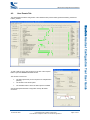
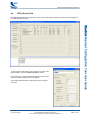
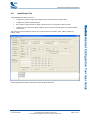
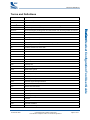
The LEDs (Filters) tab allows configuration of the LED filters which can be used to change the behaviour of other
LED flashing patterns such as those generated from LED states or events.
_äìÉ`çêÉ Headset Configuration Tool User Guide
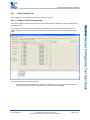
To add or edit an LED filter, click anywhere on the line of the
required Index to open the Add/Edit Filter window.
Use the window to configure a number of different filter types.
The window options change according to the filter action
chosen as some filters need more configuration than others.
See the appropriate Headset Configuration PS Key Bit Fields
document.
CS-207370-UGP1
© Cambridge Silicon Radio Limited 2010
This material is subject to CSR’s non-disclosure agreement.
Page 15 of 27